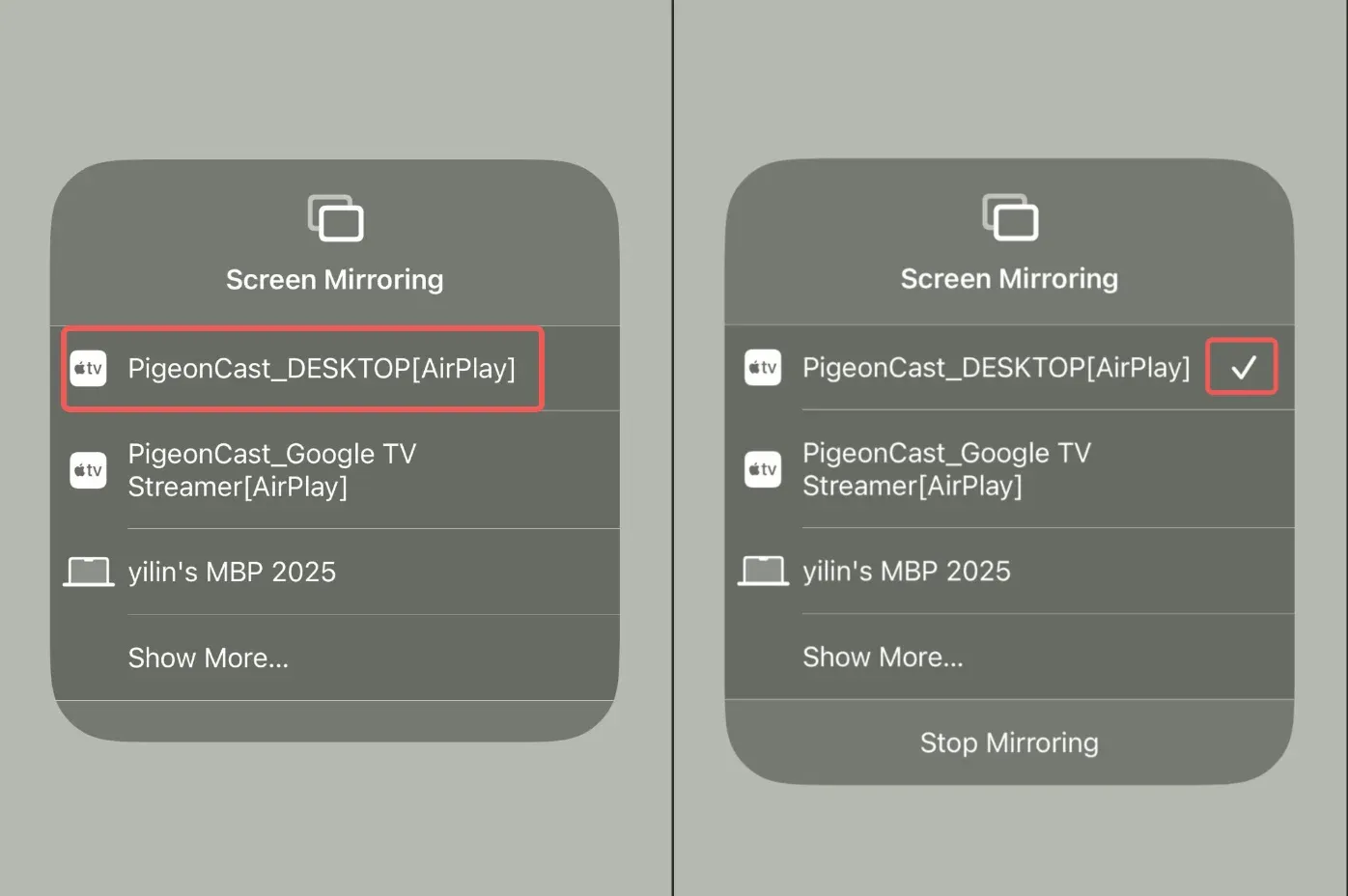
Screen Mirroring iPhone/iPad to Android TV
BeginnerMarch 19, 2026
This guide walks through how to mirror your screen from iPhone or iPad to Android TV using AirPlay protocol.
Step-by-Step Guide
1
Install PigeonCast on your Android TV as a receiver
There are two methods of installation:
Method 1: Search the term PigeonCast on Google Play Store and install.
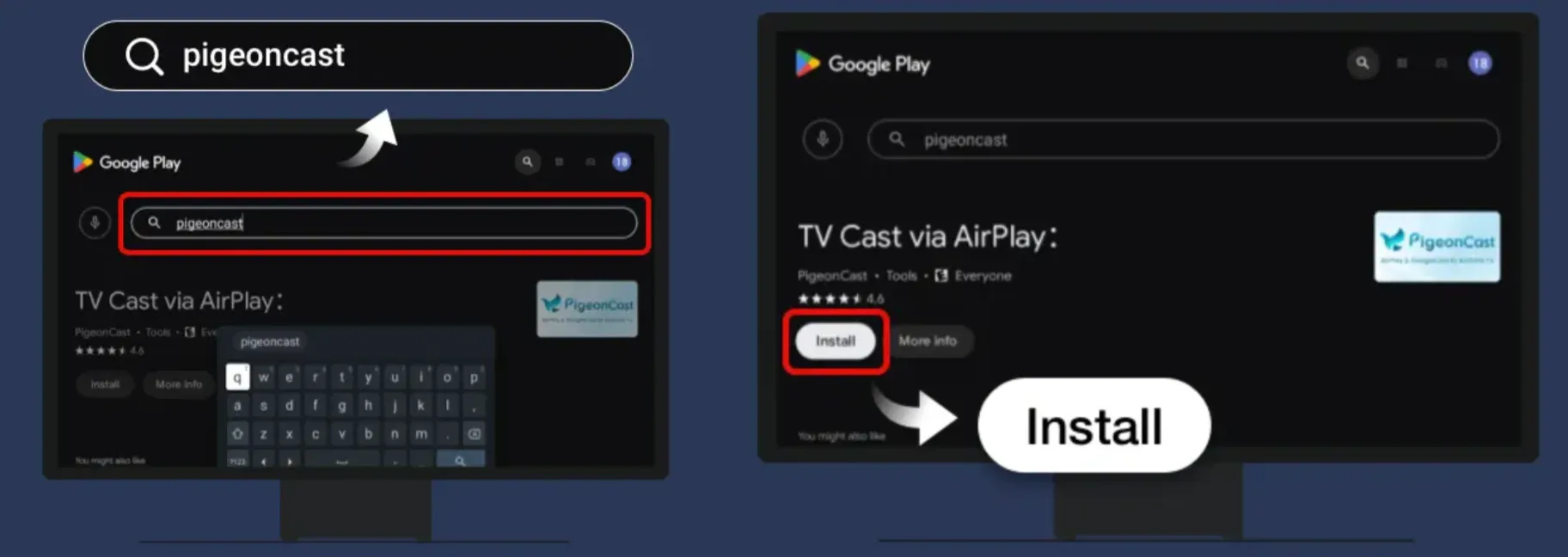
Method 2: Download APK package of PigeonCast for TV, copy it to a USB flash drive, and plug the flash drive on your TV and install it.
2
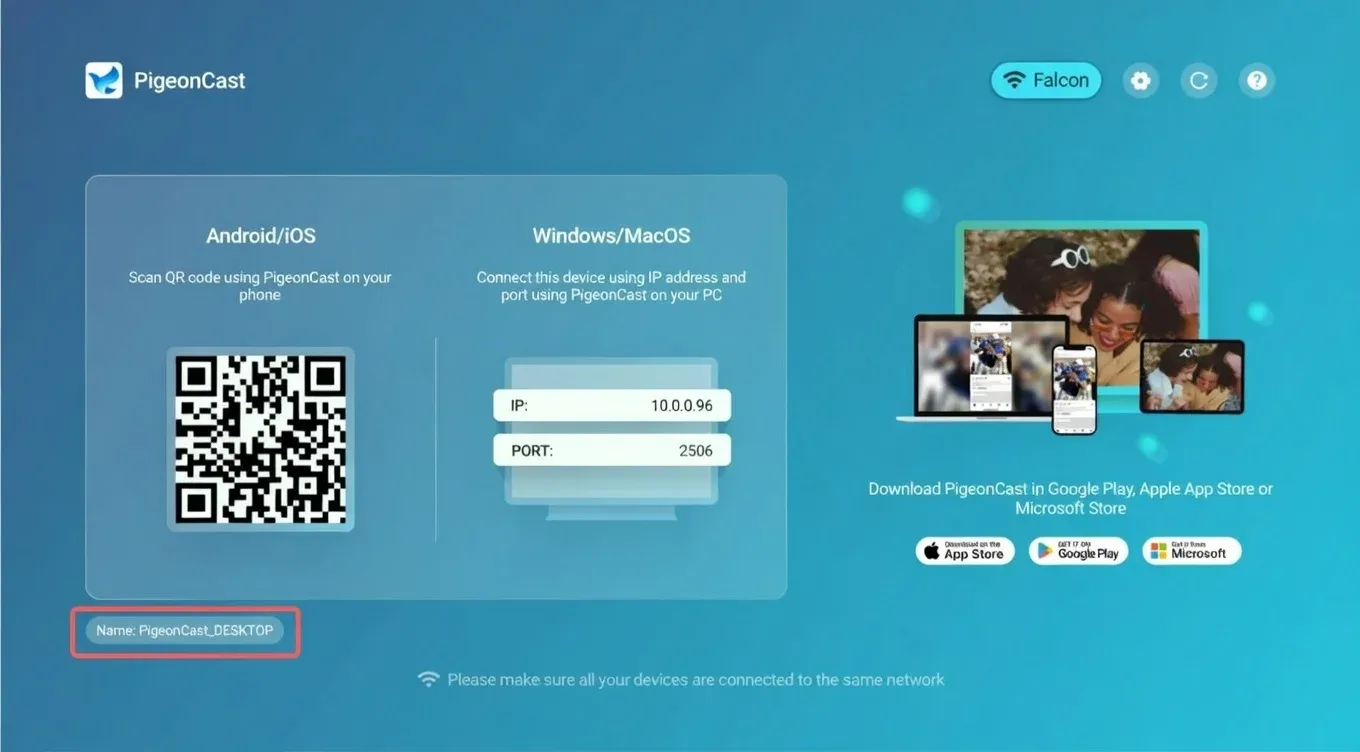
Make sure your iPhone/iPad and your TV are connected to the same Wi-Fi network, and open the PigeonCast App on both devices
3
Start screen mirroring
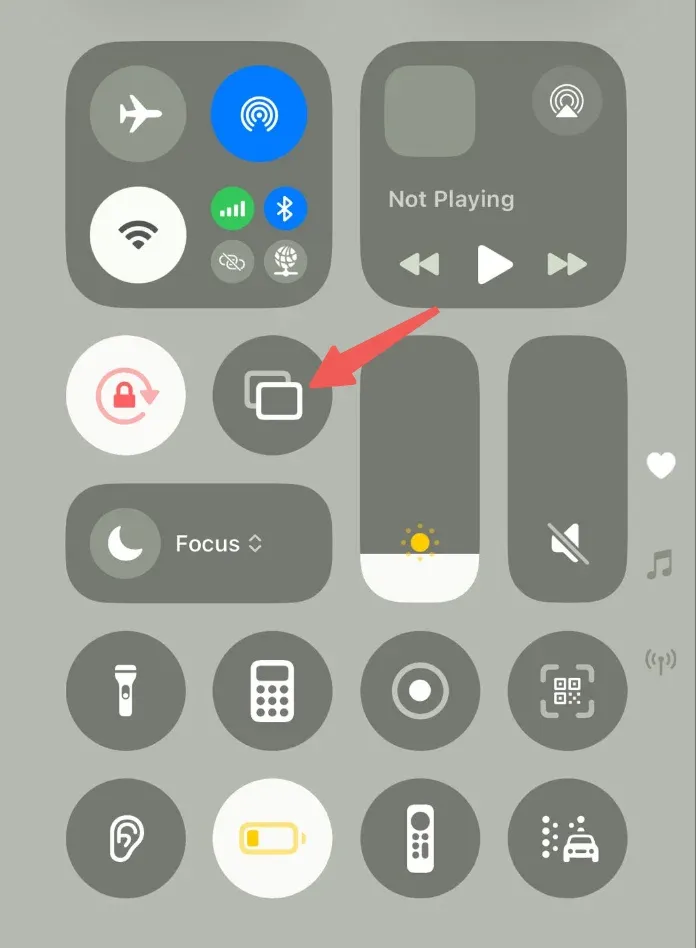
Step 1: Open the Control Center on your iPhone/iPad, find and tap the Screen Mirror icon.
Step 2: Select the TV and it will connect at once.