Screen Mirroring Android Phone to Apple TV (Google Cast)
BeginnerMarch 19, 2026
This guide walks through how to mirror your screen from Android Smart Phone to Apple TV using Google Cast protocol.
Step-by-Step Guide
1
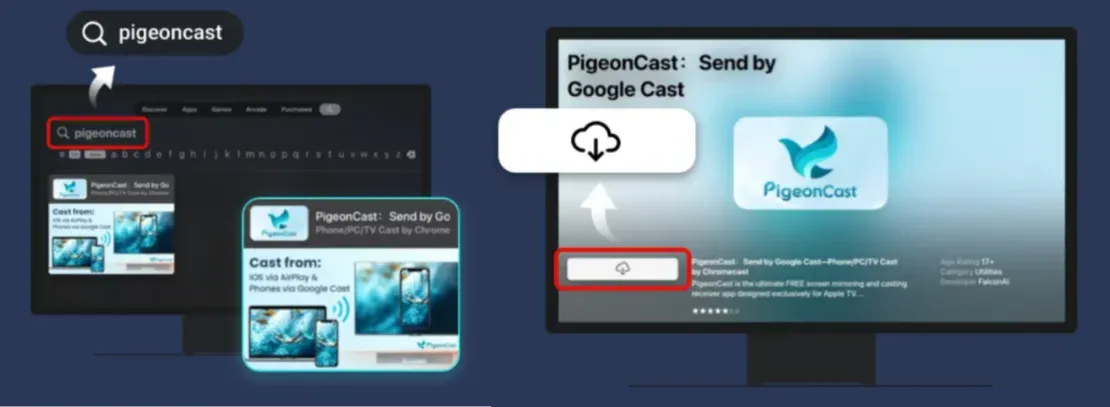
Download PigeonCast App on Apple TV as receiver
Search the term PigeonCast on your Apple TV App Store, and download the PigeonCast App.
2
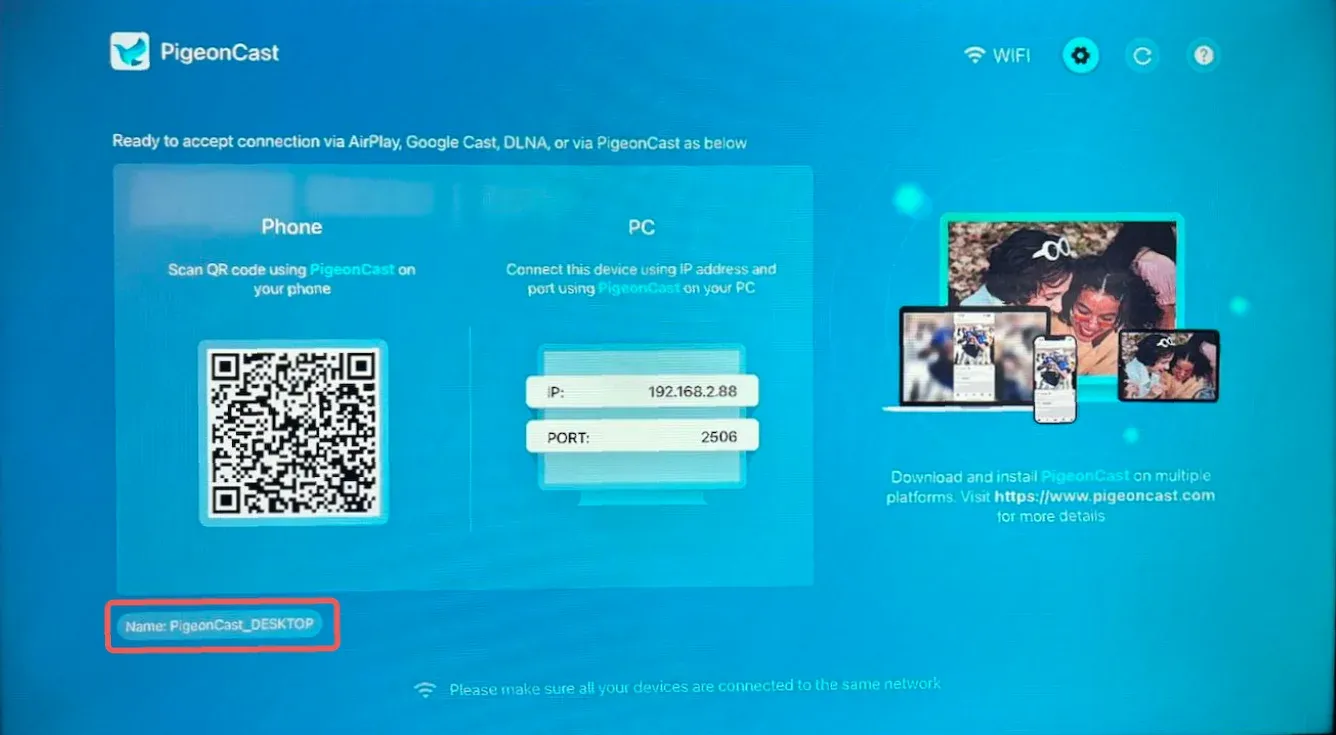
Make sure your Android phone and Apple TV are connected to the same Wi-Fi network, open the PigeonCast App on TV, and identify the receiver name
3
Start mirroring
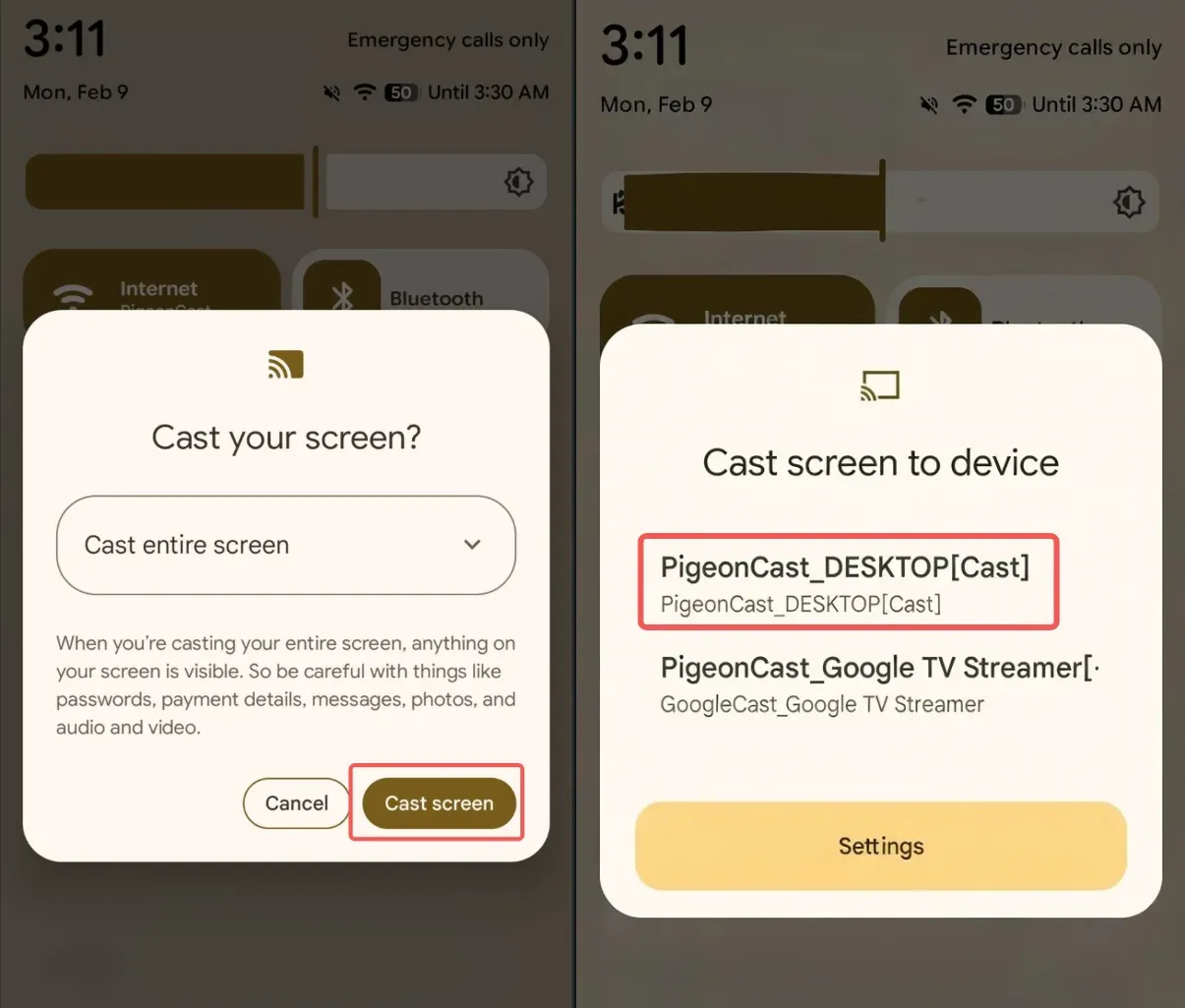
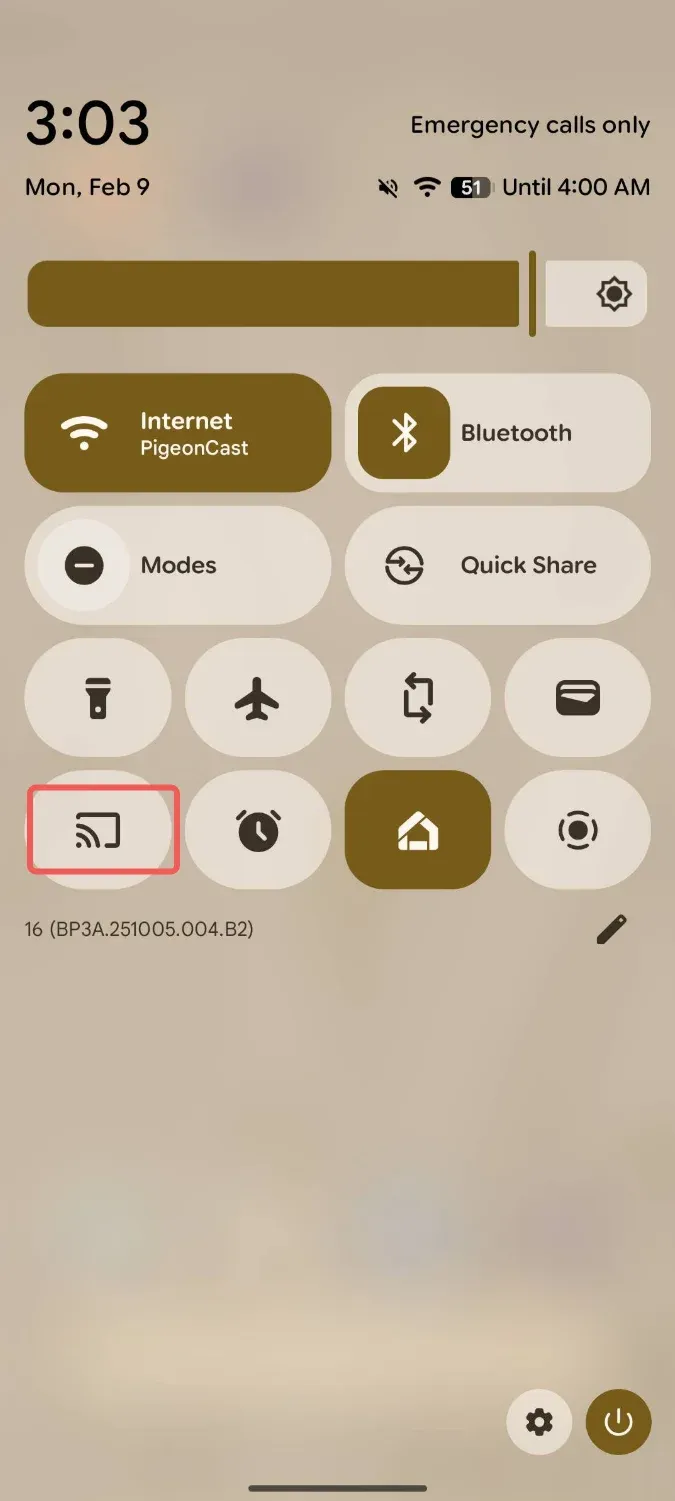
Step 1: On the main screen of your phone, swipe down and launch the Quick Settings panel, find and tap the Screen Mirroring button. (image below uses Google Pixel phone as an example)
Step 2: Select the TV receiver name from the detected devices list, and start screen mirroring.