
If you've ever considered using AirServer for screen mirroring, you might have wondered, "Is AirServer safe?" As the demand for screen mirroring apps continues to grow, ensuring the security of these tools is crucial. In this blog, we'll explore the security of the AirServer app, explain how to use it safely, and recommend a secure alternative for those who need more flexibility in mirroring content across devices.
Is AirServer Safe
When asking "Is AirServer safe?", it's important to understand the app's security features and how it works. AirServer is a reputable screen mirroring app that allows users to mirror their devices to a bigger screen, like a TV or projector. It supports AirPlay, Google Cast, and Miracast, making it versatile for iOS, Android, and Windows devices.
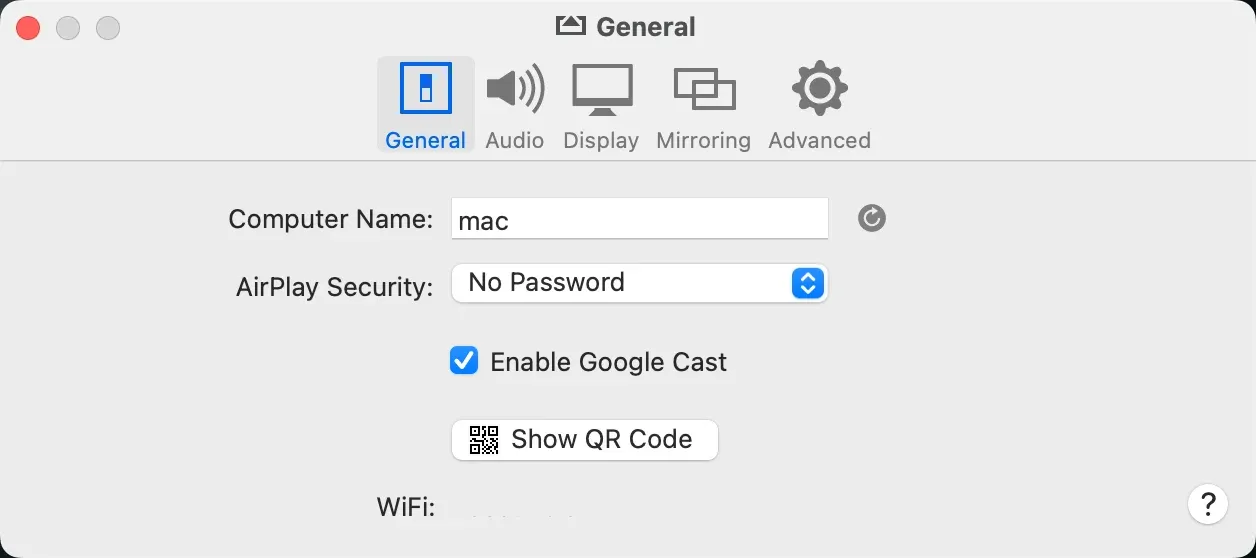
Security Features of AirServer
- Data Encryption: AirServer employs secure encryption protocols to protect data transmitted during mirroring. This ensures that your personal content, including photos, videos, or documents, remains private while being displayed on a larger screen.
- Local Network Mirroring: The app operates over a local Wi-Fi network, which generally provides a secure connection. However, you should be cautious and ensure they are connected to a trusted network. Public or unsecured Wi-Fi could expose your mirrored content to unauthorized access.
- Regular Software Updates: AirServer undergoes regular updates to address potential security vulnerabilities. Always download the latest version from the official website to ensure the app stays secure and up-to-date.
Safety Tips for Using AirServer
- Use a secure Wi-Fi network: Since AirServer relies on Wi-Fi for mirroring, it's essential to use a secure, private network. Public Wi-Fi networks often expose data to unauthorized users, which could jeopardize your privacy.
- Check for software updates: Always get the latest AirServer download package from the official website to avoid security risks from outdated versions.
- Use AirPlay and Miracast securely: Whether you're using AirPlay or Miracast, always verify the device you're connecting to is yours or authorized by you. Device authentication steps, like PIN requests, can add an extra layer of security.
AirServer offers a reliable and secure platform for screen mirroring. However, just like with any technology, it's essential to follow best practices to ensure your data remains safe during the mirroring process.
Free & Safe Alternative to AirServer: PigeonCast
However, while AirServer provides a safe solution for screen mirroring, it comes with limitations. The paid model restricts access to some features, and the setup process can be more complicated than what some users might prefer. If you're looking for a free, secure, and user-friendly alternative, PigeonCast is the answer.
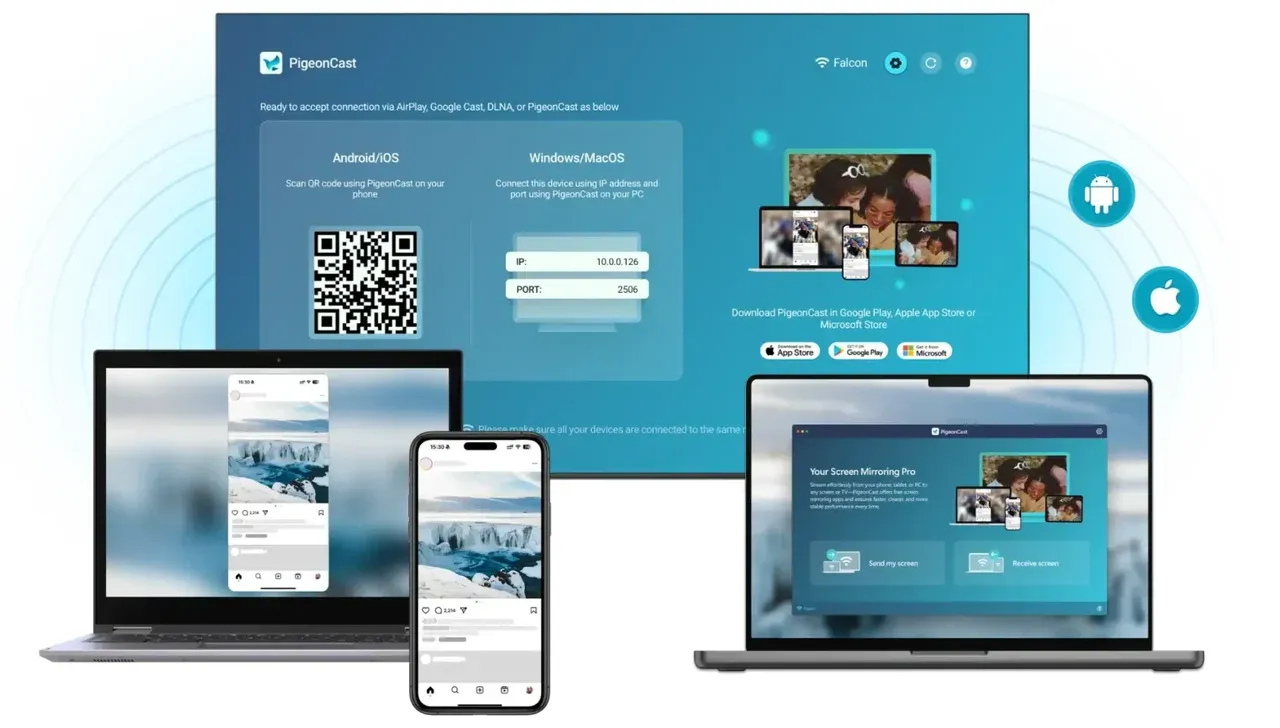
Why consider PigeonCast as an alternative:
- Free and Ad-Free: One of the main benefits of PigeonCast is that it's entirely free to use, with no ads or hidden fees. This makes it accessible without the need for subscriptions or extra purchases. Once you download the app, you can start mirroring right away without restrictions.
- Secure Screen Mirroring: PigeonCast provides secure mirroring with encrypted connections, ensuring your data remains private during the process. Whether you're sharing personal files or business presentations, you can rely on PigeonCast to safeguard your content.
- Cross-Platform Compatibility: PigeonCast works with a range of platforms, including iOS, Android, Windows, Mac, and smart TVs, thanks to its support for AirPlay, Google Cast, and DLNA. This broad compatibility makes it a flexible option for various devices, offering a smoother experience than some alternatives that may require more complex setup.
- High-Quality Screen Mirroring: With PigeonCast, you can expect clear and smooth HD mirroring. Whether you're watching videos, playing games, or giving a presentation, the app ensures a stable connection and good visual quality.


Overall Rating:



If you're still unsure about the security of screen mirroring apps, both AirServer and PigeonCast offer reliable and secure options for seamless mirroring across devices.
Closing Words
AirServer is a solid and secure option for screen mirroring, offering robust features and compatibility across multiple platforms. Its paid model and the setup process, however, might not suit everyone, particularly those seeking a simpler, no-cost solution.
While AirServer provides a secure and feature-rich experience, there are free alternatives available for users looking for a straightforward screen mirroring tool that doesn't require a subscription. The right choice will depend on your needs, whether you prioritize the convenience of a paid solution like AirServer or a free, user-friendly app for daily mirroring.
Is AirServer Safe FAQs
Is AirServer free to use?
No, AirServer requires a paid license for full functionality. There is a free trial available, but to access all features, you need to purchase the app.
Is screen mirroring a security risk?
While screen mirroring itself isn't inherently a security risk, it can expose your data to vulnerabilities if you're using public Wi-Fi networks or untrusted devices. Always use secure Wi-Fi connections and ensure you're mirroring to trusted devices.
Does AirServer support all devices?
AirServer supports a wide range of devices, including iOS, Android, Windows, and macOS. However, the app works best for Apple devices, offering seamless integration with AirPlay, while Miracast and Google Cast features may require additional setup for certain devices.
Can I mirror my iPhone to a Windows PC with AirServer?
Yes, AirServer supports AirPlay, so you can mirror content from an iPhone to a Windows PC using the app, providing a seamless mirroring experience.
What's the best alternative to AirServer?
For users seeking a free, secure, and high-quality mirroring solution, PigeonCast is an excellent alternative. It supports AirPlay, Google Cast, and DLNA, and it works seamlessly across iOS, Android, Windows, Mac, and smart TVs, offering a smooth and flexible experience.
Is PigeonCast better than AirServer?
The answer depends on your specific needs. If you're looking for a paid solution with premium features and advanced customization, AirServer might be the right choice. However, for users seeking a free, ad-free, and easy-to-use screen mirroring app, PigeonCast is a better alternative. PigeonCast offers HD-quality mirroring with full cross-platform compatibility across iOS, Android, Windows, Mac, and smart TVs, making it more versatile and accessible for day-to-day use, especially when budget and simplicity are top priorities.
Mia Clarke is a technology editor specializing in screen mirroring and casting solutions across multiple platforms. Mia provides clear, practical guides and in-depth insights to help users seamlessly connect their devices. Passionate about enhancing digital experiences, Mia is dedicated to keeping readers updated on the latest trends and tools in cross-platform screen sharing. Whether you’re looking to mirror your smartphone, laptop, or smart TV, Mia’s content delivers reliable, user-friendly advice to simplify your tech setup.