
If you're a fan of gaming, live streams, or creative content, you might be wondering how to enjoy Twitch on the big screen through your Roku device. While the process isn't as straightforward as installing a native app from the Roku Channel Store, it is entirely possible with a few reliable workarounds. This guide will walk you through everything you need to know to get Twitch on Roku TV or player.
Is Twitch on Roku
Currently, Twitch isn't available as an official app on Roku. While it was offered from 2013 to 2017, Twitch removed the app from the Roku Channel Store in 2017. The lack of an official Twitch app on Roku is due to factors such as competition, business negotiations, and technical limitations. However, there are still workarounds available that allow you to stream Twitch content on your Roku device.
How to Watch Twitch on Roku TV
Although there's no official Twitch app on Roku, there are still several effective ways to stream Twitch content on your Roku TV. Whether you prefer casting or using third-party apps, there are solutions available. Let's explore the best methods about how to stream Twitch on Roku.
Way 1. Cast Twitch on Roku
Casting your Twitch stream from a mobile device or computer to your Roku TV is one of the most straightforward methods available. Roku supports screen mirroring from both Android and Windows devices, making it easy to display content like Twitch streams directly on your TV. Here's how to cast Twitch to Roku:
Step 1. Ensure your Roku device and your phone/PC are connected to the same Wi-Fi network.
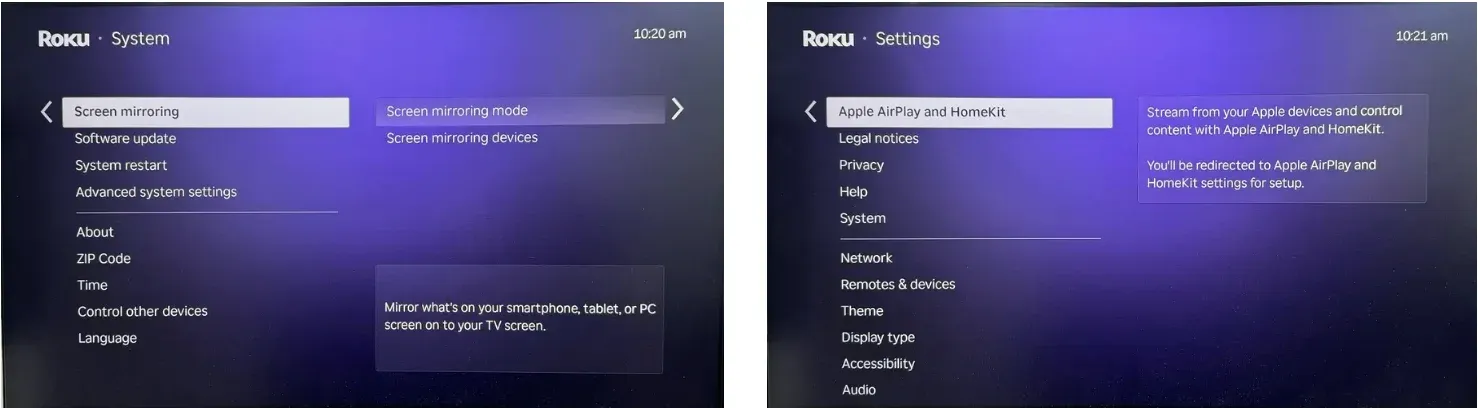
Step 2. On your Roku, go to Settings > System > Screen Mirroring. If you use an Apple device, then navigate to Roku's Settings > Apple AirPlay and HomeKit and toggle AirPlay On.
Step 3. Cast Twitch from your device:
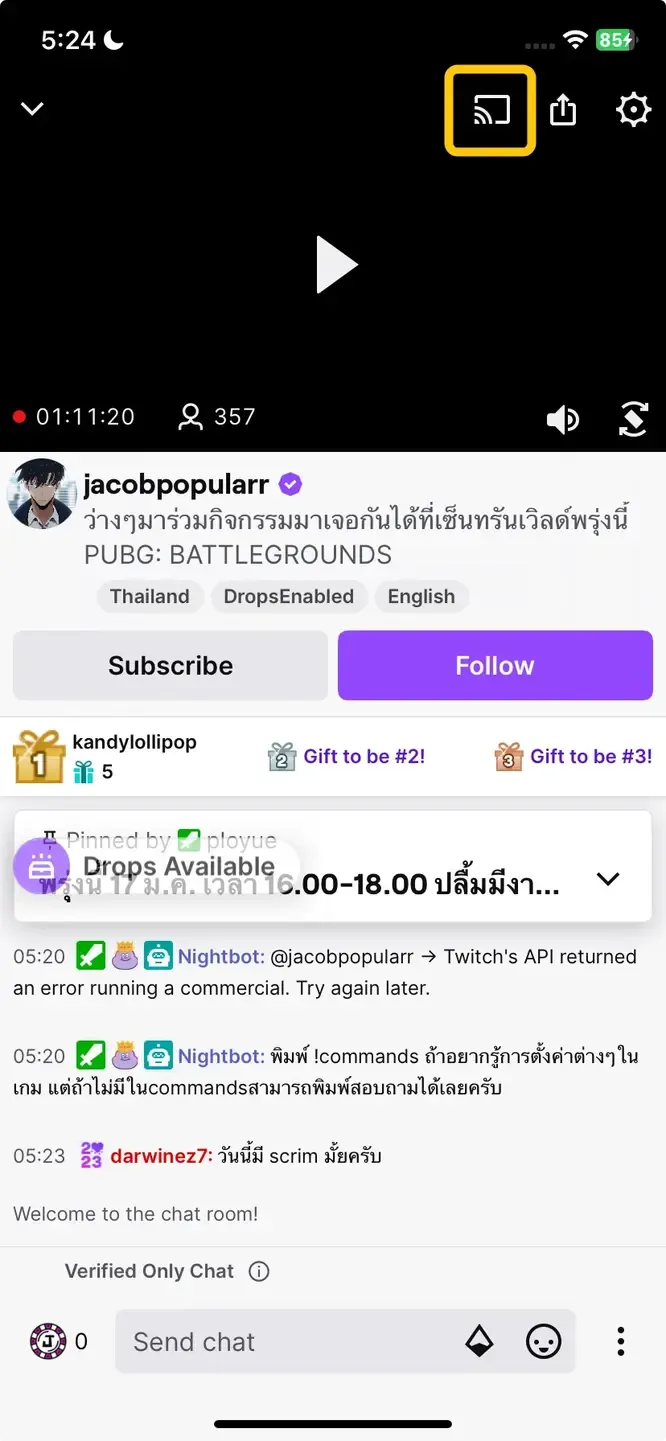
- From Android/Windows: Open the Twitch app or website, start playing a stream. Tap the Cast icon (a rectangle with Wi-Fi waves in the corner) and select your Roku device from the list.
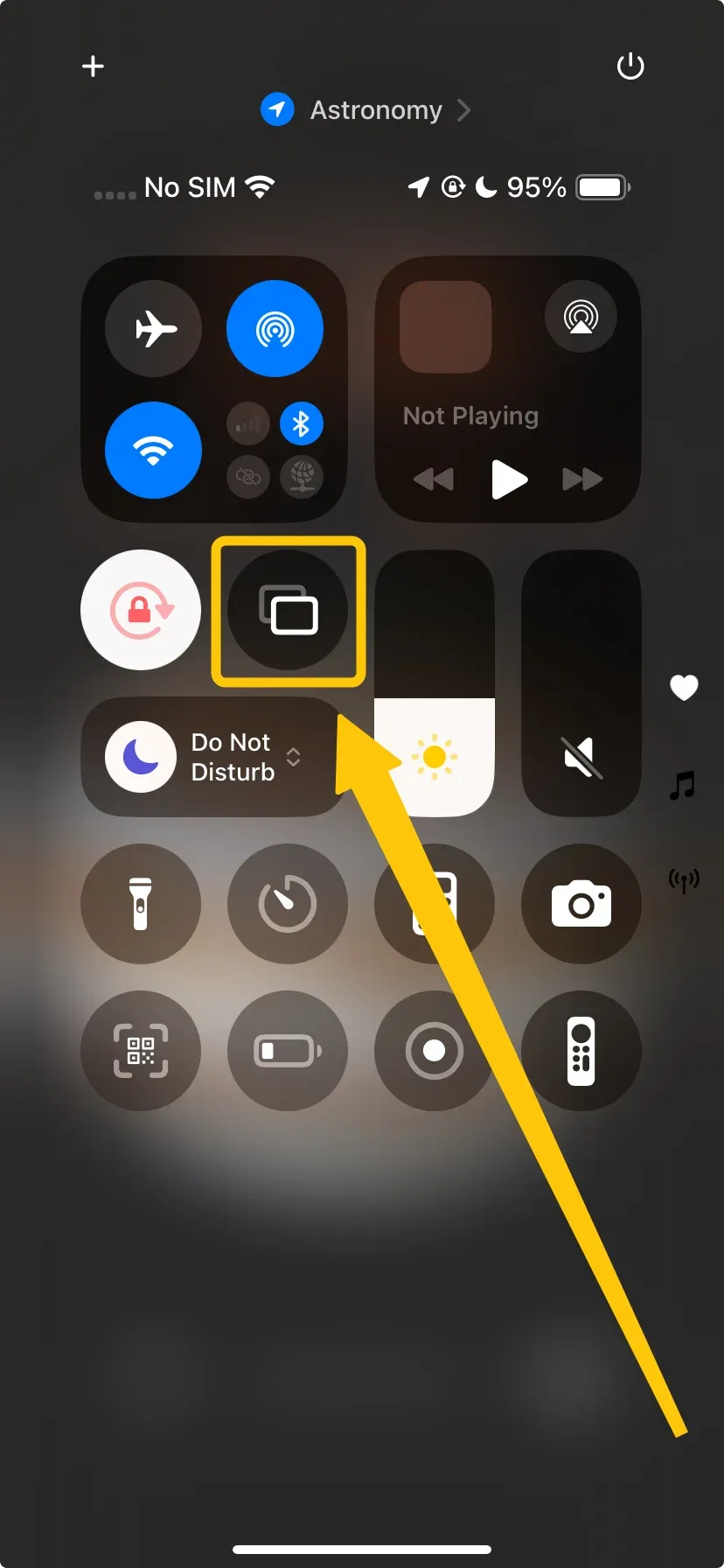
- From iPhone/iPad/Mac: Use the Screen Mirroring function in your device's Control Center. Select your Roku to mirror your entire screen, then open the Twitch app or website.
How to watch Twitch on Roku 2025: If you run into compatibility issues while trying to mirror your mobile device or laptop to Roku, give PigeonCast a try. This free app resolves compatibility problems and lets you stream content in up to 4K resolution with minimal latency, ensuring the best possible viewing experience.



Overall Rating:



Way 2. Use TWOKU (Unofficial App)
If you're looking for a more direct solution, TWOKU is an unofficial Roku app that lets you stream Twitch content on your Roku. Although it isn't available in the official Roku Channel Store, you can sideload it onto your device. However, keep in mind the potential risks, including the possibility that Roku may disable access to unofficial apps if they violate its terms and conditions. Here's how to watch Twitch on a Roku TV via TWOKU:
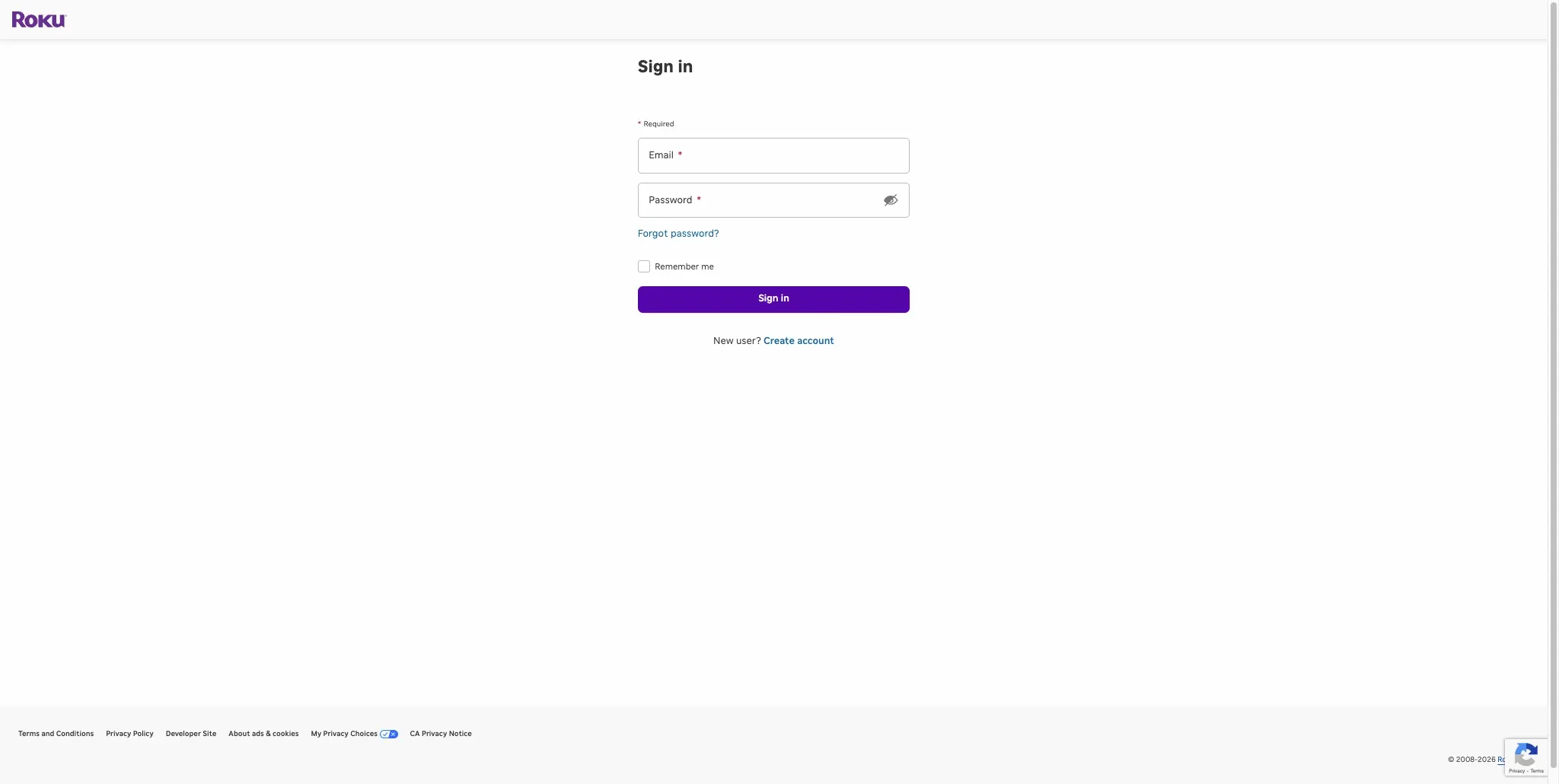
Step 1. Log in to your account on the Roku website and navigate to the account settings page.
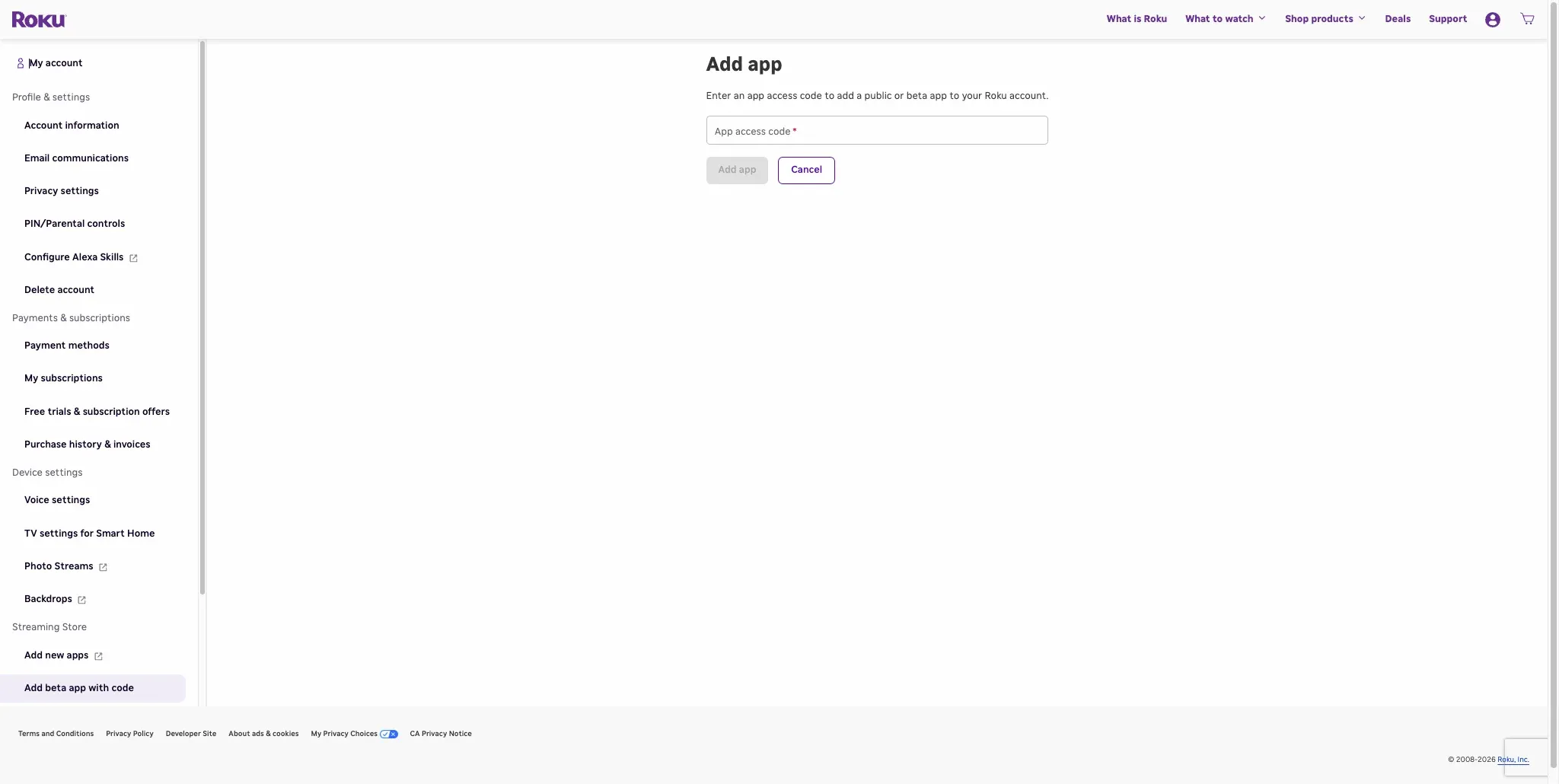
Step 2. Select Add Channel with a code and enter C6ZVZD in the text box, then click Add app.
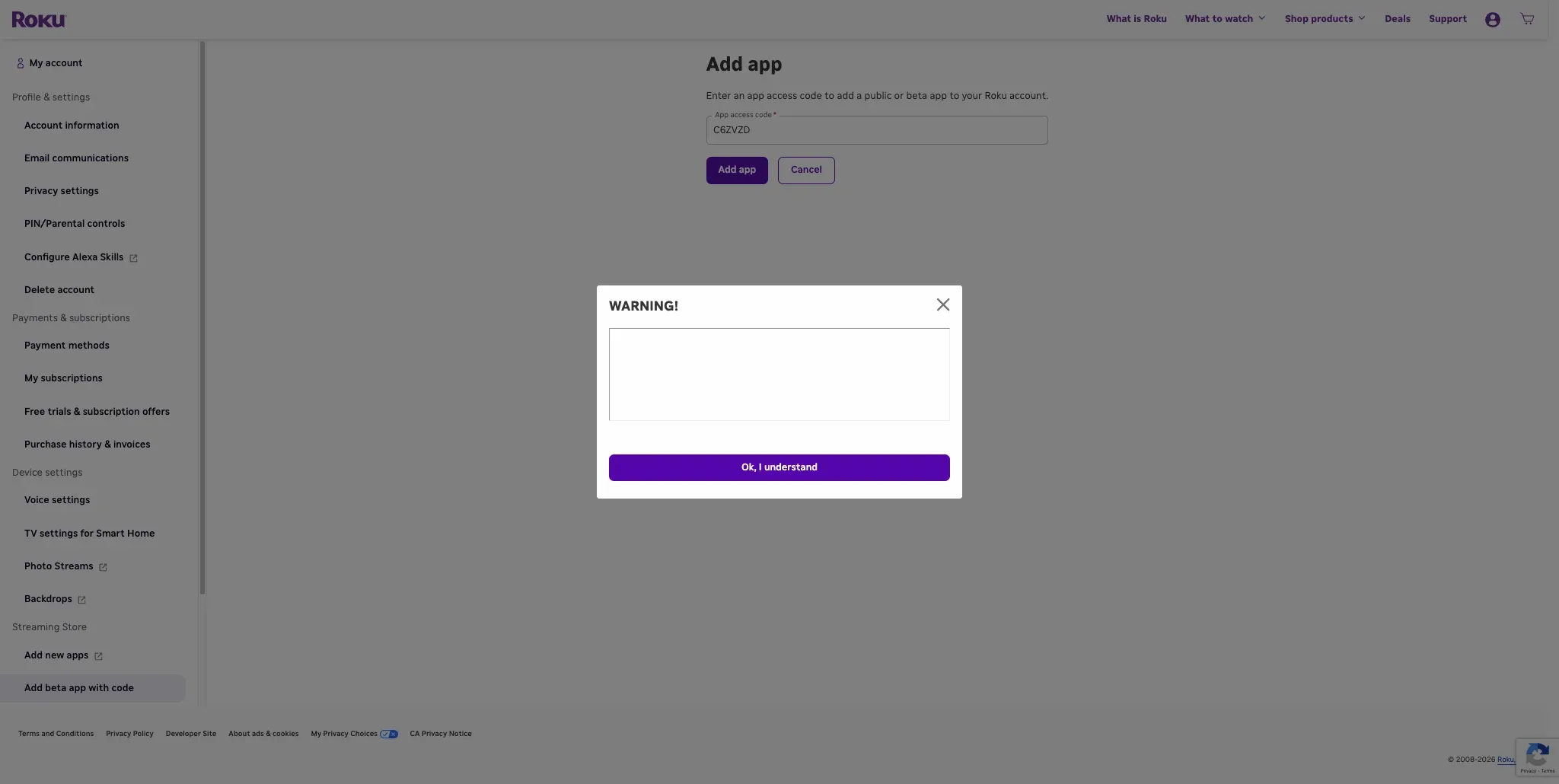
Step 3. Carefully read and acknowledge the disclaimer that appears, fully understanding the risks associated with using an unofficial app, then select OK to confirm the installation.
Note: Installing uncertified Roku channels with a solid reputation is generally safe, but there are some risks involved. If Roku determines that you've added a channel that violates its terms and conditions, you could lose the ability to add uncertified channels in the future. While your Roku will still function, you'd only be able to access official channels from the Roku Channel Store.
Step 4. Access TWOKU on your Roku's Home screen to enjoy Twitch on your Roku.
To Sum Up
How to watch Twitch on my Roku TV? Although there's no official Twitch app for Roku, you can still watch Twitch on your Roku device using a few simple methods. You can cast from your phone or PC, use a third-party app like PigeonCast, or try the unofficial TWOKU app. Each option lets you stream Twitch content, giving you different ways to enjoy your favorite streams on the big screen. Just be mindful of the risks with unofficial apps.
Twitch on Roku FAQ
Can you get Twitch on Roku?
No, Twitch is not available as an official app on Roku. However, you can still stream Twitch content on Roku by casting from a mobile device or PC, using third-party apps like PigeonCast, or installing the unofficial TWOKU app.
Why is there no Twitch on Roku?
Twitch is not available on Roku because the app was removed from the Roku Channel Store in 2017. The removal is likely due to a combination of factors, including business negotiations, competition, and technical limitations. While Twitch is not officially supported on Roku, there are still workarounds available to stream Twitch content.
How can I watch Twitch on my TV?
Here are some simple ways to watch Twitch on your TV:
- Cast from phone or computer (try PigeonCast for compatibility issues)
- Install the TWOKU app on Roku to watch Twitch (this is an unofficial method).
Why is Twitch on Roku not working?
Here are some reasons why Twitch might not be working on Roku:
- No official Twitch app
- Network issues
- Outdated software
- AirPlay or casting problems
- Roku restrictions
How to use Twitch on Roku?
Here are a few ways to use Twitch on Roku:
- Cast from phone or computer: Use AirPlay (for iPhone/iPad/Mac) or Chromecast (for Android/Windows) to cast Twitch content to your Roku.
- Use a third-party app: Download PigeonCast, a free app that lets you stream Twitch content from your phone or computer to your Roku.
- Use unofficial app (TWOKU): Sideload the TWOKU app onto your Roku device to stream Twitch (note that this is an unofficial method).
Clara Rossi is an experienced technology editor and a seasoned expert in screen mirroring and casting technologies. With a keen eye for detail and a deep understanding of how to seamlessly connect devices, Clara excels at optimizing user experiences for effortless sharing and streaming. Whether you're seeking quick fixes or advanced tips, her expertise and responsiveness ensure that every query is met with a well-informed and efficient solution.