
The question "Is Chromecast free?" is a common point of confusion, and the answer isn't a simple yes or no. It stems from mixing up the Chromecast device with Chromecast technology. Understanding this distinction is key to knowing exactly what you're paying for and what you can access without opening your wallet. This guide will break down the costs, from the hardware you need to buy to the apps you can use with it.
Is Chromecast Free for TV
Is Google Chromecast free? Let's be clear from the start that the Chromecast device itself is not free. It's a physical media streaming device made by Google that you need to purchase upfront. It plugs into your TV's HDMI port, letting you stream content from your phone, tablet, or computer directly to your TV.
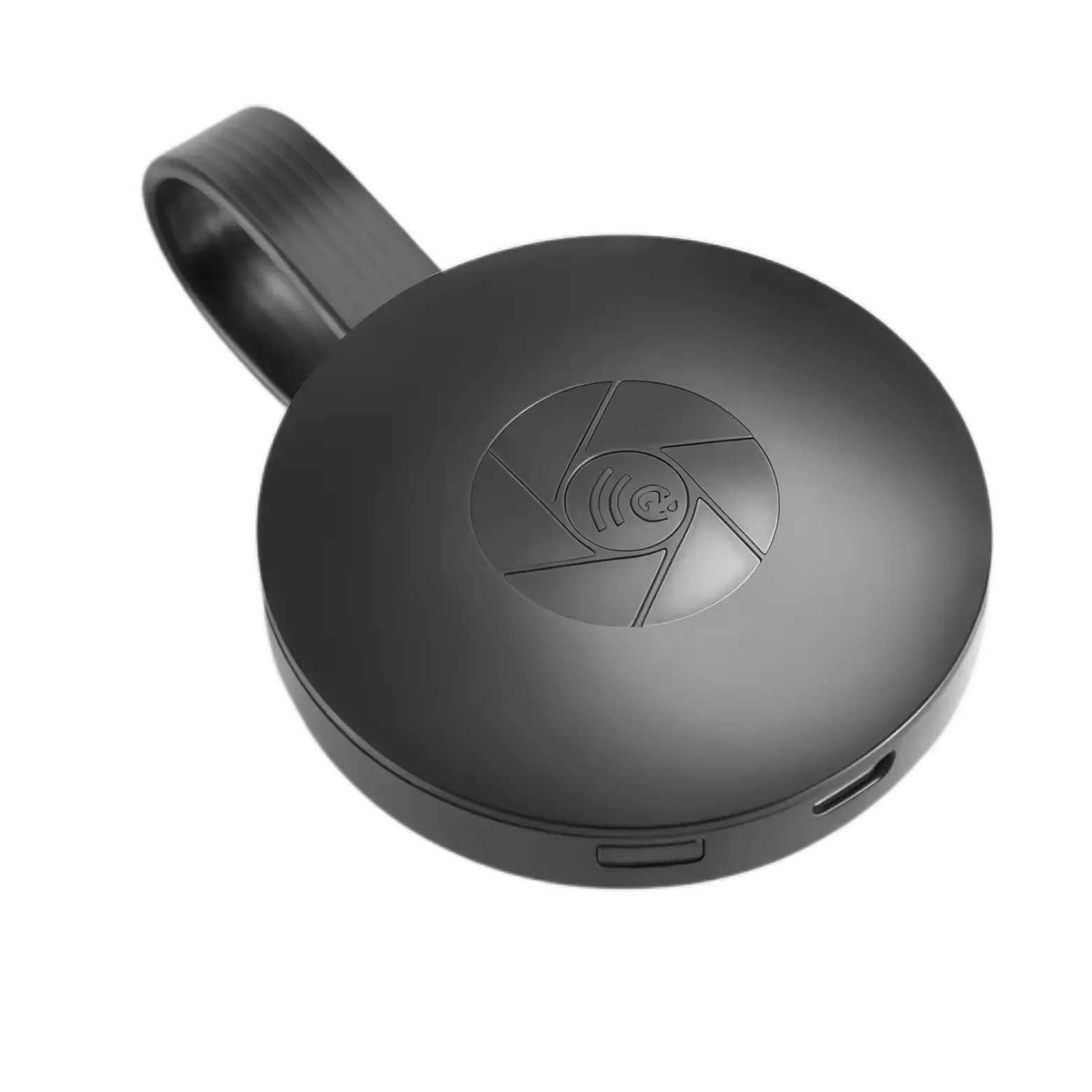
To get started with Chromecast, you'll need to buy the device, which typically costs between $29.99 and $70, depending on the model you choose (such as Chromecast HD or Chromecast 4K with Google TV). After purchasing the device, there are no additional fees related to Chromecast itself, so while it's not technically "free", it is a cost-effective way to stream your favorite content.
Is TV Cast for Chromecast Free
While Chromecast itself isn't free, the technology behind it, the casting protocol that lets you stream from apps to your TV, is free to use. Once you've plugged in your Chromecast and set it up, there are no subscription fees to pay Google for using the Chromecast. You don't need a special "Chromecast subscription" to enjoy its features.
The process of casting content from your phone or tablet (like YouTube, for example) to your TV is entirely free, thanks to Google's free casting technology. Using Chromecast is easy once you have the device set up. Here's a step-by-step guide on how to use Chromecast:
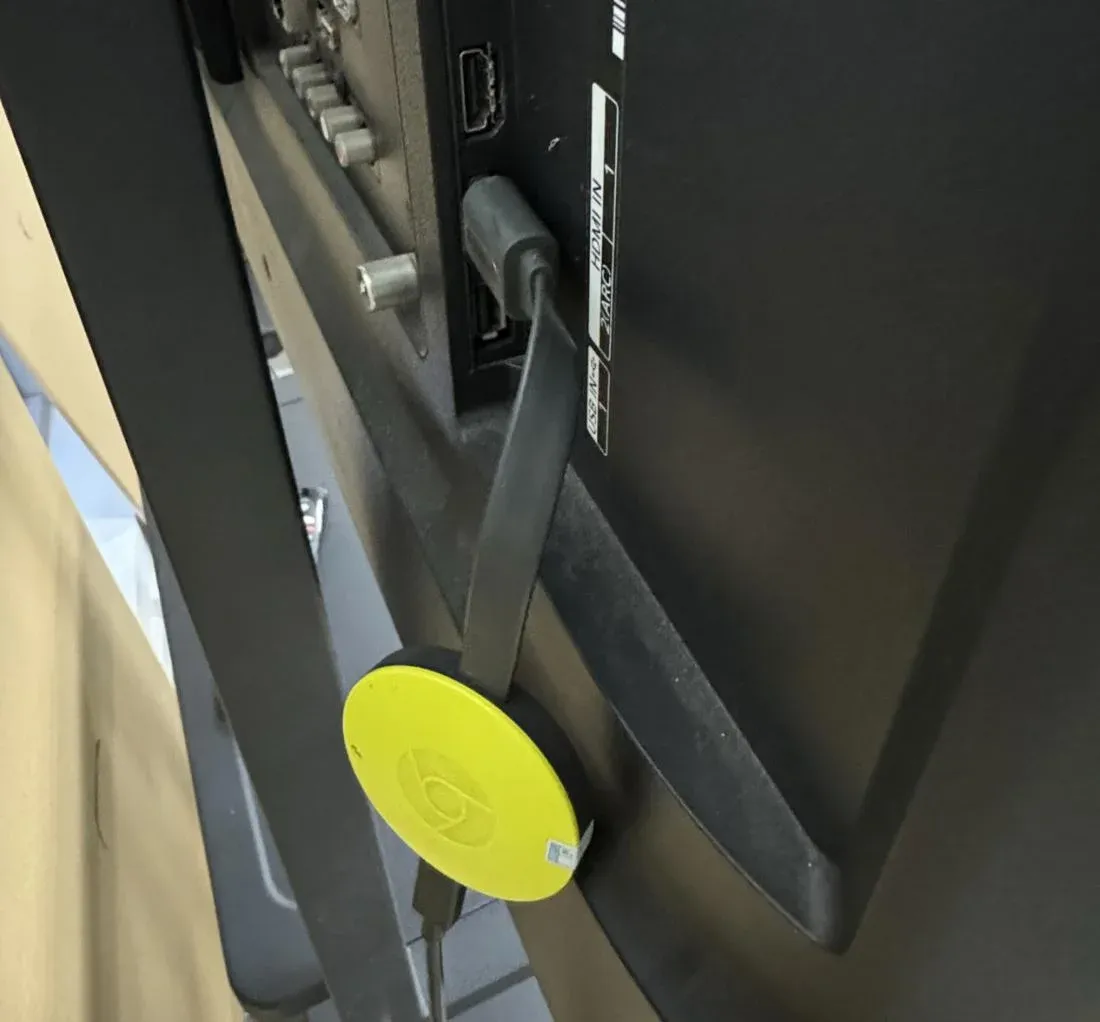
Step 1. Insert your Chromecast into an available HDMI port on your TV.
Step 2. Plug the USB power cable into the Chromecast and connect the other end to a power source (such as a wall outlet or a USB port on your TV).
Step 3. Use your TV remote to change the input to the HDMI port where the Chromecast is plugged in.
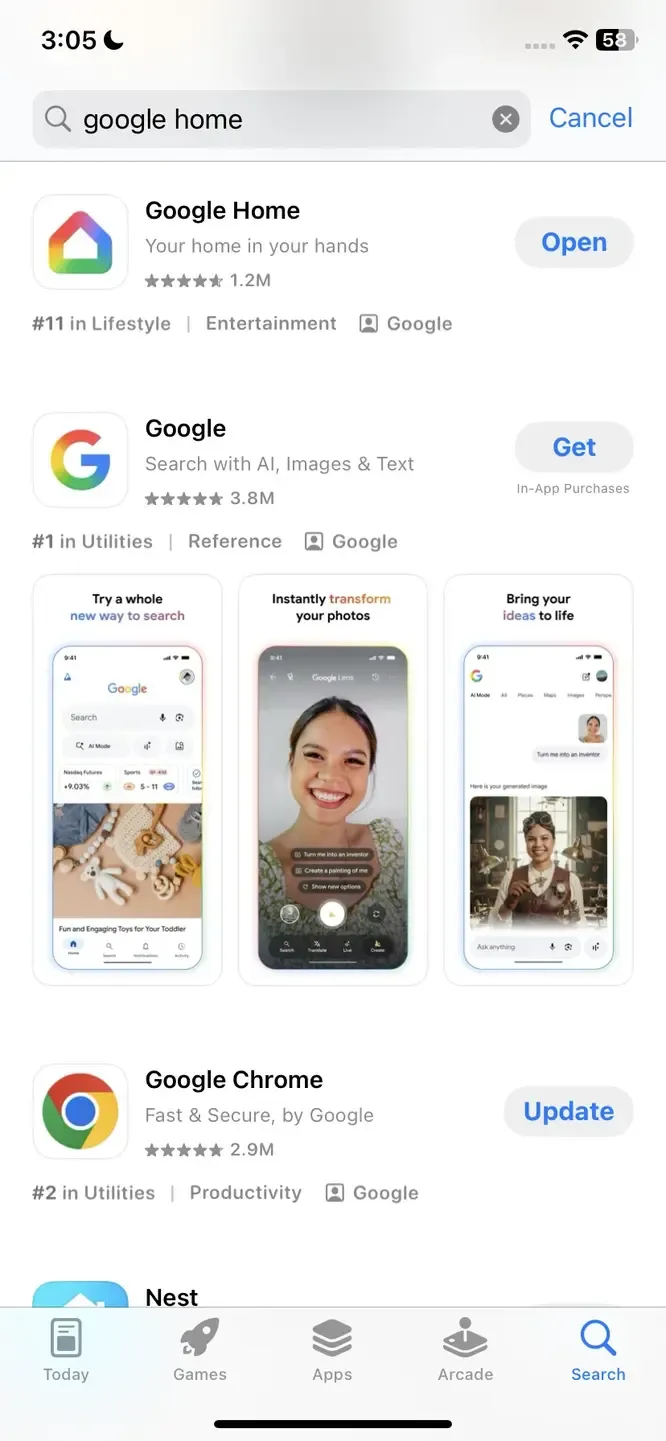
Step 4. Download the Google Home app from the Google Play Store (for Android) or Apple App Store (for iPhone/iPad).
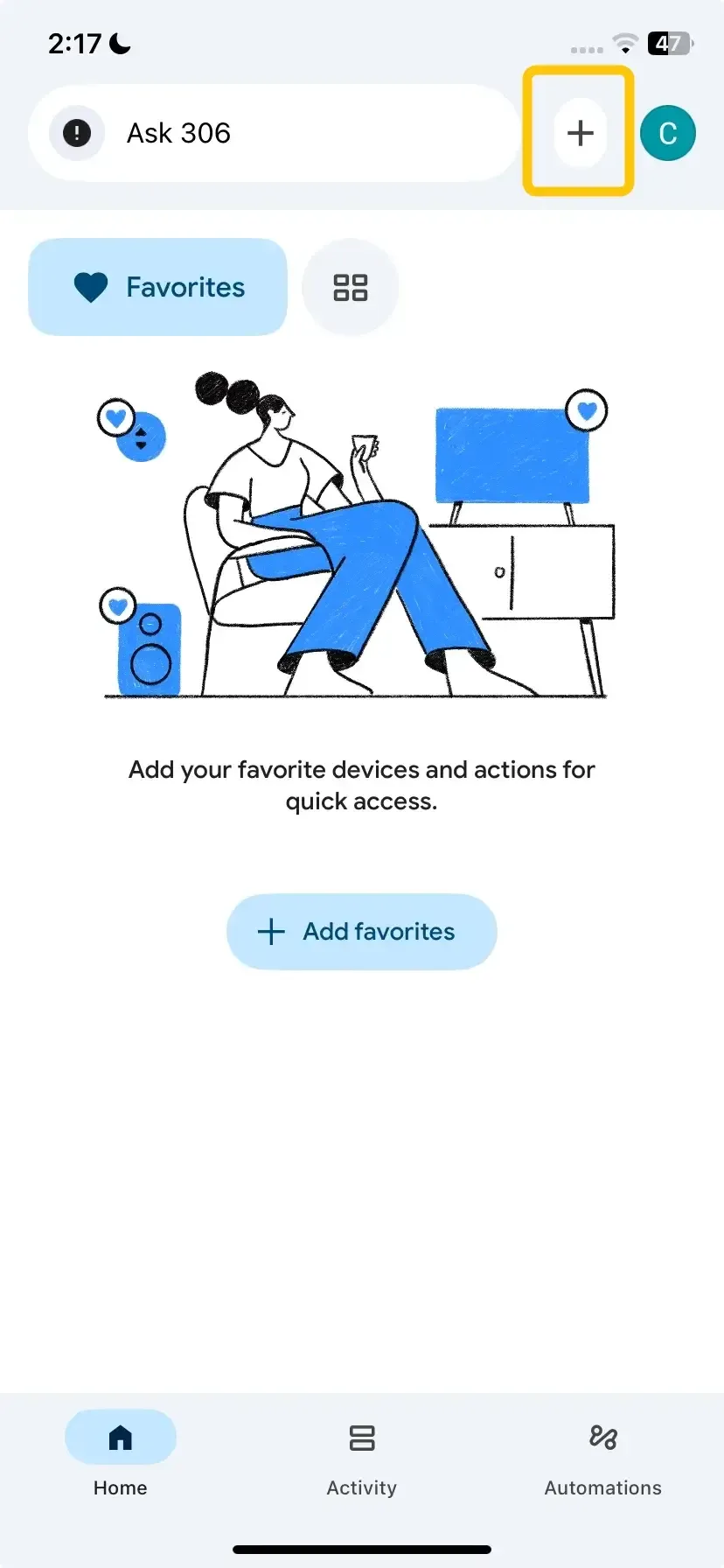
Step 5. Open the Google Home app on your mobile device, and tap the + icon in the top left to add a new device.
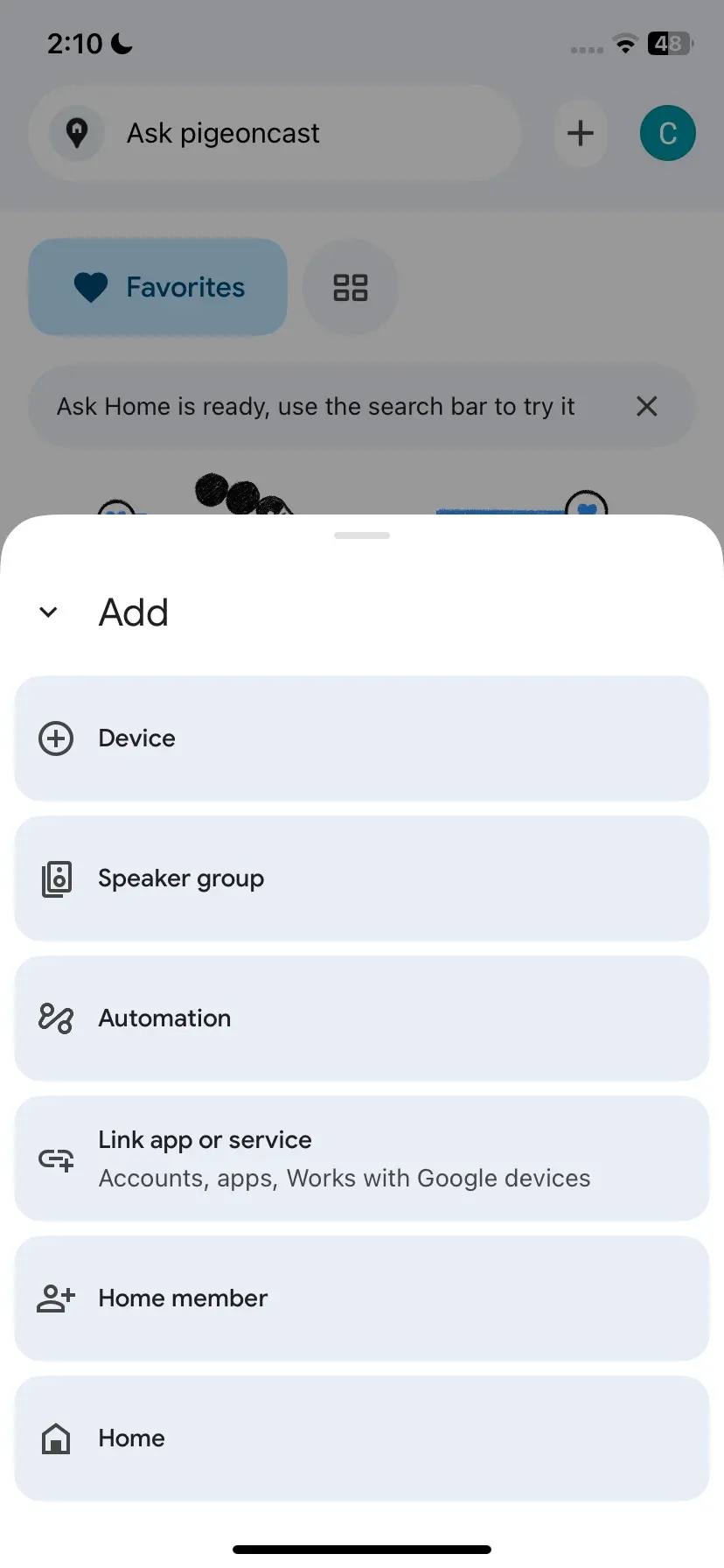
Step 6. Select Device and then choose Search for device in your home. Follow the on-screen instructions to connect Chromecast to your Wi-Fi network.
Step 7. Once your Chromecast is set up, open a supported app like YouTube, Netflix, or Spotify on your phone or tablet. Look for the Cast icon to select your Chromecast device from the available list and start casting activities.
What Isn't Free on Chromecast
The Chromecast device is a gateway, but it doesn't pay for the content that passes through it. Any costs associated with using your Chromecast come from the apps and services you decide to use, not from Google. The primary expenses are related to premium content and subscriptions:
- Subscription Services: To watch content from platforms like Netflix, Disney+, Max, or Hulu, you must have an active, paid subscription with that service. Chromecast does not provide these for free.
- Purchases and Rentals: Buying or renting the latest movies from stores like Google TV, Amazon Prime Video, or Apple TV+ incurs an additional cost.
- Music Subscriptions: For on-demand, ad-free music from Spotify Premium, YouTube Music, or Apple Music, a paid subscription is required.
- YouTube Premium: While standard YouTube is free, removing ads and enabling background play requires a YouTube Premium subscription.
Is There a Free Chromecast App
However, while the Google Home app handles setup and device management, it doesn't necessarily support casting all types of content. If you're looking for a way to cast content from a wider range of devices, including your laptop or PC, you might want to check out PigeonCast.
PigeonCast is a free app that allows you to cast content between your smart devices. Unlike the built-in apps that support Chromecast, PigeonCast offers a more flexible way to mirror your screen or cast media from Android, iOS, Windows, Mac, and TVs (tvOS, Android TV, etc.) without the need for a premium subscription. Here's what makes PigeonCast a great addition to your Chromecast experience:
PigeonCast Screen Mirroring

Official Download



- Cross-Device Compatibility: It works on both Android and iOS devices, as well as on laptops and PCs. This means you can cast from just about any device in your home, not just from apps that natively support Google Cast.
- Screen Mirroring: PigeonCast also allows you to mirror your entire screen from your phone or computer to your TV, making it a great choice for presentations, video calls, or just sharing content from apps that don't support Chromecast natively.
- No Subscription Fees: Unlike some premium casting services, PigeonCast is free and no ads to use, which makes it an ideal option for those who want to get the most out of their Chromecast without paying for extra apps or subscriptions.
Final Verdict
Is Google TV Chromecast free? No, the Chromecast with Google TV device is not free. It's a physical streaming dongle you must purchase. Is mirror for Chromecast free? Yes, screen mirroring to Chromecast is completely free after you own the device. If you want to unlock more functionality, you can use PigeonCast, a free tool that supports AirPlay, DLNA, and Google Cast. This gives you a lot more flexibility for streaming and casting content from various devices.
Is Chromecast Free FAQ
Is Chromecast not free anymore?
No, Chromecast is not free. It is a paid device that you need to purchase in order to use its streaming and casting features.
Is Chromecast app free for iPhone?
Yes, the Chromecast app (Google Home) is free to download on iPhone. You can use it to set up and control your Chromecast device, as well as stream content from your iPhone to your TV. There is also a free tool named PigeonCast that supports AirPlay, DLNA, and Google Cast to boost your mirroring experience.
Is there a free Chromecast app for Android?
Yes, the Chromecast app (Google Home) is free to download on Android devices. It allows you to set up and control your Chromecast, stream content from your Android phone to your TV, and manage various casting settings. There is also a free tool named PigeonCast that supports AirPlay, DLNA, and Google Cast to boost your mirroring experience.
Is Chromecast free to download?
Yes, the Chromecast app (Google Home) is free to download. You can get it from the Google Play Store for Android or the App Store for iOS. However, while the app is free, the Chromecast device itself must be purchased.
Is Google TV free with Chromecast?
No, Google TV is not free with Chromecast. While you can use Chromecast to stream content to your TV, Google TV refers to the smart TV interface that comes built into certain Chromecast devices, like the Chromecast with Google TV. You need to purchase the Chromecast device itself, which includes Google TV as part of its features.
Clara Rossi is an experienced technology editor and a seasoned expert in screen mirroring and casting technologies. With a keen eye for detail and a deep understanding of how to seamlessly connect devices, Clara excels at optimizing user experiences for effortless sharing and streaming. Whether you're seeking quick fixes or advanced tips, her expertise and responsiveness ensure that every query is met with a well-informed and efficient solution.