
AirPlay and Bluetooth are two of the most commonly used methods for streaming audio. However, these two technologies have very different features, advantages, and use cases. Whether you're a streaming enthusiast or someone looking for a reliable solution to connect devices wirelessly, understanding the differences between AirPlay vs Bluetooth is essential. In this guide, we'll break down how each works, compare their strengths, and help you choose the best solution for your needs.
What Is AirPlay vs Bluetooth
AirPlay is Apple's proprietary wireless streaming technology that uses Wi-Fi to stream content from one device to another. It works seamlessly across AirPlay-compatible devices, including iPhones, iPads, Macs, Apple TVs, and newer models of smart TVs, allowing you to stream high-quality video, audio, and screen content over a wireless network.

On the other hand, Bluetooth is a short-range wireless communication standard that allows devices to exchange data over relatively small distances (usually up to 30 feet). It's a more universal technology supported by a wide range of devices, from smartphones to wireless speakers, headphones, and more.
AirPlay vs Bluetooth: 7 Key Differences
When it comes to wireless streaming, both AirPlay and Bluetooth offer unique advantages. Let's dive into the 7 key differences between Bluetooth vs AirPlay, examining audio quality, compatibility, connectivity, multi-device streaming, latency, energy consumption, and security.
#1: Audio Quality
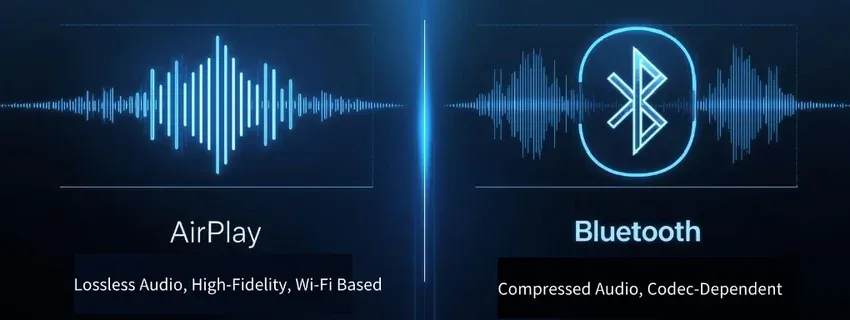
Bluetooth vs AirPlay sound quality, which is better? If sound quality is your top quality, AirPlay is the clear winner. Bluetooth still offers good quality, but it is generally compressed to fit its bandwidth constraints.
- AirPlay:
One of the most significant advantages of AirPlay is its lossless audio quality. Since it uses Wi-Fi for data transfer, there's no need to compress the audio, which allows for high-definition, high-fidelity streaming.
This makes AirPlay a preferred choice for audiophiles or users who want the best sound quality possible when streaming music or audio from services like Apple Music. Whether you're streaming stereo audio or surround sound, AirPlay delivers clearer, richer sound with no compromise in quality.
- Bluetooth:
Unlike AirPlay, Bluetooth compresses audio to fit the limitations of its short-range radio waves. The extent of this compression depends on the Bluetooth codec used, such as SBC, AAC, or aptX. While aptX and AAC offer relatively high-quality audio, Bluetooth still cannot match the lossless sound quality of AirPlay.
For casual listening or portable devices like headphones or speakers, this compression may not be noticeable, but for high-end audio equipment, it can be a limiting factor.
#2: Device Compatibility
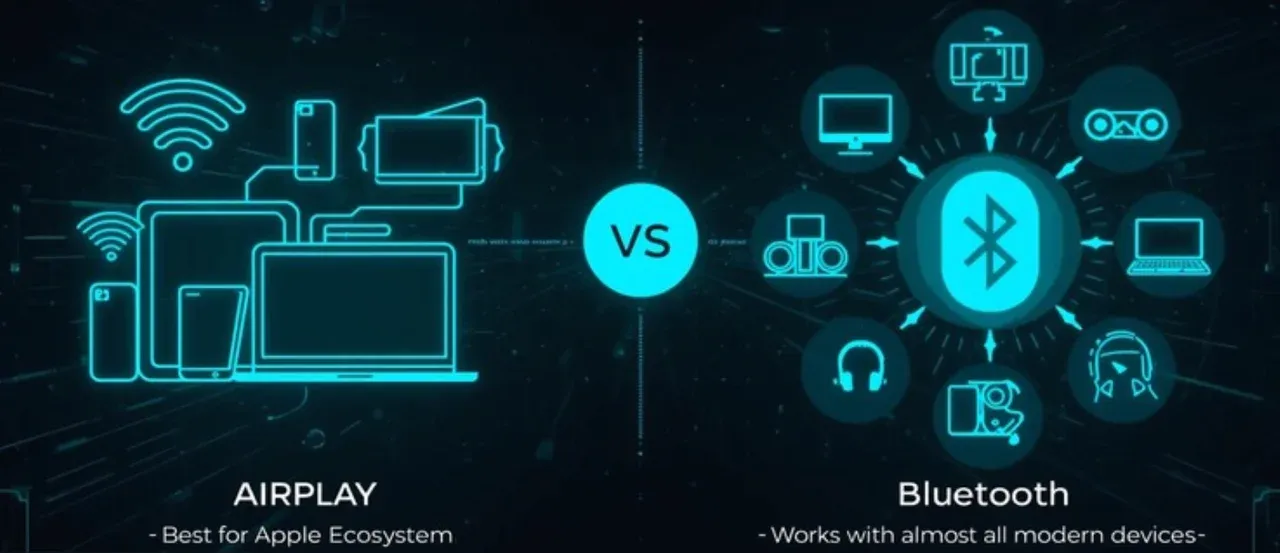
If you're already within the Apple ecosystem, AirPlay provides the most integrated experience. If you need to connect a range of devices from various brands, Bluetooth is the better choice.
- AirPlay:
AirPlay works seamlessly within the Apple ecosystem, making it the go-to option for iPhone, iPad, Mac, and Apple TV users. AirPlay's ability to transfer audio, video, and screen content over Wi-Fi is designed with Apple's smooth integration in mind.
While AirPlay works with a variety of third-party devices like speakers, soundbars, and TVs, the experience is typically optimized for Apple products. AirPlay 2 expands compatibility, adding multi-device streaming and support for more devices (see AirPlay vs AirPlay 2 for details).
Additionally, PigeonCast, an AirPlay receiver available on Windows, Firestick, and Android TV, further broadens device compatibility, allowing for seamless streaming across a wider range of platforms.
- Bluetooth:
Bluetooth offers exceptional cross-platform compatibility. It works with virtually all modern devices, including iOS, Android, Windows, Mac, and a wide range of smart home devices. From wireless speakers and headphones to TVs and fitness trackers, Bluetooth offers universal connectivity.
While it doesn't offer the deep integration of AirPlay within the Apple ecosystem, Bluetooth excels in being a flexible, accessible solution for all device types.
#3: Connectivity
In the Apple AirPlay vs Bluetooth comparison, AirPlay offers better range and stability, while Bluetooth provides more flexibility, allowing quick and easy connections without relying on a Wi-Fi network.

- AirPlay:
AirPlay relies on Wi-Fi for connectivity, which provides both extended range and a stable connection. While the actual range depends on the quality of your Wi-Fi network, AirPlay can stream up to 100 feet or more, depending on network strength.
However, the major limitation is that both devices must be connected to the same Wi-Fi network. This requirement can complicate setups when you're away from home or using a public network.
- Bluetooth:
Bluetooth operates within a much shorter range of around 30 feet. While the range is limited, the benefit is that Bluetooth doesn't require a Wi-Fi network. This makes it incredibly easy to set up and connect devices. Whether you're at home, on the go, or in public spaces, Bluetooth can easily connect your phone to your headphones, speakers, or other devices with minimal hassle.
#4: Multi-Device Streaming
If you want to stream to multiple devices at the same time, AirPlay 2 is the clear winner in the AirPlay 2 vs Bluetooth comparison. Bluetooth is more suitable for simple, one-to-one connections.
- AirPlay:
One of the standout features of AirPlay is its support for multi-device streaming, especially with the introduction of AirPlay 2. With AirPlay 2, you can stream audio or video to multiple devices at once, whether it's syncing music across different rooms or casting videos to multiple TVs.
This is ideal for creating a multi-room audio system in your home or for enjoying synchronized media across multiple devices, providing a true smart home experience.
- Bluetooth:
Bluetooth typically only supports one-to-one connections, meaning you can only connect one device at a time. Although some Bluetooth devices may allow simultaneous connections, this feature is not seamless for audio streaming. Multi-device streaming via Bluetooth is not practical or widely supported, making it a less optimal solution for multi-room setups.
#5: Latency
For low latency and precise audio-video sync, AirPlay is the preferred choice, especially when streaming video content.

- AirPlay:
AirPlay generally provides lower latency, which is crucial for maintaining synchronization between audio and video. This makes AirPlay ideal for watching movies, playing games, or streaming live events where perfect synchronization between the sound and image is important. AirPlay minimizes delays, offering a smoother streaming experience with less noticeable lag.
- Bluetooth:
Bluetooth has higher latency, especially with older versions or lower-end codecs. This can cause a noticeable audio-video sync issue, especially when watching videos or playing games. While it's acceptable for casual listening or music, the latency can be a major drawback for video streaming and gaming.
#6: Energy Consumption
If battery life is a concern, Bluetooth is more energy-efficient, especially for portable devices. AirPlay is better suited for home use where power consumption is less of a concern.
- AirPlay:
Because AirPlay relies on Wi-Fi, it tends to consume more power, especially when streaming high-definition content. Devices like iPhones and MacBooks may drain faster when AirPlay is active for prolonged periods, as Wi-Fi tends to consume more battery compared to Bluetooth.
- Bluetooth:
Bluetooth is designed with energy efficiency in mind. It uses less power, especially with Bluetooth Low Energy (BLE), making it ideal for portable devices that need to conserve battery life, such as wireless headphones, fitness trackers, and other wearables.
#7: Security
AirPlay is generally more secure due to its use of Wi-Fi encryption, while Bluetooth can be less secure depending on the version of the protocol used.
- AirPlay:
AirPlay benefits from the inherent security of Wi-Fi networks, using encryption for data transfer. This ensures that your data is protected during streaming, making AirPlay a more secure option for sensitive content.
- Bluetooth:
Bluetooth security varies depending on the version. Newer versions (Bluetooth 4.0 and above) come with stronger encryption and better security features. However, older Bluetooth versions are more vulnerable to attacks, such as eavesdropping or man-in-the-middle exploits.
AirPlay vs Bluetooth: Summary Comparison Table
Before choosing between AirPlay and Bluetooth, it helps to see how the seven categories stack up side by side. The table below gives you a quick overview of their strengths, limitations, and the situations where each technology performs best. It serves as a snapshot summary, especially useful if you want a fast way to compare features after reading the detailed explanations above.
| Feature | AirPlay | Bluetooth |
|---|---|---|
| Audio Quality | Lossless, high-quality, no compression | Compressed, lower quality, depends on codec |
| Compatibility | Best with Apple devices, limited 3rd-party | Cross-platform, works with most devices |
| Connectivity | Longer range (Wi-Fi), needs same network | Shorter range, easy setup, no Wi-Fi required |
| Multi-device Streaming | Supports multiple devices (AirPlay 2) | One-to-one connection only |
| Latency | Low latency, ideal for video sync | Higher latency, noticeable lag in video |
| Energy Consumption | Higher (Wi-Fi) | Lower, more energy-efficient |
| Security | High (Wi-Fi encryption) | Varies by version, older Bluetooth less secure |
How to Stream Audio over AirPlay or Bluetooth
Now that we've compared Bluetooth vs AirPlay in detail, let's take a look at how to stream audio using these technologies, along with a recommendation for PigeonCast as an alternative solution.
- Using AirPlay to stream audio:
Step 1. Ensure your devices are connected to the same Wi-Fi network.
Step 2. On your device, open your desired audio app (Apple Music, Spotify, etc.) and select the audio to play.
Step 3. Open the Control Center, tap the AirPlay icon, and choose the device you want to stream to.
- Using Bluetooth to stream audio:
Step 1. Turn on Bluetooth on both devices (your phone and the speaker or headphones).
Step 2. On your phone, select the Bluetooth device from the list to pair.
Step 3. Open your music app and begin playing. The audio will stream through Bluetooth to your paired device.
Free Alternative for Audio & Video Streaming
For those looking for a simple, efficient, and multi-platform solution, PigeonCast is a great option. The free tool supports both audio and video streaming with higher quality than Bluetooth.

Why choose PigeonCast:
- Free & no ads
- Compatible with Android phones, iPhones, Windows PCs, Macs, Apple TV, Android TV, and Fire TV
- Integrates with AirPlay, Google Cast, and DLNA
- High-quality audio and video streaming
- No lag if you have stable Wi-Fi network connection
Get the free screen mirroring app now:


Overall Rating:



Conclusion
AirPlay vs Bluetooth is a battle between convenience and quality. Bluetooth is the better option for casual, on-the-go streaming, thanks to its ease of use and energy efficiency. However, if you're looking for high-quality audio and video streaming with low latency and support for multiple devices, AirPlay (especially AirPlay 2) is your best bet. For users looking for a versatile and simple solution, consider PigeonCast for high-quality streaming with minimal setup.
AirPlay vs Bluetooth FAQs
Is AirPlay Bluetooth?
No, AirPlay is not Bluetooth. AirPlay relies on Wi-Fi to send audio or video, while Bluetooth uses short-range radio signals. They are completely different technologies designed for different purposes, which is why AirPlay generally offers higher streaming quality than Bluetooth.
Do you need Bluetooth for AirPlay?
No, Bluetooth is not required for AirPlay. AirPlay streams over Wi-Fi, so both devices only need to be on the same network. Bluetooth does not play a role in AirPlay setup or performance.
Does AirPlay reduce audio quality?
AirPlay typically preserves higher audio quality because it transfers larger data streams over Wi-Fi. In most cases, AirPlay delivers better clarity than Bluetooth. Quality loss may only occur if the source file is compressed or if your Wi-Fi network is unstable.
Is it better to stream via Wi-Fi or Bluetooth?
Streaming over Wi-Fi often delivers better audio quality and stability, especially when comparing AirPlay vs Bluetooth for music playback. Bluetooth is more convenient for quick pairing or on-the-go use, but usually cannot match the fidelity of Wi-Fi streaming.
Why should I turn off Bluetooth?
Turning off Bluetooth can reduce interference and save battery life on mobile devices. It can also prevent accidental connections when you prefer to use Wi-Fi streaming methods, such as Apple AirPlay vs Bluetooth.
What are the main two disadvantages of Bluetooth?
The first is limited audio quality due to compression. The second is short operating range, which usually maxes out around 30 feet. These limitations make Bluetooth less suitable for whole-home audio.s
Mia Clarke is a technology editor specializing in screen mirroring and casting solutions across multiple platforms. Mia provides clear, practical guides and in-depth insights to help users seamlessly connect their devices. Passionate about enhancing digital experiences, Mia is dedicated to keeping readers updated on the latest trends and tools in cross-platform screen sharing. Whether you’re looking to mirror your smartphone, laptop, or smart TV, Mia’s content delivers reliable, user-friendly advice to simplify your tech setup.