
Upgrading your TV into a smart entertainment hub often comes down to two of the best options: Apple TV 4K and Chromecast with Google TV. Both devices deliver 4K streaming, HDR, and voice control, but they belong to very different ecosystems. Whether you're an Apple fan or an Android loyalist, understanding their strengths and weaknesses will help you decide which one truly fits your home setup.
This comprehensive guide compares Apple TV vs Chromecast, or more precisely, Apple TV 4K vs Chromecast with Google TV, across performance, software, streaming quality, usability, and value, and so you'll know exactly which one to choose.
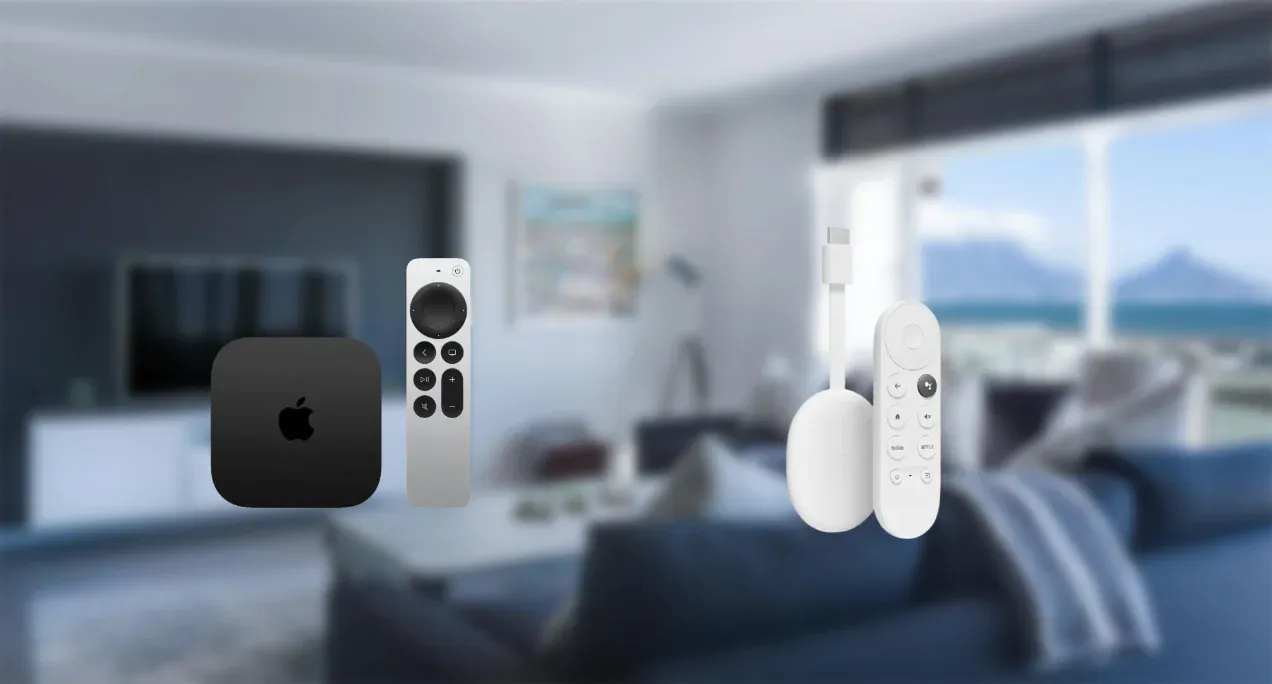
Apple TV vs Chromecast: Hardware and Performance
When it comes to hardware power, the difference between Apple TV 4K vs Chromecast becomes immediately clear. Both are compact streamers, but Apple's device packs more muscle under the hood.
| Specification | Apple TV 4K (2022) | Chromecast with Google TV (4K) |
|---|---|---|
| Processor | A15 Bionic (same chip as iPhone 13) | Quad-core ARM Cortex-A55 |
| RAM | 4GB | 2GB |
| Storage | 64GB / 128GB | 8GB (≈5.5GB usable) |
| Max Resolution | 4K HDR, up to 60fps | 4K HDR, up to 60fps |
| Video Decoding | HEVC (H.265), H.264, Dolby Vision | VP9, AV1, HEVC (H.265), H.264 |
| Audio Support | Dolby Atmos, Dolby Digital Plus | Dolby Atmos, Dolby Digital Plus |
| Connectivity | Wi-Fi 6, Ethernet (128GB model), HDMI 2.1 | Wi-Fi 5, HDMI 2.0, USB-C (for power) |
| Power | ~6W idle, ~15W peak | ~2.8W idle, ~5W peak |
*Dolby Vision: A premium HDR format that boosts brightness and contrast, making colors more lifelike, ideal for movies.
*Dolby Atmos: A 3D audio technology that places sound "around" you, not just from speakers, great for home theater setups.
*HEVC (H.265): A modern video comparison format that keeps 4K videos smaller without sacrificing quality.
*AV1 / VP9: Efficient streaming codes often used by YouTube and Netflix to deliver smooth playback even on slower connections.
*Wi-Fi 6 vs Wi-Fi 5: Wi-Fi 6 is faster, more stable, and handles multiple devices better, which is beneficial for large households.
*HDMI 2.1 vs HDMI 2.0: HDMI 2.1 supports higher refresh rates and better HDR data bandwidth, improving image clarity.
In the Apple TV 4K vs Chromecast comparison, Apple TV easily takes the performance lead. With double the RAM and a far more powerful chip, it delivers faster app loading, smoother navigation, and better multitasking. Chromecast, though less powerful, remains efficient, compact, and ideal for casual streamers.
Apple TV vs Chromecast: Software and Ecosystem
When comparing Google Chromecast vs Apple TV, ecosystem compatibility is key. Apple TV thrives within the Apple universe, while Chromecast aligns perfectly with Android and Google services.
| Feature | Apple TV | Chromecast with Google TV |
|---|---|---|
| Operating System | tvOS | Google TV (based on Android TV) |
| App Store | Apple App Store | Google Play Store (TV version) |
| Voice Assistant | Siri | Google Assistant |
| Screen Mirroring | AirPlay 2 | Google Cast |
| Ecosystem Integration | iPhone, iPad, MacBook, HomePod | Android, Google Home, Nest |
| Cloud Sync | iCloud, Apple One | Google Drive, YouTube, Photos |
Apple TV vs Google TV comes down to user habits: if you live inside Apple's ecosystem, tvOS provides flawless synchronization with your iPhone and iCloud account. But if you prefer the flexibility of Google's ecosystem, Chromecast with Google TV integrates more naturally with Android phones, Chrome browsers, and Nest smart home devices.
Apple TV vs Chromecast: Audio and Video Quality
Both devices are strong in video output, supporting 4K HDR and Dolby Vision. However, the Apple TV 4K vs Google Chromecast debate tips in Apple's favor for picture consistency and motion handling.
| Feature | Apple TV 4K | Chromecast with Google TV |
|---|---|---|
| Resolution | 4K UHD (3840×2160) | 4K UHD (3840×2160) |
| Frame Rate | Up to 60fps | Up to 60fps |
| HDR Support | HDR10, Dolby Vision, HLG | HDR10, Dolby Vision |
| Audio | Dolby Atmos, Dolby Digital Plus | Dolby Atmos, Dolby Digital Plus |
| Color Accuracy | Excellent | Good |
| Upscaling | Advanced with A15 Bionic | Standard |
Thanks to the A15 Bionic chip, Apple TV 4K handles tone mapping and upscaling more efficiently, resulting in sharper details and smoother gradients. Chromecast still produces impressive visuals for its price, but color calibration tools are more limited.
Apple TV vs Chromecast: Remote Control and Usability
User experience is another critical difference in the Apple TV vs Google Chromecast comparison. Apple's remote feels premium and polished, while Chromecast's is compact and functional.
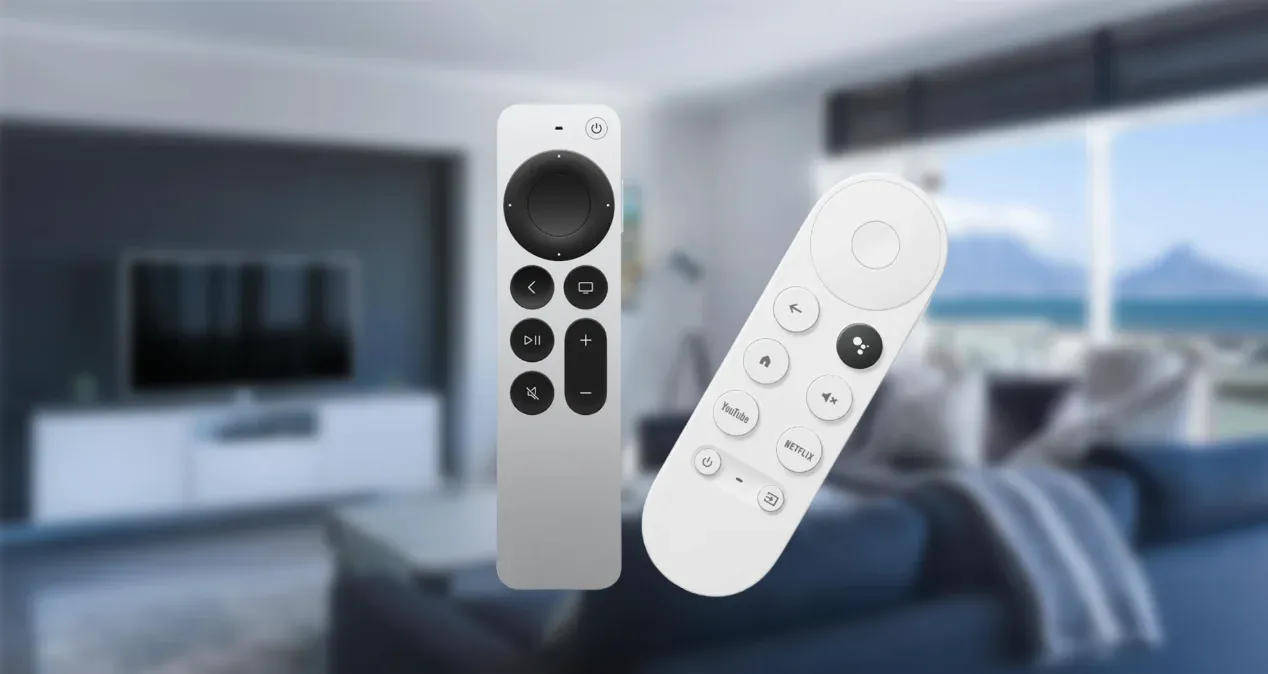
Apple TV 4K:
- Siri Remote (USB-C rechargeable)
- Aluminum body with touch-enabled clickpad
- Buttons for Siri, volume, play/pause, power, and TV/home.
- Works via Bluetooth + HDMI-CEC to control TV and receiver.
Chromecast with Google TV:
- Compact remote with Google Assistant button.
- Powered by 2x AAA batteries.
- Shortcut buttons for YouTube and Netflix.
- Can control TV volume and power via IR or HDMI-CEC.
Overall, Apple's clickpad feels smoother and more responsive, while Chromecast's minimalist design emphasizes simplicity over luxury.
Apple TV vs Chromecast: Content and App Availability
Content selection is nearly identical, but Apple provides deeper native integration for its own services, while Chromecast with Google TV excels in YouTube and Google content access.
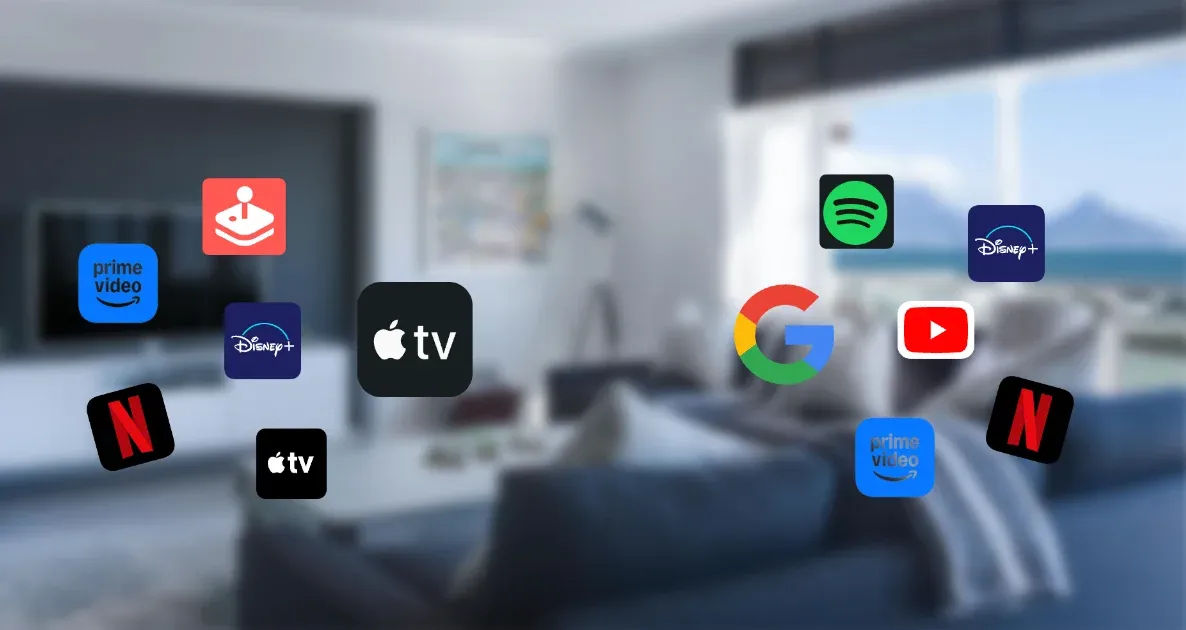
| Category | Apple TV 4K | Chromecast with Google TV |
|---|---|---|
| Native Apps | Netflix, Disney+, HBO Max, Amazon Prime, Apple TV+, Apple Arcade | Netflix, Disney+, HBO Max, Amazon Prime, YouTube, Spotify |
| Game Services | Apple Arcade | Cloud streaming via Stadia (limited), Nvidia GeForce NOW |
| Music | Apple Music, Spotify | YouTube Music, Spotify |
| Movie Rentals | iTunes | Google Play Movies (now Google TV) |
*Stadia is discontinued but available via alternatives.
If you're already using Apple's ecosystem — such as Apple TV+, Apple Music, or Arcade — Apple TV is unmatched. If your world revolves around YouTube and Google services, Chromecast remains the smarter, lighter choice.
Apple TV vs Chromecast: Compatibility and Casting
Apple TV offers the smoothest experience for iPhone and iPad users, thanks to AirPlay's stability and integration. Chromecast with Google TV, meanwhile, is more flexible for Android and PC users who rely on Chrome and Google services.
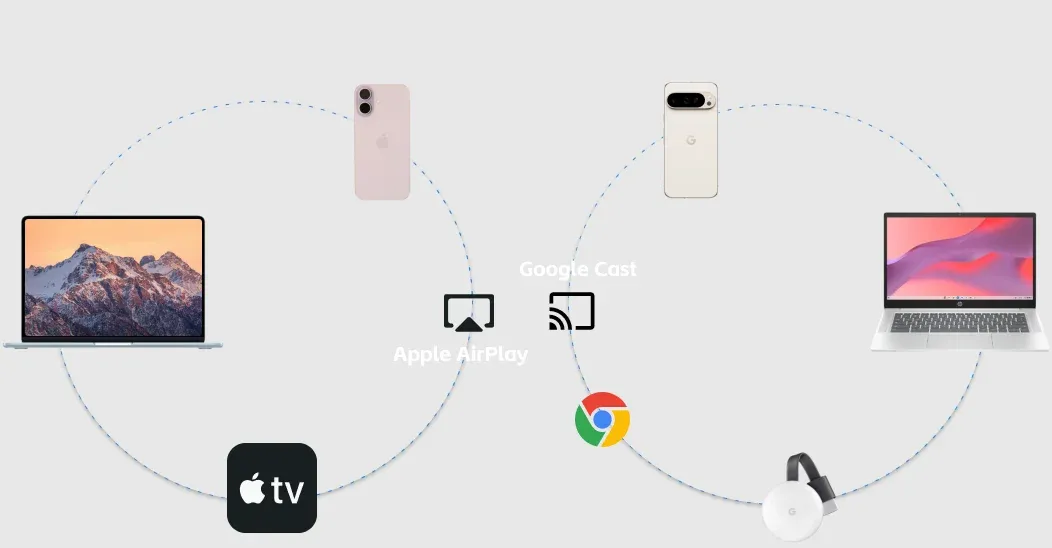
| Feature | Apple TV 4K (AirPlay 2) | Chromecast with Google TV (Google Cast) |
|---|---|---|
| Native Support | iOS, macOS | Android, Chrome, Google TV |
| Peer-to-Peer Connection | ✅ Yes (allow AirPlay without Wi-Fi) | ❌ No |
| Screen Mirroring | ✅ Full | ⚠️ App-dependent |
| iPhone Compatibility | ✅ Native | ⚠️ Limited |
| Android Compatibility | ❌ Third-party only | ✅ Native |
| Browser Casting | ❌ Safari only | ✅ Chrome & Edge |
| Smart Home Integration | ✅ HomeKit | ✅ Google Home |
| Voice Assistant | Siri | Google Assistant |
While Apple TV vs Chromecast casting capabilities reflect each company's ecosystem, they also limit flexibility. AirPlay is exclusive to Apple, while Google Cast favors Android and Chrome users.
For households mixing iPhones and Androids, this split can be frustrating. That's where PigeonCast comes in. PigeonCast supports AirPlay, Google Cast, and DLNA, effectively bridging the gap between Apple TV and Chromecast ecosystems. It allows:
- iPhone users to cast or mirror directly to Chromecast or Android TVs, as well as laptops.
- Android users to mirror seamlessly to Apple TV via AirPlay.
- Cross-platform streaming to almost any smart TV, including Roku and Fire TV.

PigeonCast Screen Mirroring

Official Download



Apple TV vs Chromecast: Gaming and Performance Latency
Apple TV 4K is capable of light to mid-level gaming thanks to its A15 Bionic chip. Chromecast depends on streaming services for gaming — fine for casual users, but not for serious gamers.
| Aspect | Apple TV 4K | Chromecast with Google TV |
|---|---|---|
| Game Support | Apple Arcade + App Store | Cloud-based only |
| Latency | ~20–30ms | ~40–50ms |
| Controller Support | Xbox, PlayStation, MFi | Bluetooth controllers |
| Graphics Rendering | A15 GPU (native rendering) | Cloud/stream-based |
In short, if you're considering Apple TV vs Google Chromecast for gaming, Apple TV delivers smoother visuals, faster response times, and a more robust offline experience.
Apple TV vs Chromecast: Setup and Connectivity
Both devices are plug-and-play, but Apple's setup feels more streamlined, especially for iPhone users. The Apple TV 4K automatically connects and syncs via your iPhone for faster configuration, while the Chromecast with Google TV setup runs through the Google Home app. Both offer reliable wireless connections, though Apple's Wi-Fi 6 and optional Ethernet give it a slight edge for stability.
| Step | Apple TV 4K | Chromecast with Google TV |
|---|---|---|
| Power | Plug to wall outlet | USB-C power or TV USB port |
| HDMI | HDMI 2.1 | HDMI 2.0 |
| Network | Wi-Fi 6 / Ethernet | Wi-Fi 5 |
| Setup App | iPhone Auto Setup | Google Home App |
| Time to Set Up | 3-5 minutes | 5-8 minutes |
Between Chromecast with Google TV vs Apple TV, the difference may seem minor, but Apple TV's smoother pairing and faster setup add to its premium experience, especially if you already use Apple devices.
Apple TV vs Chromecast: Price and Value
Price is where the Chromecast vs Apple TV comparison takes a clear turn. Chromecast offers incredible value, while Apple TV delivers unmatched longevity and polish.
| Device | Price (USD) | Strengths |
|---|---|---|
| Apple TV 4K (64GB / 128GB) | $129 / $149 | Premium build, speed, gaming, ecosystem |
| Chromecast with Google TV (4K) | $49 | Affordable, compact, flexible casting |
Chromecast's budget-friendly nature makes it appealing to casual users, while Apple TV's durability and software updates justify its higher price for long-term users.
Apple TV vs Chromecast: Which Is Better for You?
If you're wondering is Apple TV better than Chromecast, the answer depends on your ecosystem, budget, and how much performance you expect.
Apple TV 4K shines for users who live inside Apple's ecosystem and want premium performance, while Chromecast with Google TV is an excellent option for Android and Google fans who prefer simplicity and value.
Here's a clear side-by-side breakdown:
| Feature | Apple TV 4K | Chromecast with Google TV | Best Choice For |
|---|---|---|---|
| Performance | ★★★★★ | ★★★★☆ | Apple TV (A15 Bionic) |
| Storage | Up to 128GB | 8GB | Apple TV |
| Ecosystem | Apple | Depending on your devices | |
| Casting | AirPlay 2 | Google Cast | iOS -> Apple TV / Android -> Chromecast |
| Audio/Video | Dolby Vision + Atmos | Dolby Vision + Atmos | Tie |
| Gaming | Apple Arcade | Limited | Apple TV |
| Price | Higher | Lower | Chromecast |
| Ease of Setup | Excellent | Very Good | Apple TV |
| Remote | Premium (rechargeable) | Compact (AAA) | Apple TV for feel |
| Software Updates | 5–7 years | 3–4 years | Apple TV |
Ultimately, Apple TV is better than Chromecast for performance and longevity, while Chromecast wins for budget and simplicity, making both excellent choices for different users. So, choose Apple TV or Chromecast?
- Choose Apple TV 4K if you use an iPhone, iPad, or Mac. It offers the best integration, top-tier picture quality, responsive navigation, and long software support.
- Choose Chromecast with Google TV if you're an Android or Windows user who values affordability and effortless Google Cast streaming.
Bottom Line
When comparing Apple TV vs Google Chromecast, it's clear both are top-tier streaming devices — but they cater to different users.
- Apple TV 4K delivers a premium build, powerful hardware, and seamless integration across Apple devices. It's ideal for users who want performance, longevity, and the best home entertainment experience.
- Chromecast with Google TV offers exceptional value, solid performance, and flexibility, making it perfect for Android fans and budget-conscious households.
If you live in the Apple ecosystem, go for Apple TV 4K. If you want affordability, portability, and simplicity — Chromecast with Google TV is your best pick. Either way, both ensure smooth 4K streaming and modern smart TV experiences, proving that in the battle of Apple TV vs Chromecast, the winner truly depends on your world.
Apple TV vs Chromecast FAQs
Q: Can I cast from iPhone to Chromecast?
Yes, through the Google Home, compatible apps (like YouTube or Netflix), or third-party casting apps (like PigeonCast), though AirPlay on Apple TV offers smoother performance for iOS users.
Q: What are the disadvantages of Apple TV?
Apple TV delivers premium performance but comes at a higher price. It's also more limited outside the Apple ecosystem — Android users may find it difficult to mirror or cast content without third-party apps. Additionally, some users feel that Apple's closed system restricts flexibility compared to Android-based streamers.
Q: Can you chromecast Apple TV?
Yes, but not directly from the Apple TV hardware. You can stream Apple TV+ content through the Apple TV app available on Chromecast with Google TV or on any TV running Google TV OS. However, you can't "cast" from an iPhone to an Apple TV device via Chromecast — that requires AirPlay instead.
Q: Is Chromecast free to use?
Yes. Using Chromecast itself is free — there are no monthly fees or activation costs. You only pay for subscription-based services like Netflix, Disney+, or YouTube Premium that you stream through it.
Q: Does Apple TV support YouTube and Netflix?
Yes, Apple TV supports all major streaming apps, including YouTube, Netflix, and Disney+.
Mia Clarke is a technology editor specializing in screen mirroring and casting solutions across multiple platforms. Mia provides clear, practical guides and in-depth insights to help users seamlessly connect their devices. Passionate about enhancing digital experiences, Mia is dedicated to keeping readers updated on the latest trends and tools in cross-platform screen sharing. Whether you’re looking to mirror your smartphone, laptop, or smart TV, Mia’s content delivers reliable, user-friendly advice to simplify your tech setup.