
Asus Miracast Dongle was built for a time when wireless mirroring itself was new. In 2026, the question is no longer "can it mirror a screen", but "is it still the right tool for daily use on modern devices".
This Asus Miracast Dongle review gives a practical answer: what the device actually is, what its support timeline tells us, where it still works, where it struggles, and what to choose now if you are setting up from scratch.
What Is an Asus Miracast Dongle
The Asus Miracast Dongle is a TV-side HDMI receiver that mirrors a phone, tablet, or PC screen over Miracast (Wi-Fi Direct style wireless display). It is hardware, not a cloud-casting service or a modern cross-platform app ecosystem.
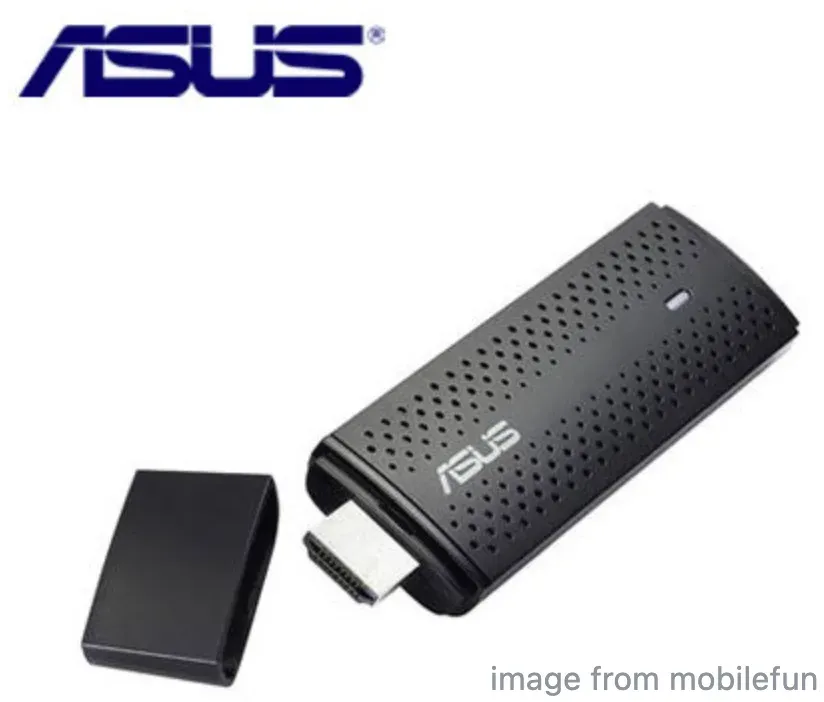
At product level, Asus Miracast Wireless Display Dongle is a simple screen-duplication adapter:
-
Up to 1080p wireless display use cases
-
Miracast-style screen duplication workflow
-
Typical Windows and older Android screen mirroring scenarios
-
Plug-in hardware setup with no app account layer
This is why it can still work in narrow conditions, but also why it feels limited in modern mixed-platform homes.
Asus Miracast Dongle History: 2013-2014 Market Context
To judge fairly, we need historical context. In its launch era, this type of device solved a real problem: easy cable-free screen duplication when that capability was still new for mainstream users.
Key timeline anchors:
-
Miracast standardization momentum started around 2012.
-
Windows 8.1 era made PC-side Miracast more visible to regular users.
-
Android ecosystem later moved away from broad native Miracast consistency in many mainstream paths.
So the product was early, but the market moved around it.
Asus Miracast Dongle Firmware Timeline and Support Status
The key signal here is update age, not hardware age alone.
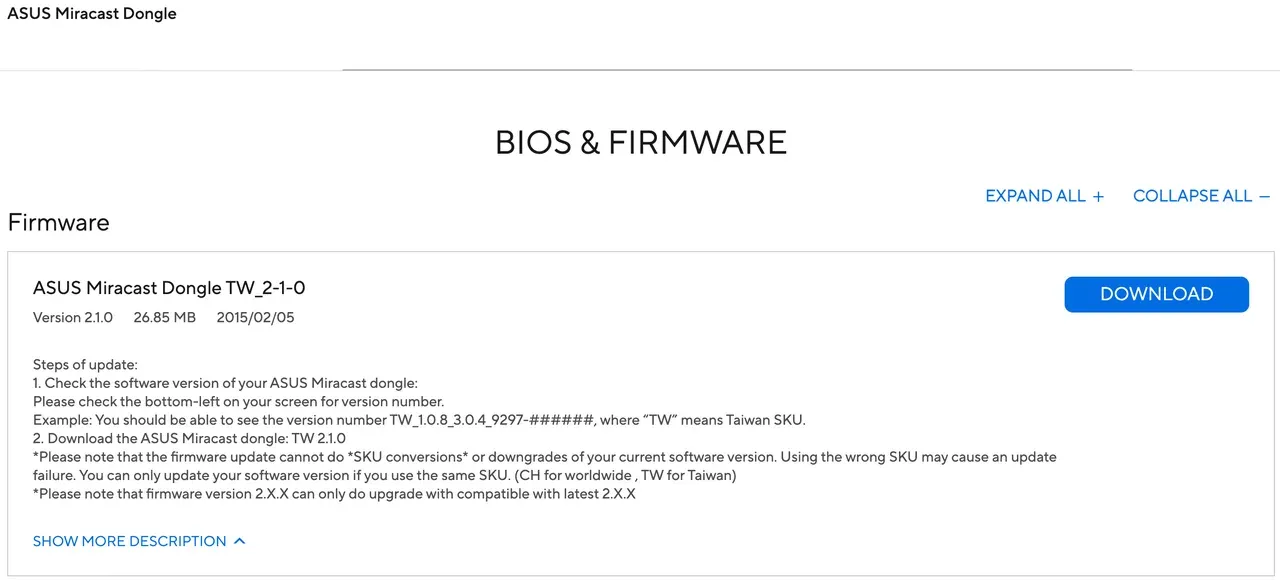
From ASUS support timeline references commonly cited for this model:
-
2014: core firmware branch activity (1.x line)
-
2015-02-05: major listed update (2.1.0)
-
No comparable major product-evolution updates afterward
Support pages may still exist, but that is not the same as active platform evolution.
Asus Miracast Dongle Setup Guide for 2026 Use
Setup remains straightforward. That is still a real advantage.
For Windows Miracast Dongle usage, this is the practical PC-to-TV connection flow:
Step 1. Plug the dongle into TV HDMI and connect power via USB.
Step 2. Switch TV input to the dongle source and wait for ready state.
Step 3. On Windows PC, open cast panel with Win + K.
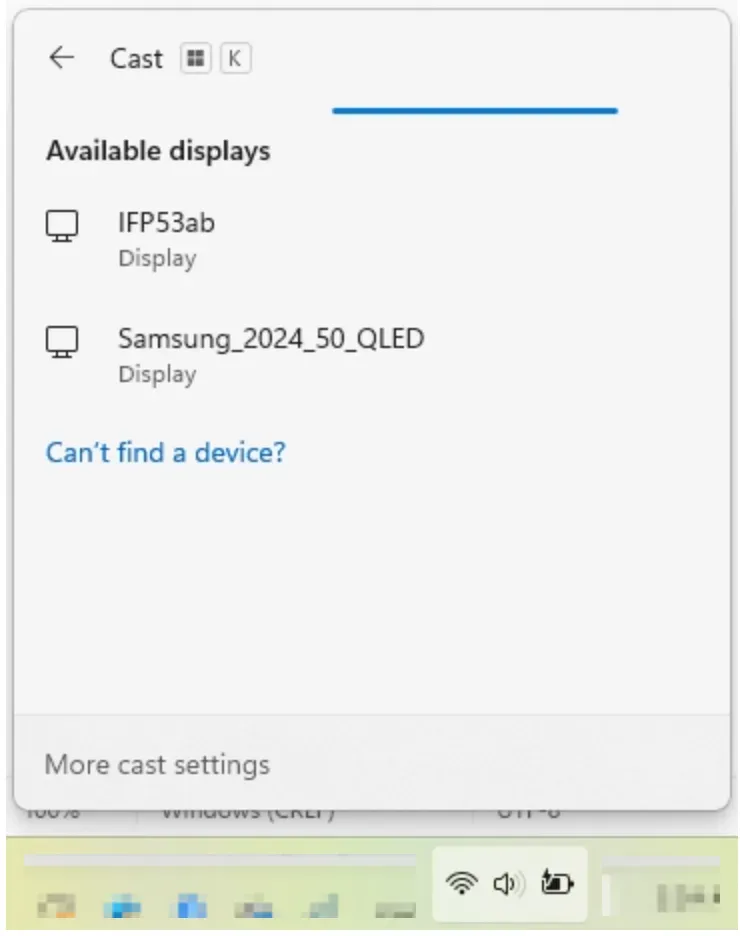
Step 4. Select the receiver and verify duplicate display session.
No account login, no app onboarding, no ecosystem lock-in. But it also reflects its generation: one clear job, limited evolution.
Asus Miracast Dongle Review: Real Performance Gap in 2026
The biggest gap in 2026 is not initial setup. It is sustained session quality. Performance in real use splits into two groups.
What still works:
-
Slide decks and static desktop sharing
-
Basic local mirroring in controlled rooms
-
Quick offline demonstration workflows
What feels outdated:
-
Lag is more visible in video-heavy mirroring
-
Connection behavior can be inconsistent on newer PC/network stacks
-
Cross-platform expectations are higher than Miracast-only hardware scope
A Miracast Dongle for PC can still connect, but modern users judge reliability over weeks, not one successful pairing.
Asus Miracast Dongle Compatibility in 2026
Compatibility now decides user satisfaction more than raw feature list. Current compatibility status by platform:
| Platform | 2026 reality |
|---|---|
| Windows 10/11 | Usually possible, but reliability varies by adapter, driver, and network |
| Android | Mixed by brand/model implementation |
| macOS | No native Miracast path |
| iPhone/iPad | No native Miracast path |
For users searching Windows Miracast Dongle, Windows remains the most realistic fit.
Best Asus Miracast Dongle Alternatives in 2026
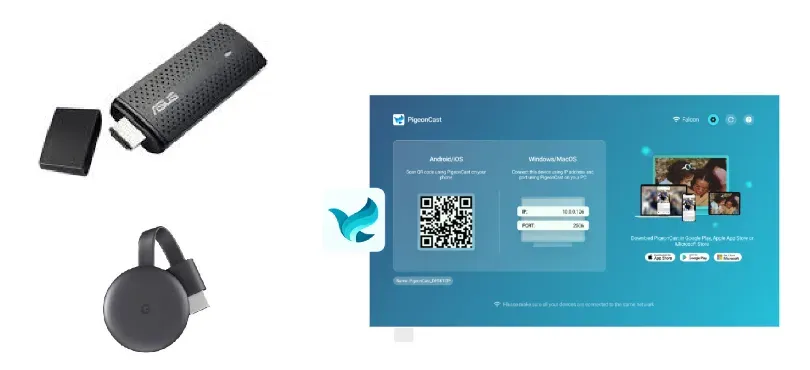
If you are buying now, alternative-first is usually the better recommendation. There are two modern alternatives to Asus Miracast dongle:
-
Chromecast is an HDMI receiver that wins for app-first streaming and broad ecosystem convenience.
-
PigeonCast is a free screen mirroring app that wins when users want full screen mirroring behavior with a more modern cross-device experience.
| Platform | 2026 reality |
|---|---|
| Windows 10/11 | Usually possible, but reliability varies by adapter, driver, and network |
| Android | Mixed by brand/model implementation |
| macOS | No native Miracast path |
| iPhone/iPad | No native Miracast path |
For users who still care about mirroring quality more than app-only streaming, PigeonCast is the practical upgrade path. The screen mirroring app is usually a better fit than an HDMI receiver when:
-
You need one workflow across Windows, mobile, and mixed receiver scenarios.
-
You want lower day-to-day pairing friction than legacy Miracast hardware.
-
You care about reliable session continuity, not one-time connection success.


Overall Rating:



Asus Miracast Dongle Keep or Replace Criteria for Existing Users
Existing owners should decide by repeated reliability, not by one successful test. Use this keep-or-replace checklist:
Step 1. Run three normal sessions: presentation, local video, and meeting-style share.
Step 2. Log repeated failures: detection misses, drops, lag spikes, audio mismatch.
Step 3. If failures are rare and recover quickly, keep it as short-term legacy gear.
Step 4. If failure patterns repeat after one clean troubleshooting pass, replace instead of retuning.
Step 5. For team or family shared use, replace earlier because repeated friction scales fast.
If maintenance time grows faster than session success, it is no longer worth keeping as a primary path.
Conclusion
The final verdict is direct. Asus Miracast Dongle still works in limited Windows-first legacy scenarios, but it is no longer a strong default recommendation in 2026. For new buyers, choose modern alternatives (like Chromecast or PigeonCast) first. For existing owners, keep it only when repeat usage stays stable.
Asus Miracast Dongle FAQ
Is Asus Miracast Dongle Still Supported in 2026?
Support pages can still be available, but that does not imply ongoing major product evolution.
Does Asus Miracast Dongle Work with Windows 11?
It can work in many cases, but consistency depends on drivers, wireless adapters, and local network conditions.
Can Asus Miracast Dongle Stream Netflix Reliably?
It is not ideal for modern app-centric streaming expectations. Mirroring can introduce lag and content-path limitations depending on scenario.
Why is Miracast less popular today?
Because major platforms like Google and Apple moved to their own casting protocols, reducing Miracast adoption over time.
Does Miracast need a dongle?
Not always. Some smart TVs and monitors have built-in Miracast support.
How do I cast my phone to my ASUS laptop?
If your ASUS laptop supports Miracast, you can:
-
Open Projecting to this PC in Windows settings
-
Enable wireless display
-
On your phone, select Screen Cast / Smart View
-
Choose your laptop
Keep in mind that not all Android devices still support Miracast, and iPhones require AirPlay instead. To connect that to your laptop, you need a third-party screen mirroring app like PigeonCast to bridge the gap.
Can my PC support Miracast?
Most Windows 10 and Windows 11 PCs support Miracast, but it depends on your hardware. To check: press Win + K and see if wireless display is available. If supported, you can use your PC with a Miracast dongle for PC or connect directly to compatible displays.
Mia Clarke is a technology editor specializing in screen mirroring and casting solutions across multiple platforms. Mia provides clear, practical guides and in-depth insights to help users seamlessly connect their devices. Passionate about enhancing digital experiences, Mia is dedicated to keeping readers updated on the latest trends and tools in cross-platform screen sharing. Whether you’re looking to mirror your smartphone, laptop, or smart TV, Mia’s content delivers reliable, user-friendly advice to simplify your tech setup.