
Choosing between Chromecast vs Roku usually isn't about which device streams Netflix or YouTube better. Both platforms support the same major services. The real difference appears in how you control your TV, how often you cast content from other devices, and how well the device fits into your home setup. Understanding these practical differences helps you pick the right platform the first time.
Roku Vs Chromecast: Quick Verdict
If you just want the short answer, the choice usually comes down to how you prefer to control and integrate your streaming setup. The quick summary below highlights when Roku makes more sense and when Google's platform is the better fit.
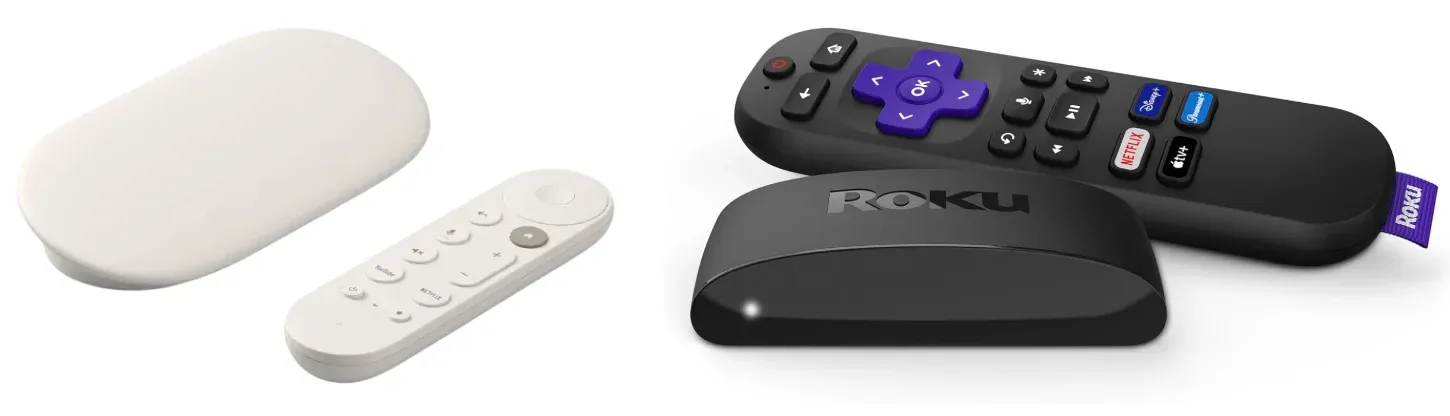
- Pick Roku if you want a simpler remote-first experience and broad model choices at different budgets.
- Pick Google's side if you want stronger Google ecosystem integration, then choose between legacy Chromecast terms and the current Google TV Streamer (4K) reality.
5 Differences Between Roku Vs Google Chromecast Before You Buy
On paper, Chromecast Ultra vs Roku Ultra support almost the same streaming apps and video formats. What separates them in real use is platform direction, network reliability, interface design, and casting behavior. The points below focus on the differences that most often affect everyday streaming.
Platform Direction: Roku Vs Google TV
One major change in recent years is how Google positions its streaming hardware. Earlier Chromecast devices were designed primarily for casting from phones. Today, Google's focus has shifted to the Google TV platform, which includes its own interface and remote control. If you're setting up a new device, it's helpful to understand how to connect to Chromecast before you start casting videos or apps.
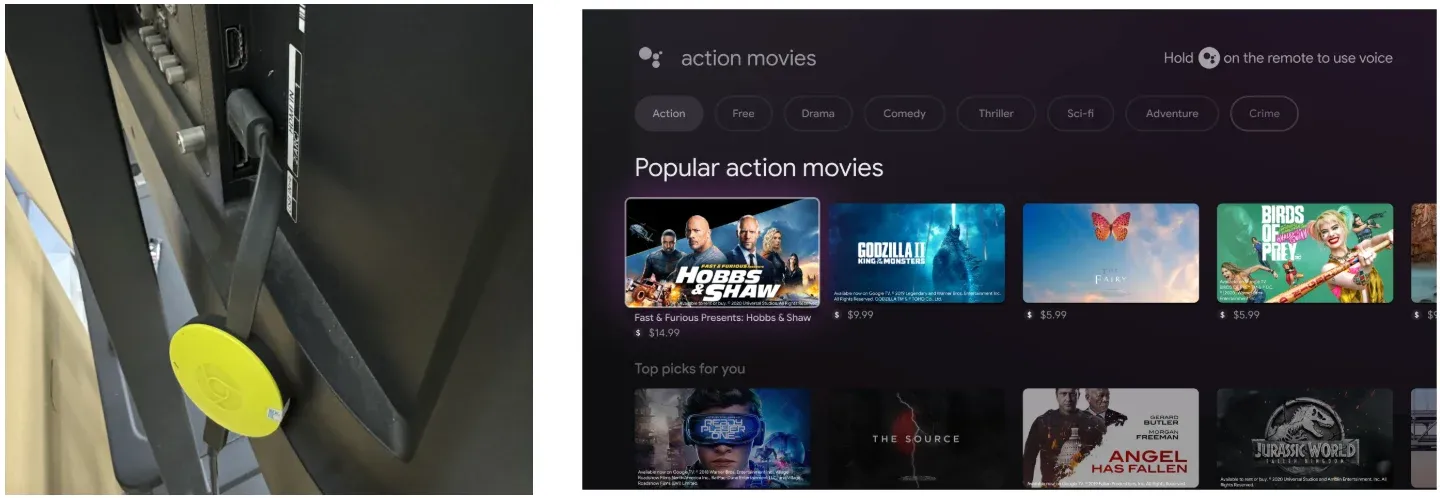
- Google has shifted its focus from classic Chromecast devices to the Google TV platform, now used by:
- Chromecast with Google TV
- Google TV Streamer (4K)
If you want a deeper comparison of these two platforms, you can read our guide on Google TV vs Roku. Roku has taken the opposite approach by continuing to expand its lineup of standalone streaming players across multiple price tiers.
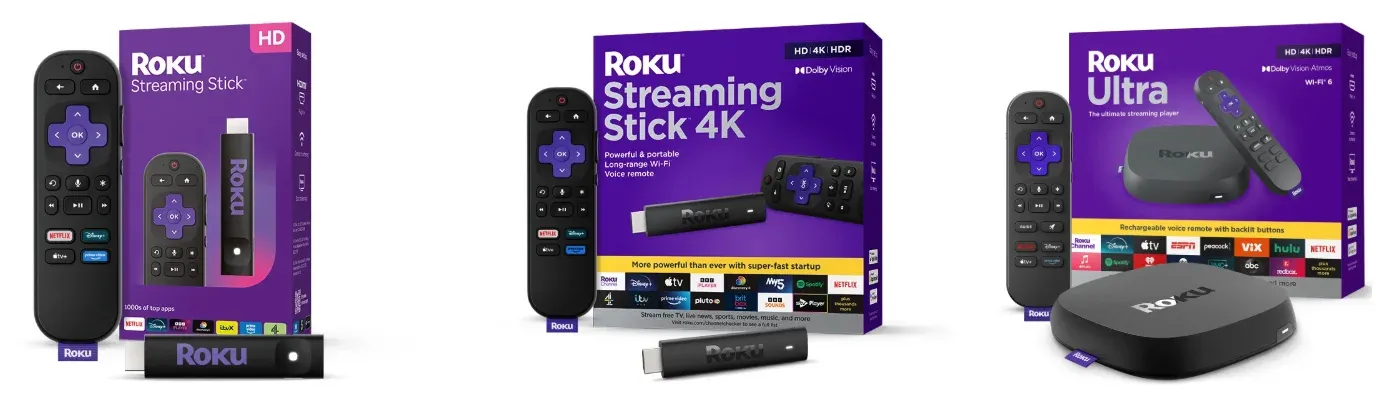
- Roku, meanwhile, still sells a wide range of streaming players:
- Roku Streaming Stick
- Roku Streaming Stick 4K
- Roku Ultra
Hardware and Specifications
Most modern streaming devices support similar video formats. Differences usually appear in connectivity options, network hardware, and device form factor. For many buyers, the most important difference is not HDR format support but network options and device placement.
| Device | Typical | Max Output | HDR | Network | Notes |
|---|---|---|---|---|---|
| Chromecast with Google TV (4K, legacy model) | ~ $49.99 | 4K 60fps | Dolby Vision, HDR10+ | Wi-Fi | Cast-focused device |
| Google TV Streamer (4K) | ~ $99.99 | 4K HDR | Dolby Vision, HDR10+ | Wi-Fi + Ethernet | New Google flagship |
| Roku Streaming Stick 4K | ~ $49.99 | 4K 60fps | Dolby Vision, HDR10+ | Wi-Fi | Compact stick |
| Roku Ultra | ~ $99.99 | 4K 60fps | Dolby Vision, HDR10+ | Wi-Fi 6 + Ethernet | Roku Premium Player |
Network Reliability and Home Setup
Streaming quality depends heavily on network stability. If your router placement is not ideal or your Wi-Fi network is crowded, devices with built-in Ethernet often provide a more stable connection.
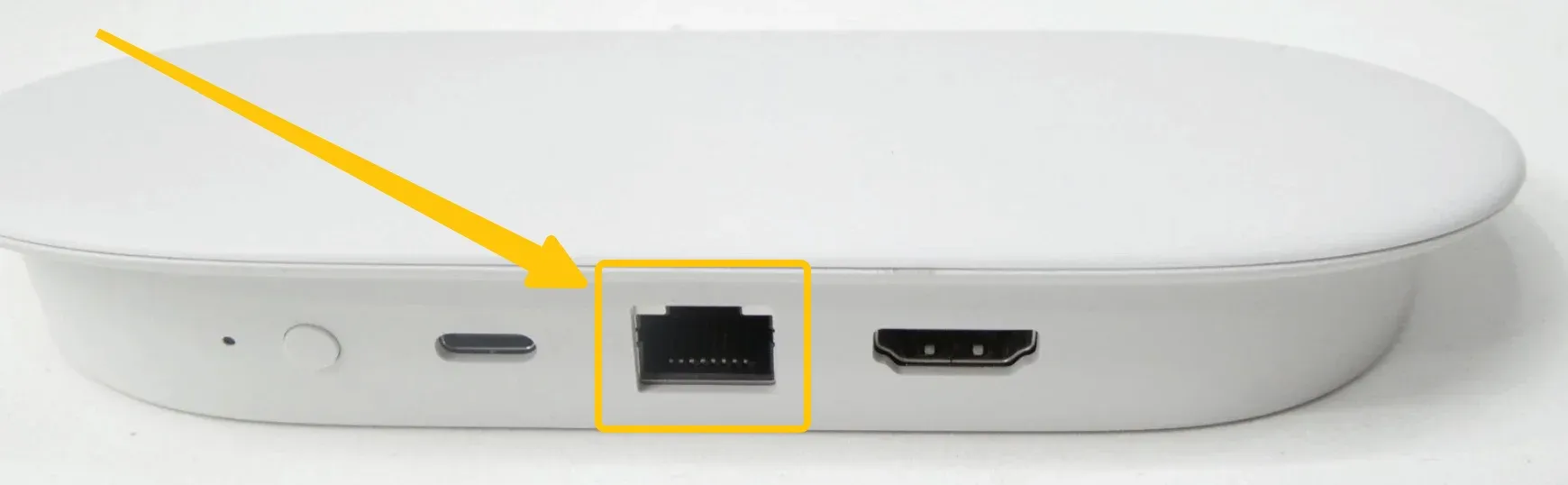
Both Google TV Streamer and Roku Ultra include Ethernet ports, which can make a noticeable difference in buffering and playback reliability compared with stick-based devices.
Remote Control vs Casting
If you regularly send videos from your phone or browser tabs, Google TV tends to feel more natural. Some users also wonder whether Roku supports Chromecast-style casting, which depends on the specific device and casting method. For a true Google Cast workflow, you usually need to Chromecast to Roku TV through an external Chromecast device connected by HDMI.
If you mostly sit down with the remote and browse apps, Roku usually feels simpler.
- Roku treats the television as the center of the experience. Users navigate apps and menus directly with the remote, similar to a traditional cable box.
- Google TV devices allow the same remote-based navigation, but the platform is also designed to work closely with phones. Users frequently start playback from mobile apps and cast content to the TV.
Interface Design and Content Discovery
Roku Stick vs Chromecast, the two platforms organize streaming content differently. Roku focuses on a simple and predictable interface, while Google TV emphasizes content discovery and recommendations.
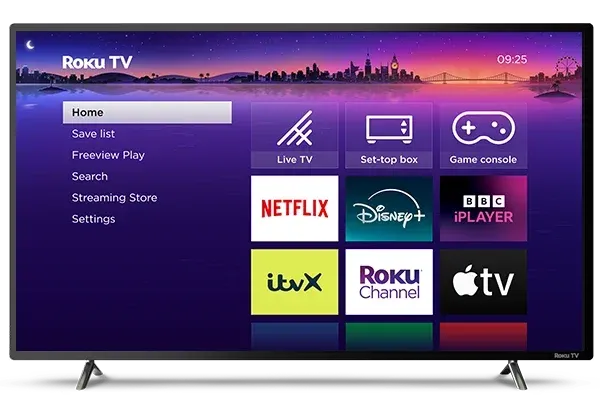
- Roku uses a straightforward grid layout where each streaming service appears as an app icon. Users open apps and browse content inside each platform.
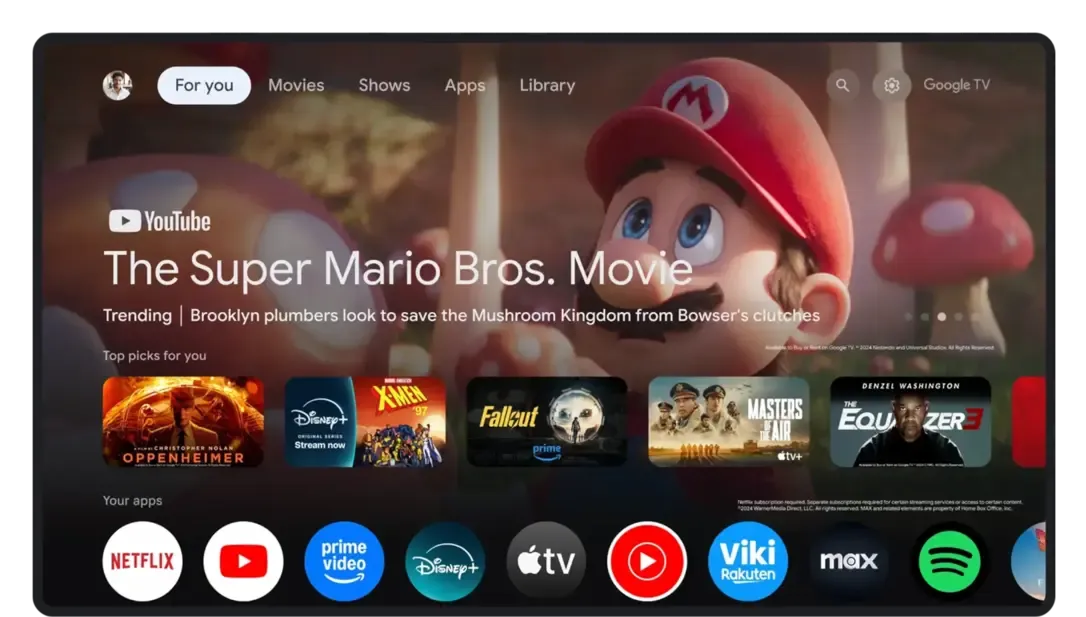
- Google TV takes a different approach by highlighting recommendations on the home screen. Shows and movies from multiple services appear together in one interface.
Google Chromecast Vs Roku: Which One Is Right for You
Both Google Chromecast and Roku offer easy access to popular streaming apps, but they work differently in daily use. The right choice depends on how you control your TV, whether you cast content often, and which devices you already use.
1) Budget-Focused Buyers
If your goal is low cost and easy setup, Roku is often the safer entry point. Models in the lower price tier are straightforward, and the interface has fewer moving parts. You spend less time learning menus and more time watching content.
2) Google Ecosystem Households
If you use Android, Google Home, YouTube casting, or Google Assistant often, Chromecast usually feels more natural. You get tighter integration across devices, and your TV experience aligns with how you already use your phone. This is where many comparisons tilt toward Chromecast.
3) Shared-Family TVs
For households with different comfort levels, Roku tends to reduce support requests like "where did the app go?" or "why did this menu change?" The Roku UI is predictable, and older users often prefer that consistency. If multiple people use one living-room TV, the stability of navigation matters as much as specs.
4) Frequent Casting Users
If you regularly cast from browser tabs, mobile apps, and different devices, Chromecast usually gives you a smoother default path. But if your home includes mixed hardware and TV brands, the best choice depends on compatibility details, not marketing claims. In that scenario, it helps to compare your real workflow before buying.
Where PigeonCast Fits If You Need Reliable Cross-Device Casting
Roku TV vs Chromecast are both solid as streaming endpoints, but many households later discover a second problem: mixed-device casting reliability. A setup may include iPhone, Android, Mac, and Windows at the same time, and casting behavior can become inconsistent across apps and devices. That is exactly the use case where free PigeonCast adds value without forcing you to replace your streaming hardware.
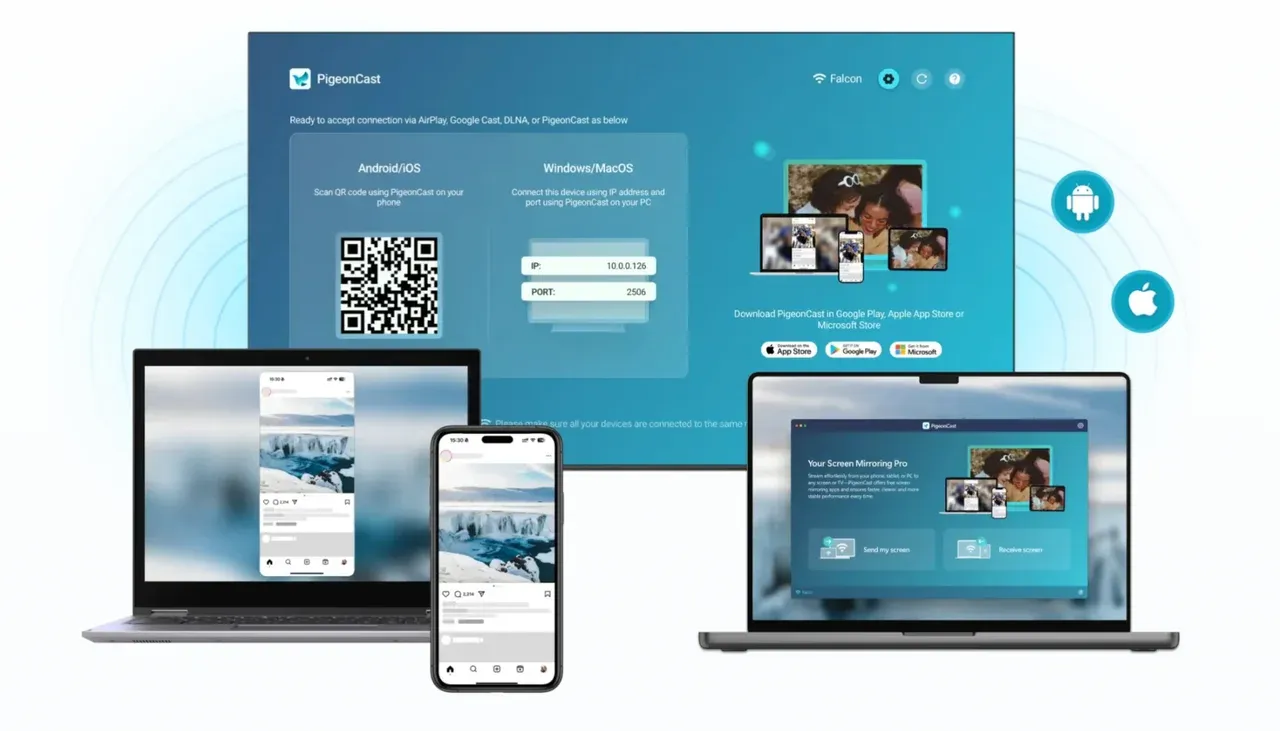
Keep Roku or Chromecast as your main living-room streaming layer, then use PigeonCast as a compatibility and stability layer for cross-device casting workflows. This is especially useful for families who switch between entertainment, screen sharing, and occasional presentation scenarios.
Step 1. Ensure your sender device and Roku or Chromecast are covered by the same wireless network.


Overall Rating:



Step 2. Install PigeonCast on your sender device from the App Store.
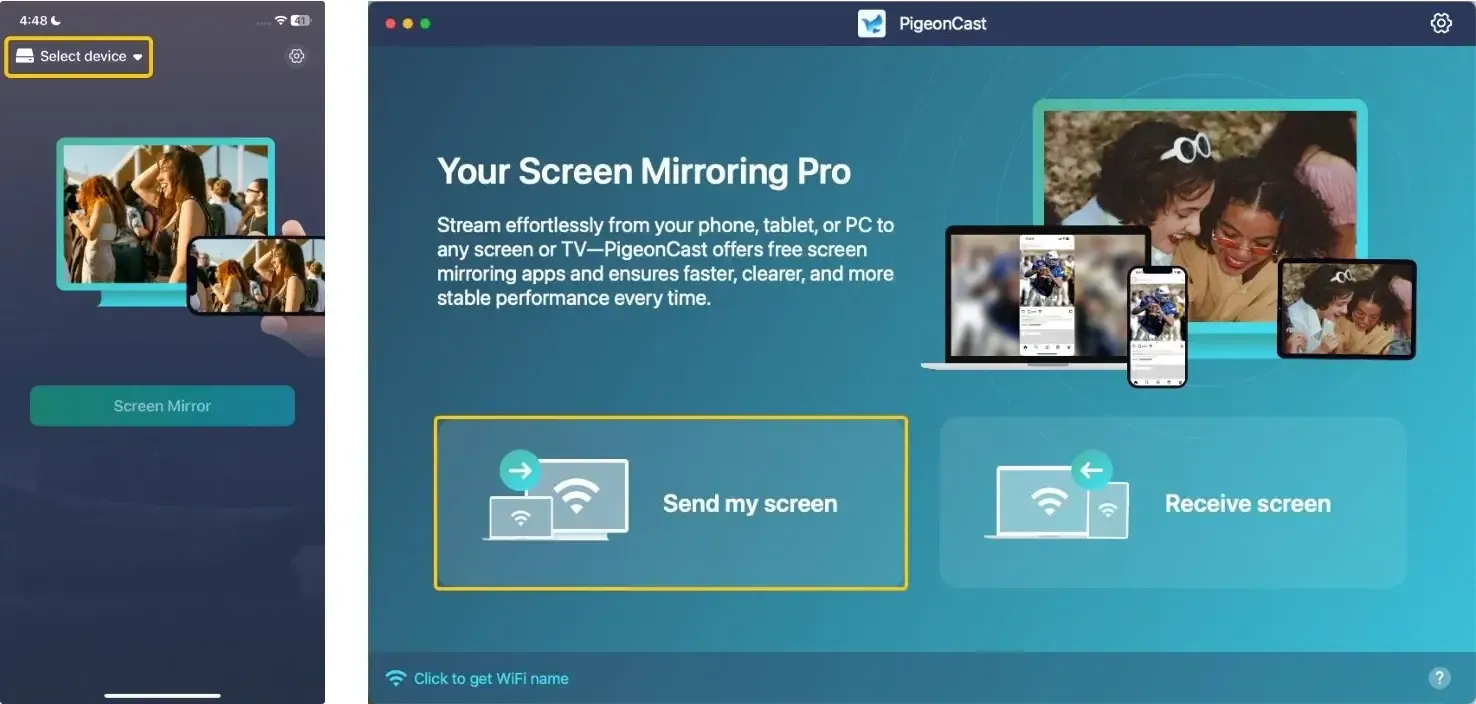
Step 3. Launch the app, tap Select device to choose your Roku or Chromecast from the device list.
Step 4. Enter the prompted PIN code to confirm your pairing requisition.
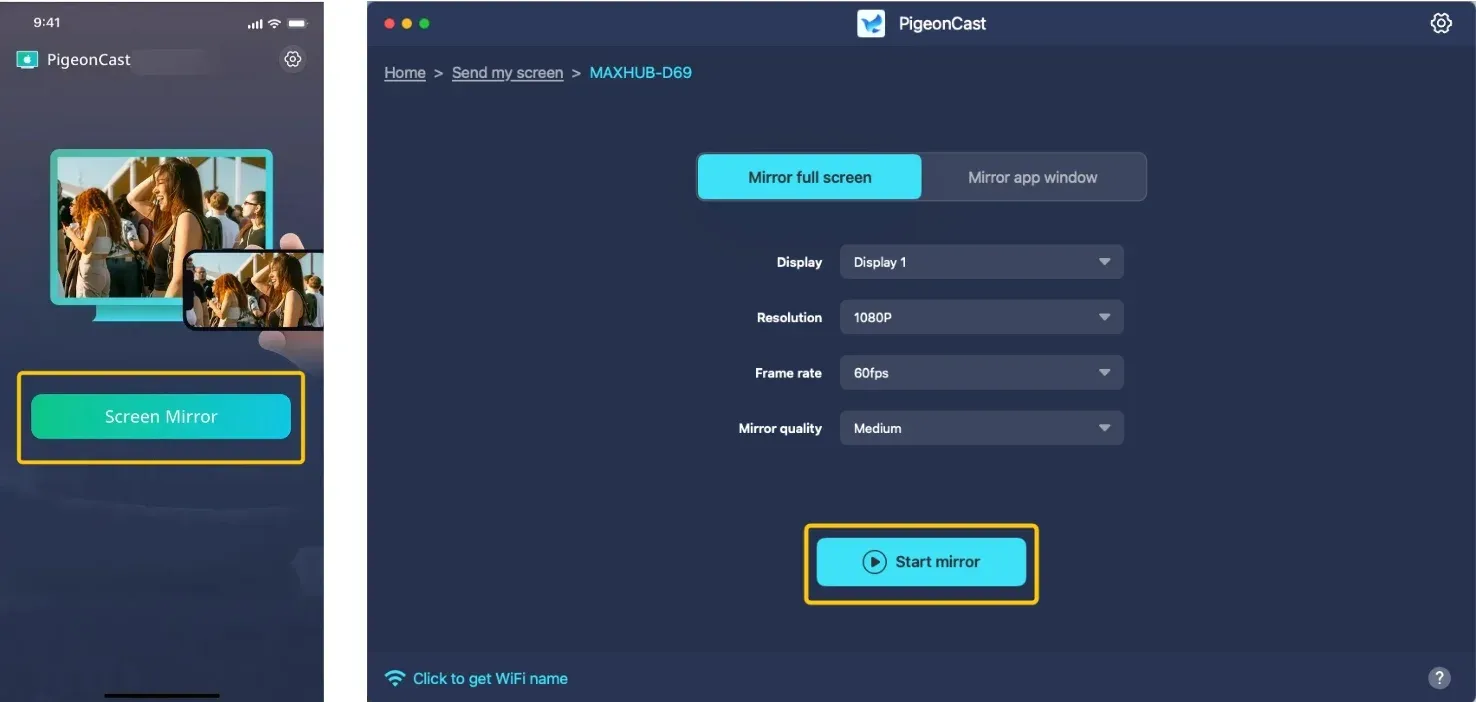
Step 5. Once the connection succeeds, tap Start Mirror or Screen mirror to start mirroring activities. If you use a laptop, you are allowed to mirror a single window or the full screen.
To Sum Up
Roku and Chromecast can both stream the same major apps, but they offer different viewing experiences. Roku focuses on a simple remote-first interface that works well for shared TVs and users who prefer straightforward navigation. Google TV and Chromecast devices are better suited for homes that rely heavily on Android devices, Google services, and frequent casting.
For most buyers, the right choice depends less on specs and more on how you watch TV and which devices you already use. If your home uses a mix of phones, laptops, and platforms, tools like PigeonCast can also help make cross-device casting more reliable without changing your existing streaming hardware.
Chromecast vs Roku FAQ
Which is better Roku or Chromecast?
Neither is universally "better". The best choice depends on how you prefer to control your TV and what devices you already use.
- Roku is usually better for simplicity. It has a straightforward interface and a remote-first design, making it easy to navigate apps directly on the TV.
- Chromecast/Google TV is better for casting and Google integration. It works closely with Android phones, Google services, and casting from apps or browsers.
Is Chromecast being discontinued?
Yes, Chromecast has effectively been discontinued, but your device will still work. Google ended production of the Chromecast product line in August 2024 and stopped selling the devices once inventory ran out. The company replaced it with a newer streaming device called Google TV Streamer, which runs the Google TV platform and includes upgraded hardware.
What are the disadvantages of Chromecast?
Chromecast has several limitations compared with other streaming devices:
- Requires a phone or device for many tasks.
- Limited standalone control.
- Network dependence.
- Compatibility varies by app.
- Less intuitive for shared households.
- Ecosystem preference.
What are the drawbacks of Roku TV?
Roku TV has several drawbacks compared with other smart TV platforms:
- Limited app ecosystem for niche services
- Heavy advertising and promoted content
- Basic interface customization
- Limited casting features
- Hardware performance varies by TV brand
- Fewer advanced smart home integrations
What is the best smart platform for TV?
There isn't a single "best" smart TV platform for everyone. The right choice depends on what you value most: simplicity, app selection, or ecosystem integration. Today's major platforms include Google TV, Roku TV, LG webOS, Samsung Tizen, and Amazon Fire TV, and each focuses on different strengths.
What is the point of Roku if you have a smart TV?
Even if you already have a smart TV, a Roku device can still be useful for several reasons:
- Better performance: Many smart TVs have slower processors. A Roku player often runs apps faster and more smoothly.
- Longer software support: Roku devices typically receive updates for years, while some TV brands stop updating their built-in apps earlier.
- More consistent interface: Roku provides the same simple interface across devices, which some users find easier to navigate than certain TV operating systems.
- Access to additional channels: Some apps or channels may appear on Roku earlier than on certain smart TV platforms.
- Portable streaming device: You can move a Roku stick between TVs or take it while traveling.
Clara Rossi is an experienced technology editor and a seasoned expert in screen mirroring and casting technologies. With a keen eye for detail and a deep understanding of how to seamlessly connect devices, Clara excels at optimizing user experiences for effortless sharing and streaming. Whether you're seeking quick fixes or advanced tips, her expertise and responsiveness ensure that every query is met with a well-informed and efficient solution.