
Choosing between Google TV vs Roku for your next streaming device or smart TV can be tricky. Both platforms offer access to thousands of apps, sleek interfaces, and voice control, but they cater to different needs. Roku is known for its simple, content-agnostic approach, giving you easy access to all your streaming services. Google TV focuses on a more integrated, content-first experience, seamlessly connecting with other Google services. This guide will help you compare the two and choose the best fit for you to enjoy.
Overview: Roku TV vs Google TV
Google TV is not a device but an operating system built on Android TV. Found on devices like the Chromecast with Google TV and TVs from Sony, TCL, and Hisense, it's a content-forward platform. Its hallmark is a personalized, aggregating home screen that prioritizes movie and show recommendations from your subscribed services.
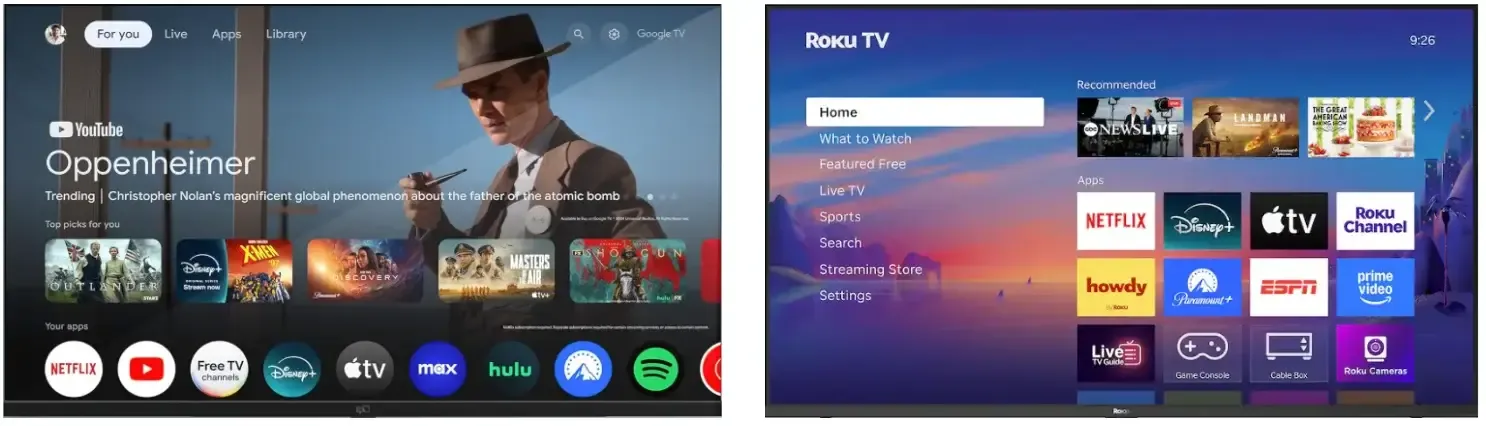
Roku is both a platform and a device manufacturer. You can buy a Roku streaming stick, box, or a Roku TV (made by brands like TCL and Hisense). Its interface is famously simple and intuitive, built around a straightforward grid of apps (channels). Roku is proudly neutral, focusing on making it easy to find and launch the apps where your content lives, without heavily pushing one service over another.
What's the Difference Between Roku and Google TV
Both Google TV and Roku serve the same purpose of enhancing your smart TV experience, but they take different approaches. Let's explore what's the difference between Roku TV and Google TV.
Google TV vs Roku TV: Performance
Performance is one of the first aspects to consider when choosing a streaming platform. It determines how smoothly your device operates when streaming high-definition content, navigating through menus, or switching between apps:
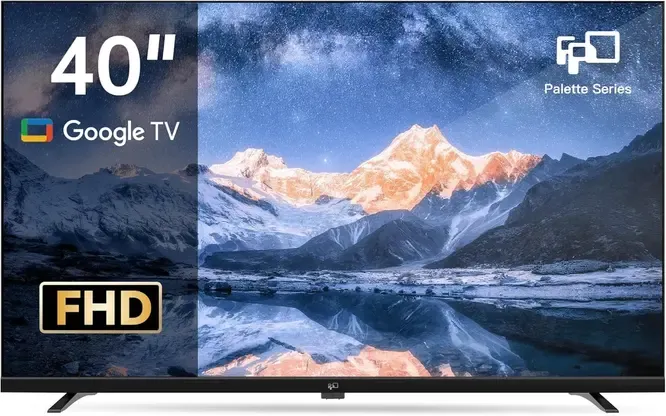
Google TV, built on Android, tends to be more visually demanding, with its constantly updating home screen of recommendations and animations. On lower-end hardware, this can sometimes lead to a slower, less responsive feel when navigating menus.
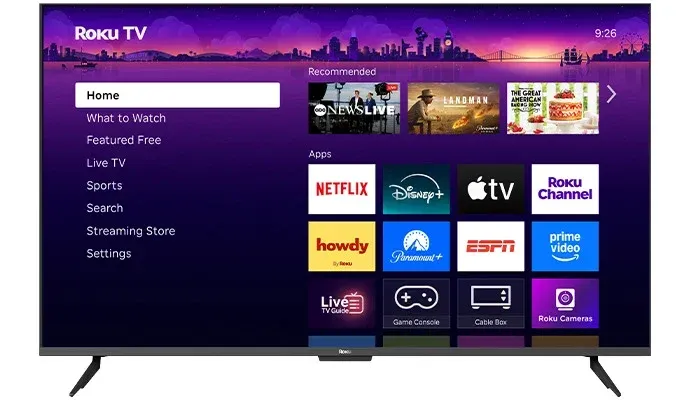
Roku's operating system is famously lightweight and efficient, meaning even budget Roku devices often feel snappier and more responsive in day-to-day use than comparably priced Google TV options. For the best performance on either platform, always opt for a device with a faster processor and more RAM.
Google vs Roku TV Conclusion: If you're looking for cutting-edge picture quality and advanced features, Google TV may be the better option. However, if you value fast, consistent performance and reliability, Roku TV is an excellent choice.
Google TV vs Roku TV: Interface
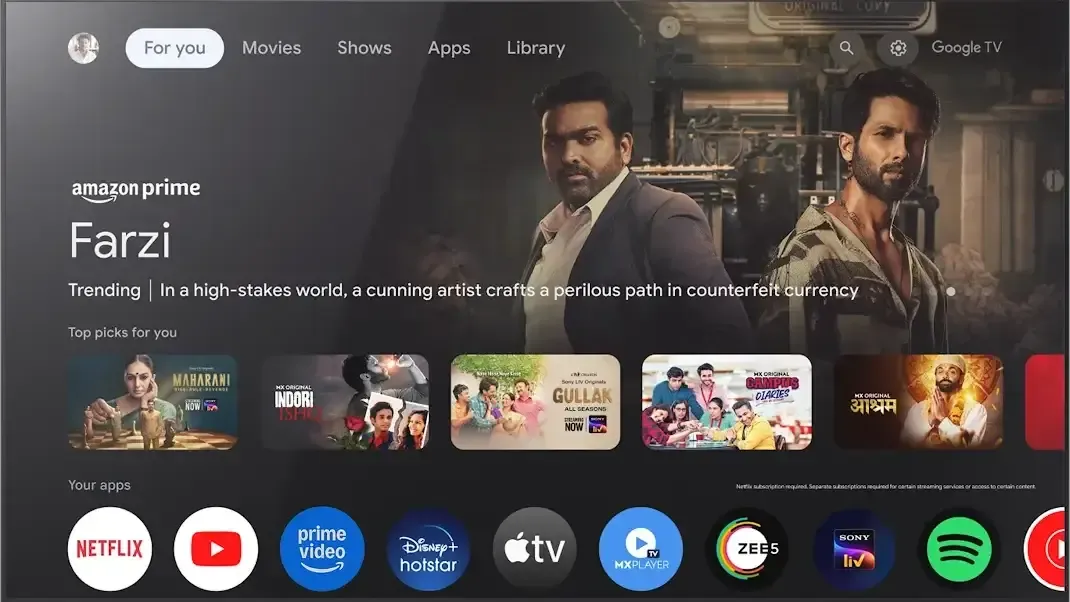
Google TV features a content-first, vertically scrolling interface. Its home screen is dominated by rows of personalized recommendations ("For You", "Watchlist", "Continue Watching") that pull from across all your installed apps. This creates a dynamic, magazine-like experience aimed at helping you discover what to watch next, rather than just presenting a list of apps.
Roku TV employs a simple, linear, and app-focused interface. The home screen is a grid of your installed channels (apps), with a static menu on the left side (Home, Search, My Feed, etc.). It's clean, predictable, and puts your subscribed services front and center. Roku's philosophy is to be a neutral launching pad to the apps you choose, not an editorialized hub.
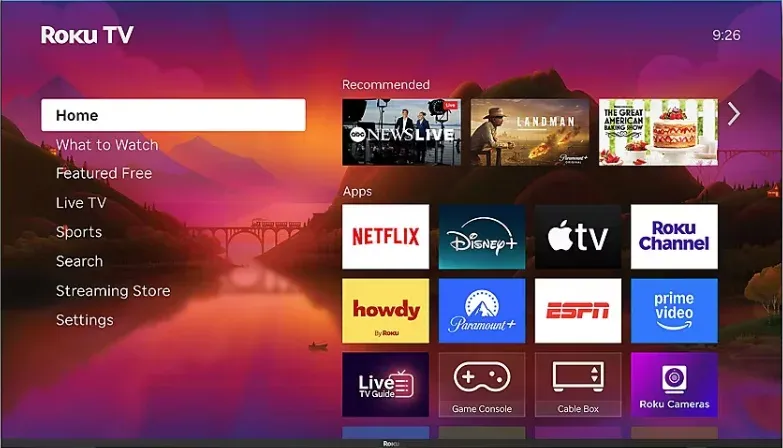
Google vs Roku TV Conclusion: If you prefer a personalized, feature-rich interface that provides content recommendations, Google TV is the way to go. If you want something simple and easy to navigate, Roku TV will be more suitable.
Google TV vs Roku TV: Ease of Use
Google TV has a steeper learning curve. Its recommendation-heavy home screen can initially feel overwhelming or cluttered. New users might need a moment to learn how to find their full app library (under the "Apps" tab). While powerful, its deeper integration with Android settings and features can also make advanced configurations more complex than on Roku.
Roku is universally acclaimed for its simplicity. The straightforward grid and simple remote with dedicated app buttons make it incredibly easy for people of all ages and tech skill levels to understand. Finding and launching an app is intuitive and never more than a few clicks away.
Google vs Roku TV Conclusion: Roku TV takes the edge when it comes to ease of use because of its intuitive, no-fuss interface and simple setup. Google TV is a bit more complex but offers more features for those willing to learn.
Google TV vs Roku TV: Content and App Availability
Google TV shines with its integration into the Google ecosystem. It provides access to the Google Play Store, offering a vast selection of apps, including all the popular streaming services like Netflix, Disney+, HBO Max, YouTube, and Amazon Prime Video.
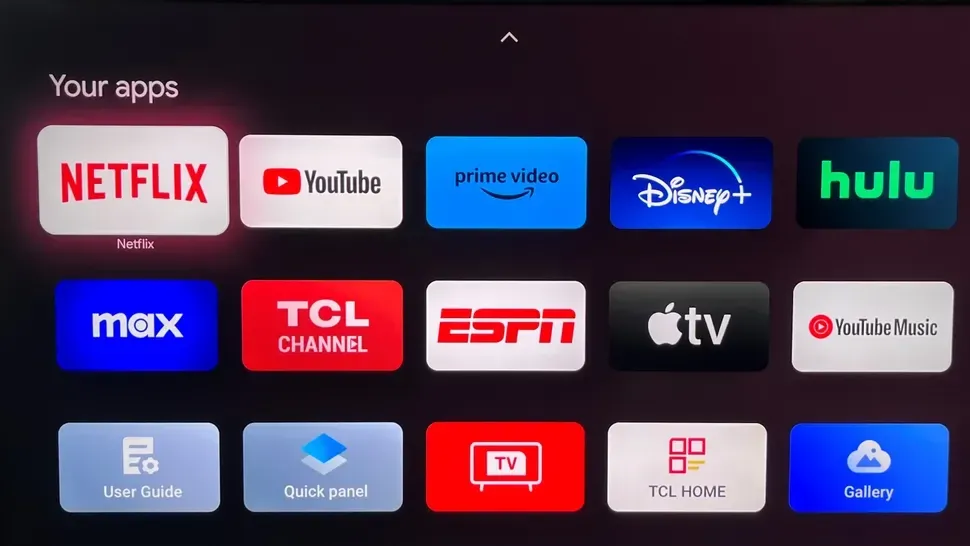
What truly sets Google TV apart is its universal search feature, which pulls content from multiple platforms and presents personalized recommendations based on your viewing habits. This makes it easy to discover content without having to open individual apps. Additionally, Google TV aggregates free content from services like Pluto TV and Tubi, providing more options for viewers without subscriptions.
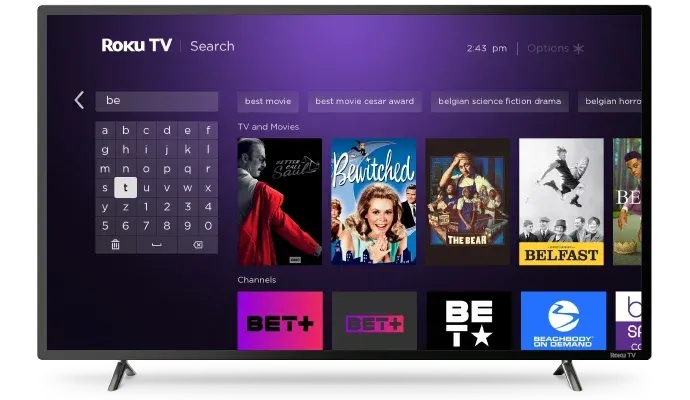
Roku focuses on simplicity and ease of access. It offers over 4,000 channels, including the most popular streaming platforms and a wide variety of niche, international, and hobbyist channels. Roku's standout feature is The Roku Channel, which provides free, ad-supported movies, TV shows, and live channels.
While it doesn't offer the same personalized content recommendations as Google TV, Roku's library is extensive, and its interface makes it easy to find content. Roku's emphasis is on providing a vast, easy-to-navigate catalog rather than an all-in-one aggregated experience.
Google vs Roku TV Conclusion: If you want the largest selection of free and niche streaming channels, Roku TV is the winner. However, if you prefer personalized content recommendations aggregated across all your premium apps, Google TV is the better choice.
Google TV vs Roku TV: Smart Features and Voice Control
One of the standout features of Google TV is its integration with Google Assistant. You can use your voice to search for content, control your smart home devices, check the weather, or even ask about the latest news without picking up the remote. Google TV also supports Google Home devices, allowing you to manage all of your smart home gadgets in one ecosystem.
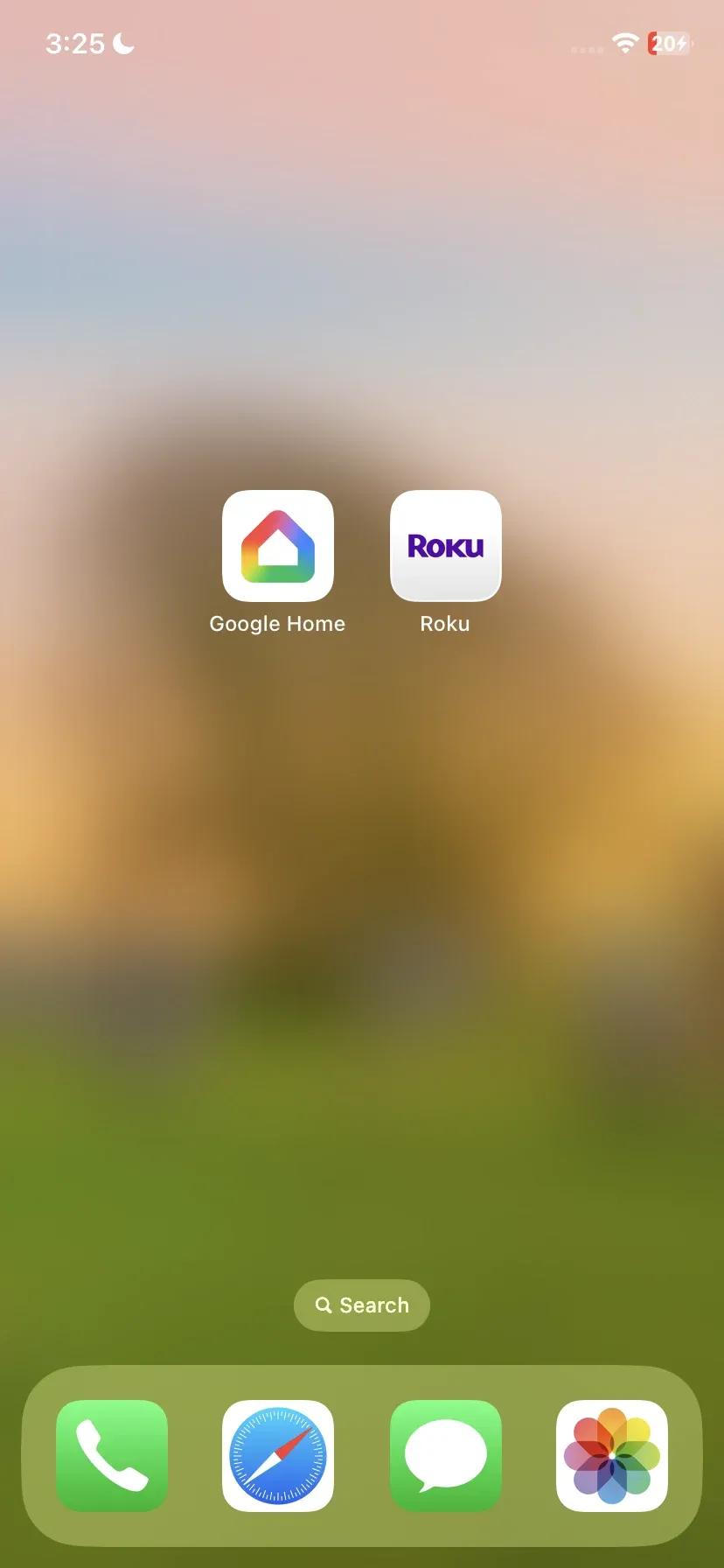
Roku TV also offers voice control via the Roku remote or Roku mobile app. You can ask Roku to search for shows, adjust volume, and open apps. However, Roku's voice control is not as robust as Google TV's integration with Google Assistant, as it cannot control a broader range of smart devices.
Google vs Roku TV Conclusion: If you're looking for deep smart home integration and a more powerful voice assistant, Google TV is the winner. However, Roku TV still offers voice control for basic functions and is perfect for users who don't need advanced smart features.
Google TV vs Roku TV: Casting Features
Google TV shines with its built-in Chromecast functionality, which allows you to cast content directly from your phone, tablet, or computer to the TV without needing any additional apps or devices. This seamless integration is especially beneficial for users with Android devices or Google Home smart speakers, making Google TV an excellent choice for those already invested in the Google ecosystem.
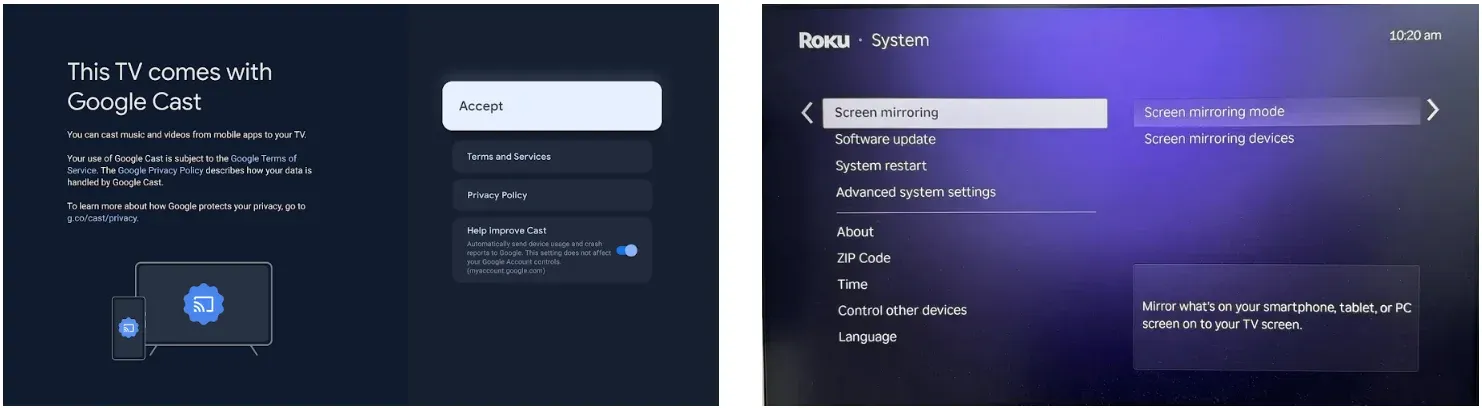
Roku TV supports AirPlay for iOS users, which allows you to cast content from Apple devices (iPhone, iPad, or MacBook) to your Roku-enabled TV. Additionally, Roku TV allows screen mirroring for Android, enabling you to share your screen and stream content directly from your mobile device. While Roku supports multiple casting options, its system is not as tightly integrated as Google TV's Chromecast, meaning it can feel less seamless across platforms.
Google vs Roku TV Conclusion: If you are heavily invested in the Google ecosystem, Google TV with its Chromecast feature will give you a much more integrated casting experience. However, Roku TV offers AirPlay for Apple users and screen mirroring for Android users, so it is still a good choice if you are a multi-device user.
Tips: If you're looking for an even smoother experience when casting content across Google TV and Roku TV, consider using PigeonCast. This free screen mirroring app allows you to effortlessly cast content between both platforms, whether you're switching from a Google TV to a Roku TV or vice versa. This tool makes it easier to stream content, eliminating the need for constant switching between apps or settings.



Overall Rating:



Google TV vs Roku TV: Storage and Price
Most Google TV devices (like Chromecast with Google TV) come with limited storage. The Chromecast with Google TV device, for example, has 8GB of internal storage, which is sufficient for caching content and installing apps, but it isn't designed to hold a lot of large files or games. Google TV relies heavily on streaming and cloud services, so local storage isn't a primary focus.
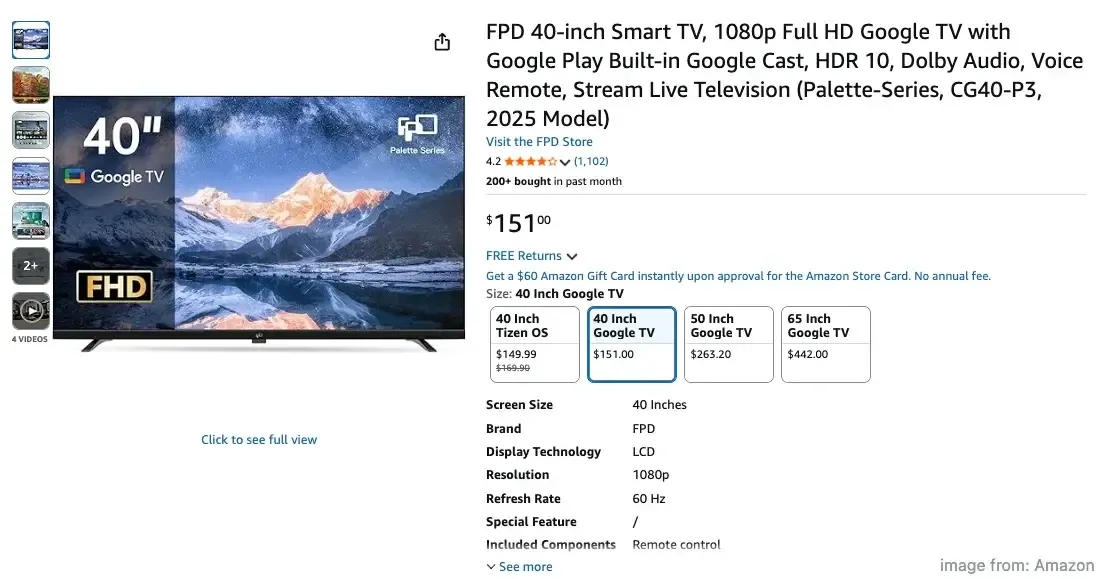
The price of Google TV varies depending on the device. For example, Chromecast with Google TV retails for around $50. When integrated into smart TVs, the price can range significantly, depending on the brand and model, but generally falls within the $100 - $1,000+ range for Google TV-enabled TVs.
Similarly, Roku TV doesn't prioritize internal storage. However, devices like the Roku Ultra and Roku Streaming Stick+ offer USB ports that support external storage devices for things like personal media playback. In general, Roku devices don't store much content locally but are designed to work well with streaming services.
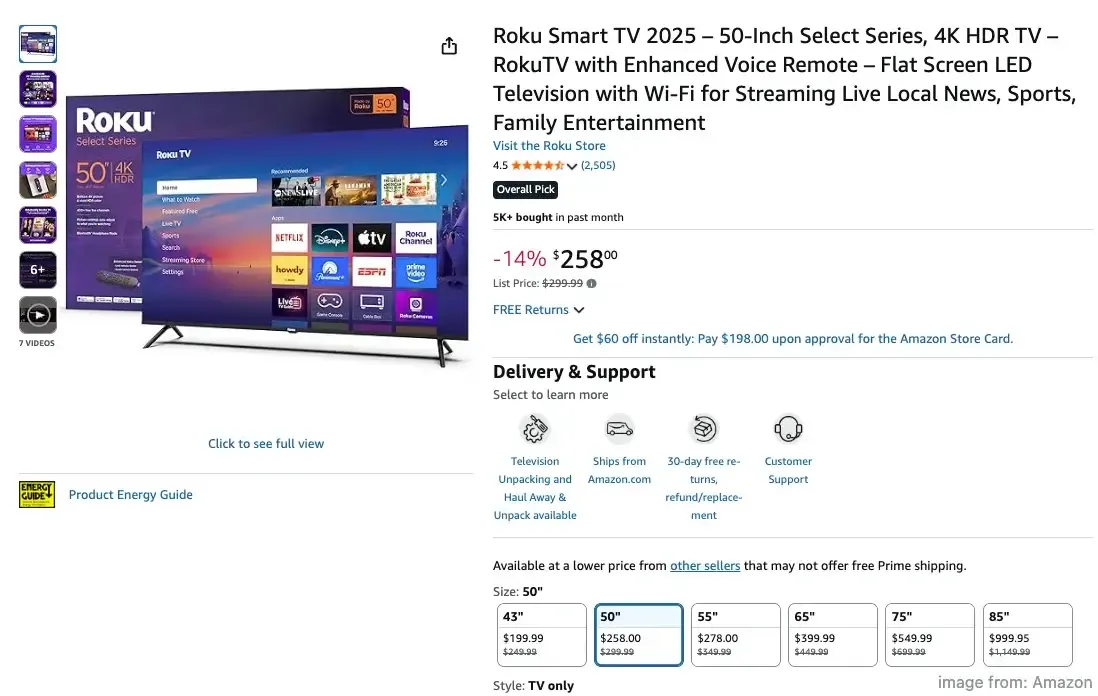
Roku devices tend to be more affordable. The Roku Streaming Stick+ is priced around $50, while the Roku Ultra can cost around $100. Roku TVs (which have the Roku OS built in) are often priced more competitively, with smart TVs from brands like TCL and Hisense starting at about $150 for a 4K Roku TV.
Google vs Roku TV Conclusion: Roku TV tends to be the more affordable option, especially if you're looking for a budget-friendly smart TV or streaming device. Google TV might be more expensive, especially if you're opting for higher-end smart TVs with Google TV built in, but it offers more powerful features and advanced capabilities.
Which Is Better Google TV or Roku TV
Is Roku or Google TV better? With so many smart TV options available today, choosing Google TV or Roku can feel overwhelming. To help you make an informed decision, we've broken down the key differences between Google TV and Roku TV in the Roku vs Google TV comparison table below.
| Google TV | Roku TV | |
|---|---|---|
| Operating System | Built on Android TV; integrated with Google services | Platform and device manufacturer; simple grid of apps |
| Performance | More visually demanding,it can be slower on low-end devices | Lightweight and efficient, even on budget devices |
| Interface | Content-first with personalized recommendations | Simple, app-based grid with no editorialization |
| Ease of Use | Steeper learning curve, more complex settings | User-friendly and intuitive, easy to navigate |
| App Availability | Access to Google Play Store with popular streaming services | Over 4,000 channels, including niche and international content |
| Content Aggregation | Universal search pulls content across platforms; personalized recommendations | Direct access to apps; no content aggregation |
| Free Content | Integrates free services like Pluto TV and Tubi | The Roku Channel offers free, ad-supported movies and shows |
| Voice Control | Integrated with Google Assistant for voice search and smart home control | Voice control via Roku remote or mobile app (basic functions) |
| Smart Home Integration | Deep integration with Google Home devices | Limited smart home functionality |
| Casting Features | Built-in Chromecast for seamless casting | Supports AirPlay (Apple) and screen mirroring (Android) |
| Storage | Limited internal storage (e.g., 8GB on Chromecast) | Offers external storage support with USB ports on some devices |
| Pricing | Typically higher, depending on the device or TV model | Generally more affordable, with Roku TVs starting at around $150 |
| Standout Feature | Deep Google ecosystem integration, content aggregation | Simple interface, wide selection of streaming channels, and free content |
- Choose Google TV if you prefer a content-first, integrated experience with personalized recommendations, smart home control, and access to Google services.
- Choose Roku TV if you value simplicity, a vast array of channels, free content like The Roku Channel, and an easy-to-use interface at a more affordable price.
After comparing Google Smart TV vs Roku, no matter which one you choose, you'll have a great partner for an enhanced viewing experience. However, if you're dealing with compatibility issues, PigeonCast, a free cross-platform mirroring app, can be a seamless solution. It works on Android, iOS, Windows, Mac, and TVs, allowing you to stream content in up to 4K resolution with minimal latency, ensuring the best possible experience.

Overall Rating:
Final Verdict
Which is better Roku or Google TV? If you like personalized recommendations and integration with Google services, Google TV is a great choice. If you want something simple with a wide range of channels, including free content, Roku might be better for you. Either way, both offer a great streaming experience, and if you run into compatibility issues, PigeonCast is a free app that lets you stream across devices in up to 4K.
Google TV vs Roku FAQ
What are the disadvantages of Google TV?
The main disadvantages of Google TV include:
- Complexity for New Users: Google TV's interface can be overwhelming for those unfamiliar with it, especially with its content-heavy home screen and deeper integration with Google services.
- Limited App Availability: While Google TV has a wide range of apps, it may lack some niche or specialized apps found on other platforms like Roku.
- Performance on Budget Devices: On lower-end devices, Google TV can sometimes feel slower or less responsive due to its more resource-demanding interface.
- Higher Cost: Google TV-enabled devices tend to be pricier, especially higher-end smart TVs, compared to more affordable options like Roku.
- Privacy Concerns: Given its deep integration with Google's ecosystem, some users may have concerns over data privacy and the tracking of viewing habits.
Is Google TV better than Roku?
Whether Google TV is better than Roku depends on your preferences and needs:
- Google TV is ideal if you want a content-first, personalized experience with integration into the Google ecosystem. It offers smart features like Google Assistant, universal search across multiple apps, and seamless control of Google smart home devices. It's also better suited for users who value advanced features and content recommendations.
- Roku, on the other hand, is a simpler, more straightforward platform. It focuses on ease of use with a no-frills interface and is excellent if you just want quick access to your streaming services. Roku is also more affordable and offers a larger selection of free content via The Roku Channel.
Does Google TV have free channels like Roku?
Yes, Google TV does offer access to free channels, but it's a bit different from Roku.
- Google TV aggregates free content from various sources like Pluto TV, Tubi, and YouTube. You can access these services directly through the Google TV interface, and they provide a variety of movies, TV shows, and live channels. However, Google TV does not have a single branded free channel like Roku's The Roku Channel, which is a centralized hub for free, ad-supported content.
- Roku, on the other hand, has The Roku Channel, which is specifically designed to offer free movies, TV shows, and live channels, all in one place.
What is the best smart platform for a TV?
The best smart TV platform depends on your specific preferences and needs.
- Best for simplicity and content variety: Roku TV
- Best for personalized recommendations and integration with Google services: Google TV
- Best for Apple ecosystem users: Apple TV
- Best for Alexa integration: Amazon Fire TV
- Best for Samsung users: Samsung Tizen TV
Is Roku TV better than Google TV?
Whether Roku TV is better than Google TV depends on your preferences.
- Roku TV is great for users who want a simple, easy-to-navigate interface with access to a wide variety of content, including free movies and TV shows via The Roku Channel. It's budget-friendly and works well for those who prefer a straightforward streaming experience without too many additional features.
- Google TV is better for users who want personalized content recommendations, seamless integration with Google services (like Google Assistant and smart home devices), and a more content-first experience. It's ideal for those already invested in the Google ecosystem or looking for advanced features.
Choose Roku TV for simplicity and affordability, and Google TV for a more integrated and personalized experience.
Is PigeonCast safe to use?
Yes, PigeonCast is safe to install. It employs end-to-end encryption to ensure your content remains secure and private while streaming. However, like with any software, it's always a good idea to download it from official sources, such as the app's website or trusted app stores, to avoid any potential security risks.
Clara Rossi is an experienced technology editor and a seasoned expert in screen mirroring and casting technologies. With a keen eye for detail and a deep understanding of how to seamlessly connect devices, Clara excels at optimizing user experiences for effortless sharing and streaming. Whether you're seeking quick fixes or advanced tips, her expertise and responsiveness ensure that every query is met with a well-informed and efficient solution.