
If you are comparing Google TV vs Android TV, the short version is this: Google TV is the newer content-first experience, while Android TV is the older smart TV interface that focuses more on apps and rows of content. They are closely related, but they do not feel the same in daily use.
That difference matters most when you are deciding how you want the TV to behave. Some people want a cleaner recommendation system, multiple profiles, and a stronger home-screen layer. Others simply want a stable TV platform that opens apps quickly and supports casting without a lot of extra interface logic.
For screen mirroring and casting, the distinction is smaller than many people expect. Both Google TV and Android TV support casting from compatible apps and devices. The bigger differences show up in the home screen, profile system, and the overall user experience around content discovery.
Quick Answer: Google TV vs Android TV
Google TV and Android TV are not identical, but they are not separate ecosystems in the way people sometimes assume.
- Google TV is Google's newer TV experience built on top of Android TV OS.
- Android TV is the older TV interface that many smart TVs and streaming devices still use.
- Both support apps from Google Play.
- Both support Google Cast on compatible devices.
- Google TV usually feels more personalized because it leans harder on recommendations, watchlists, and profiles.
- Android TV usually feels simpler if you mostly open apps directly and do not care much about the recommendation layer.
If I were choosing between them today, I would usually prefer Google TV for most home users because the interface, profiles, and content organization are more modern. I would still be perfectly fine with Android TV if the device is fast, well supported, and mainly used for launching apps and casting.
Is Google TV the Same as Android TV?
No. Google TV is not the same as Android TV, but it is closely related to it.
The most practical way to think about it is this: Android TV is the underlying platform family, and Google TV is Google's newer interface and content-discovery layer on supported devices. That is why the app support overlaps so much, while the home screen and navigation feel different.
This is also why the comparison confuses people. If two TVs both install apps from Google Play and both let you cast from supported apps, it is easy to assume the platforms are basically identical. In day-to-day use, though, Google TV pushes a more personalized viewing experience, while Android TV feels more like a traditional smart TV launcher.
Google TV vs Android TV: Key Differences
Not every difference between Google TV and Android TV carries the same weight. The home screen, recommendations, and profile system are genuine platform differences, while performance, update support, and device longevity often depend more on the TV or streaming device itself.
The comparison below separates the experience-level differences from the factors that still need to be judged model by model.
Home Screen and Interface
The home screen is the clearest difference between Google TV and Android TV.
Google TV is designed around content first. Instead of asking you to think about which app to open, it surfaces shows, movies, live content, and watchlist items directly on the home screen. The overall experience feels more like a content discovery hub than a traditional app launcher.
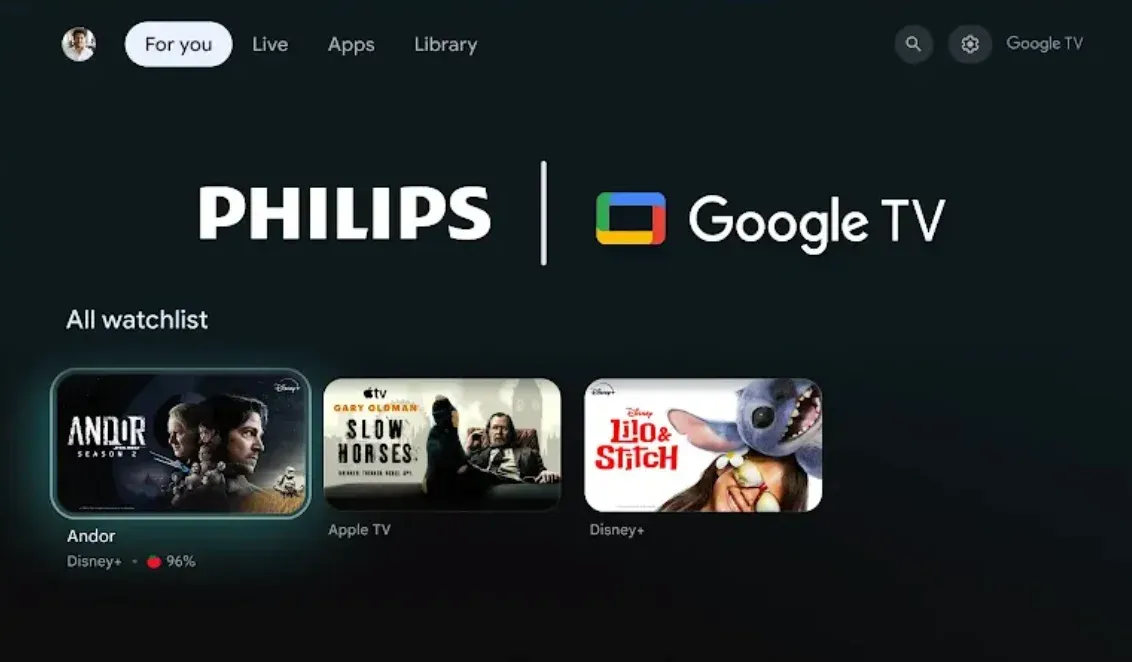 Image source: Google TV
Android TV feels more app-first. You still get recommendations and content rows, but the interface is usually easier to read as a set of installed apps plus channels of content underneath.
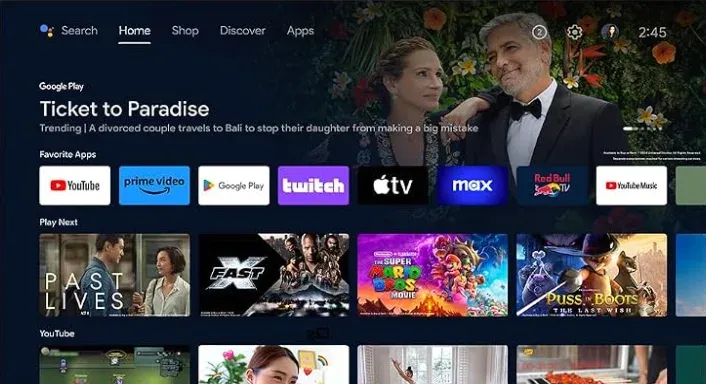 Image source: Amazon
If you want the TV to help you decide what to watch, Google TV usually feels better. If you already know you are opening YouTube, Netflix, Plex, or another app directly, Android TV often feels more straightforward.
Content Recommendations
Google TV places recommendations much closer to the center of the home-screen experience.
Google TV brings content from apps and search results together on its home screen, with tabs such as For You, Apps, Library, and, where available, Live. Recommendations can be shaped by your watchlist, watch activity, services connected to your account, and titles you interact with.
Android TV also supports recommendations, but the experience usually feels less central to the platform identity. On Android TV, recommendations are part of the interface. On Google TV, they are closer to the interface itself.
That makes Google TV better if you like aggregated discovery. It can feel busier if you prefer to choose content app by app without much algorithmic help.
Apps and Google Play
App availability is broadly similar on Google TV and Android TV.
Both platforms use Google Play for TV apps, so most users will find a largely overlapping app selection.
In other words, do not choose Google TV over Android TV just because you assume Google TV has a completely different app library. For most users, it does not.
User Profiles and Parental Controls
Google TV offers the more complete profile and parental-control experience.
Google supports multiple profiles on Google TV, and it also supports kids profiles with app controls, content restrictions, watchlist support, and screen-time limits. Google also documents profile locks for Google TV, which is useful if several people share one television.
Android TV can still work well for families, but Google TV has the more developed profile experience. If several people in the house want their own recommendations, watchlists, and parental settings, Google TV is the better fit.
Google Assistant and Smart Home Features
Both platforms work well with Google Assistant, but Google TV usually makes that layer feel more integrated.
In practice, the difference is not that Android TV lacks voice features. The difference is that Google TV organizes more of the experience around search, recommendations, account context, and content discovery. If your TV is part of a broader Google Home setup, Google TV generally feels a little more current and polished.
Still, I would not buy a TV based on this point alone. For most people, interface speed and device quality matter more than the assistant label on the spec sheet.
Device and TV Brand Availability
Android TV has been around longer, so it still appears on a wide range of older or existing TVs and streaming devices.
Google TV is what you are more likely to see on newer Google-branded streaming hardware and smart TVs from partner brands.
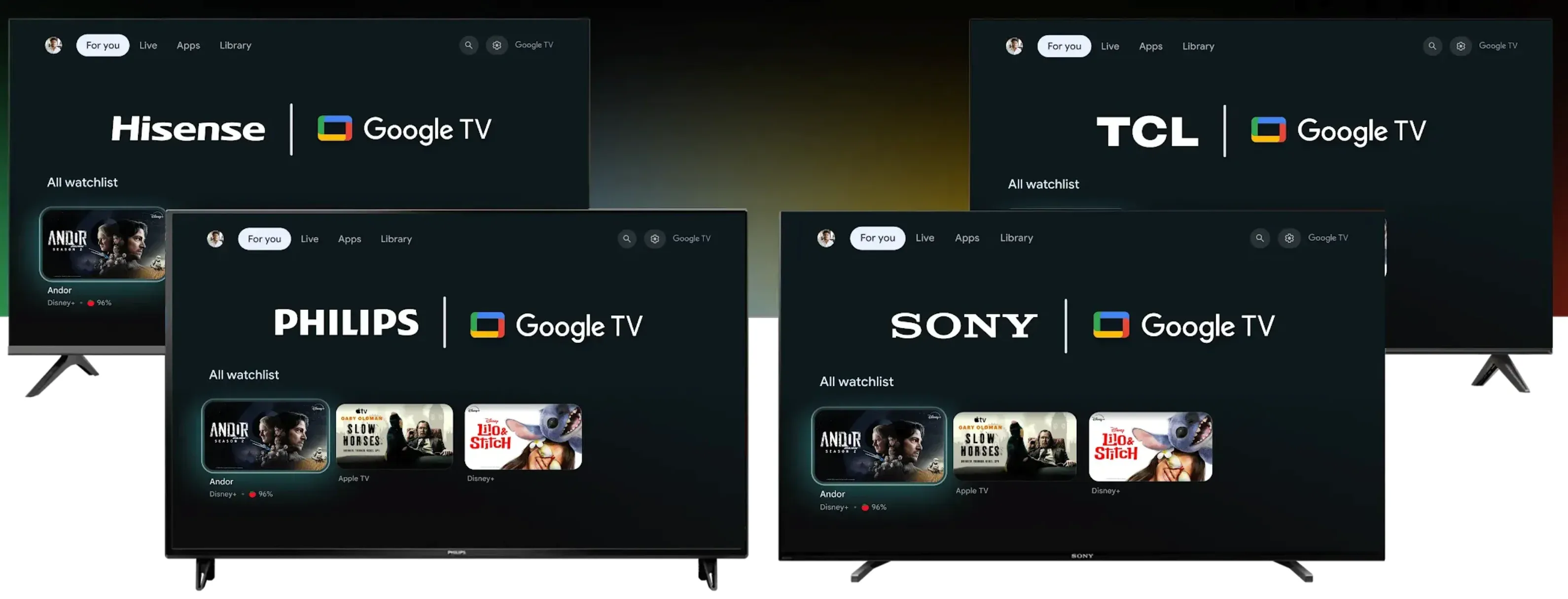 Image source: Google TV
Google now positions Google TV as the main consumer-facing experience for both streaming devices and smart TVs.
That does not make Android TV obsolete overnight. It just means Google TV is the direction Google is pushing more visibly for new buyers.
Updates and Long-Term Support
Long-term support depends heavily on the TV maker, hardware generation, and update policy—not just whether the device uses Google TV or Android TV.
Google TV is the newer experience, so it generally feels like the safer choice if you want the interface Google is actively promoting. At the same time, Android TV devices are not all equal. A well-supported Android TV device can still be a better long-term buy than a poorly maintained Google TV model.
There is also a practical aging issue on older Android TV hardware. Account login support is ending for Android TV devices running Android OS 7.1 or earlier. This shows how older Android TV hardware can lose access to modern account features even while the device itself remains usable.
Google TV vs Android TV for Casting and Screen Mirroring
Google TV and Android TV work in much the same way when it comes to casting. Both use Android TV OS and let you send content from Chromecast-enabled apps and compatible browsers to the TV over Wi-Fi.
For apps such as YouTube, casting is usually simple on either platform. Tap the Cast button, choose the TV, and the content plays on the television while the phone works as a remote. If you mainly cast videos, music, or other supported content, there is little reason to choose Google TV over Android TV based on casting alone.
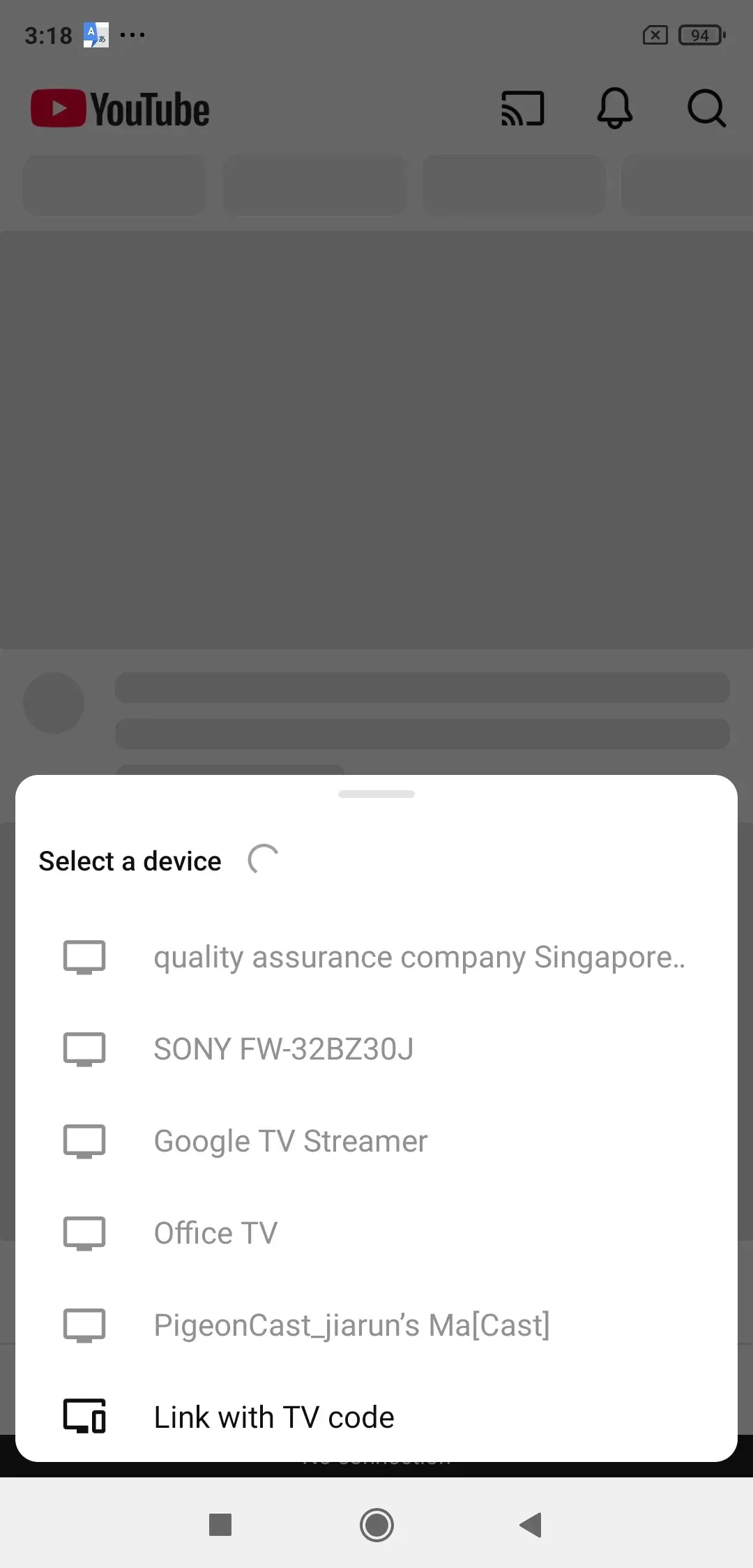
The difference becomes more noticeable when you want to mirror an entire screen. Android phones can often mirror through Google Home or a built-in Cast option. For an iPhone or Mac, however, full-screen mirroring depends on whether the TV includes built-in AirPlay support, which can vary by model and manufacturer.
PigeonCast is a screen mirroring app for Android TV and Google TV. By installing it on the TV, you can add AirPlay receiving support and mirror an iPhone or Mac even when AirPlay is not built into the television.
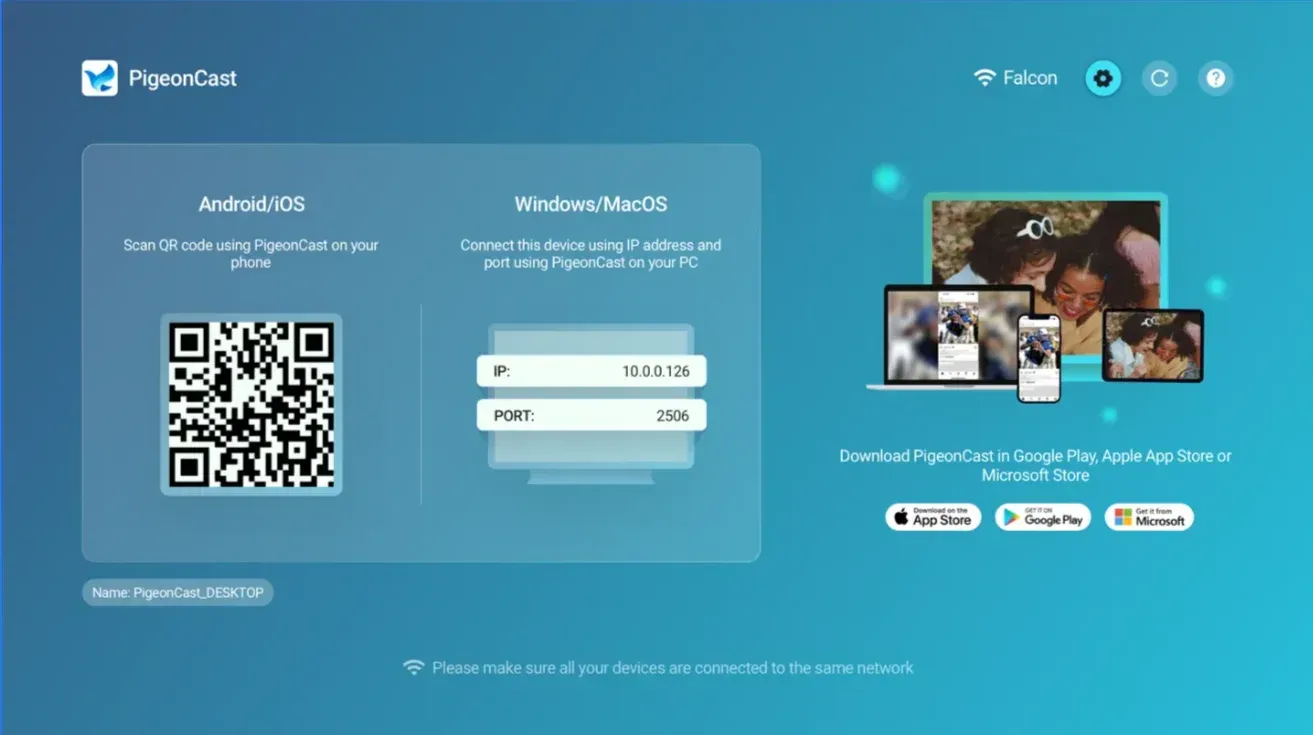
To mirror an iPhone to Google TV with PigeonCast:
- Install and open PigeonCast on the Google TV.
- Connect the iPhone and Google TV to the same Wi-Fi network.
- Open Control Center on the iPhone and tap Screen Mirroring.
- Select the Google TV running PigeonCast to start mirroring.
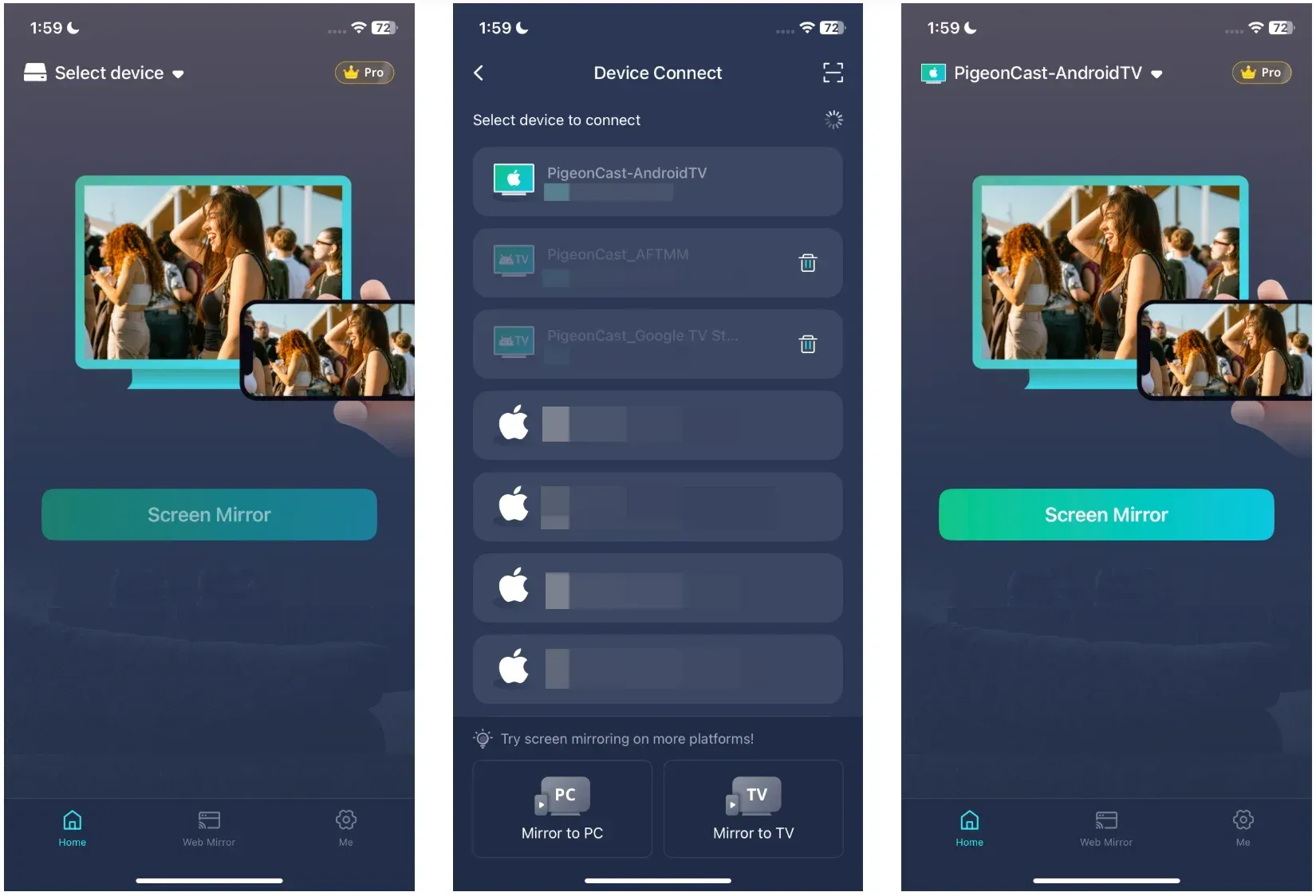
You can also install PigeonCast on both devices when you want to use its other cross-platform connection options.


Overall Rating:



How to Tell Whether Your TV Uses Google TV or Android TV
The easiest way is to look at the home screen.
If the TV emphasizes a For You style layout, multiple profiles, and a stronger cross-service recommendation layer, it is probably Google TV. If the home screen feels more like an app row with customizable channels underneath, it is more likely Android TV.
You can also check the settings menu, the account area, or the original product listing from the TV brand. Many manufacturers label the platform clearly in the TV description.
Should You Choose Google TV or Android TV?
For most buyers, I would choose Google TV.
It is the newer experience, the profile system is better, the recommendation layer is more complete, and Google is clearly presenting it as the main forward-looking consumer experience. If several people share the TV, or if you want the interface to feel modern without much setup, Google TV is the easier recommendation.
I would still choose Android TV in a few cases:
- the device is faster or better priced than the Google TV alternative
- you mainly launch apps directly and do not care much about recommendations
- you already own the device and it handles streaming and casting reliably
That is the real point: platform matters, but hardware quality still matters more.
Can You Upgrade Android TV to Google TV?
Sometimes, but not as a general rule you should count on.
There is no universal switch in settings that converts any Android TV into Google TV. In practice, you only get Google TV if the device maker provides that experience on the hardware or pushes a supported update for that specific model.
If your current TV stays on Android TV, the simplest workaround is usually not to fight the software. Either keep using it as is or add a Google TV Streamer if you specifically want the Google TV interface.
Conclusion
Google TV vs Android TV is not really a battle between two separate app ecosystems. It is mostly a choice between an older app-first TV experience and a newer content-first one.
Google TV is the better fit for most people because it offers a more modern interface, stronger profiles, and a clearer long-term direction. Android TV still makes sense when the hardware is good, the price is right, and your routine is mostly opening apps and casting supported content.
For screen mirroring, neither platform automatically solves every sender-device problem. If your home regularly switches between Android, iPhone, Windows, and Mac, built-in casting may not be enough on its own. That is where a cross-platform tool such as PigeonCast becomes useful as a practical supplement rather than as a replacement for native casting.
Google TV vs Android TV FAQ
Is Google TV better than Android TV?
Usually, yes, for most home users. Google TV feels newer, supports a stronger profile system, and puts more effort into recommendations and watchlist-style discovery, while Android TV feels more basic and app-first.
Does Google TV have the same apps as Android TV?
Mostly yes. Both platforms rely on Google Play for TV apps, so the app catalog overlap is large. The bigger difference is not app access, but how the home screen and discovery experience are organized.
Is Google TV faster than Android TV?
Not always. Speed depends heavily on the TV or streaming device hardware. A strong Android TV device can feel faster than a weak Google TV device, so you should not judge performance by platform name alone.
Can both Google TV and Android TV cast from a phone?
Yes, both can cast from supported apps and devices when Google Cast is available and everything is on the same Wi-Fi network. The cleanest results usually come from Cast-enabled apps rather than full-screen mirroring.
Is Google TV better for iPhone mirroring?
Not automatically. Google TV may still need an app-based or brand-specific workaround for iPhone full-screen mirroring, so it is not the same kind of native receiver experience that Apple users get with AirPlay targets.
Can an old Android TV become Google TV?
Sometimes, but only if the manufacturer provides a supported update for that model. In many cases, an older Android TV stays on Android TV, and adding a separate Google TV streaming device is the simpler path.
Should you buy Google TV or Android TV for screen mirroring?
If screen mirroring is your top priority, do not decide by platform name alone. Check which sender devices you actually use. For Android and Cast-enabled apps, both platforms can work well. For mixed-device mirroring, a cross-platform app can matter more than whether the TV says Google TV or Android TV.
Mia Clarke is a technology editor specializing in screen mirroring and casting solutions across multiple platforms. Mia provides clear, practical guides and in-depth insights to help users seamlessly connect their devices. Passionate about enhancing digital experiences, Mia is dedicated to keeping readers updated on the latest trends and tools in cross-platform screen sharing. Whether you’re looking to mirror your smartphone, laptop, or smart TV, Mia’s content delivers reliable, user-friendly advice to simplify your tech setup.