
If you are searching for is AirBeamTV free, chances are you want a simple answer before installing yet another screen mirroring app. The short version is this: the AirBeamTV app can be downloaded for free, but meaningful screen mirroring almost always requires payment.
To understand whether it is worth the cost, it helps to look closely at the AirBeamTV pricing structure, how its apps are sold, and how it compares with a free option that removes many of the usual compromises.
How the AirBeamTV App Pricing Actually Works
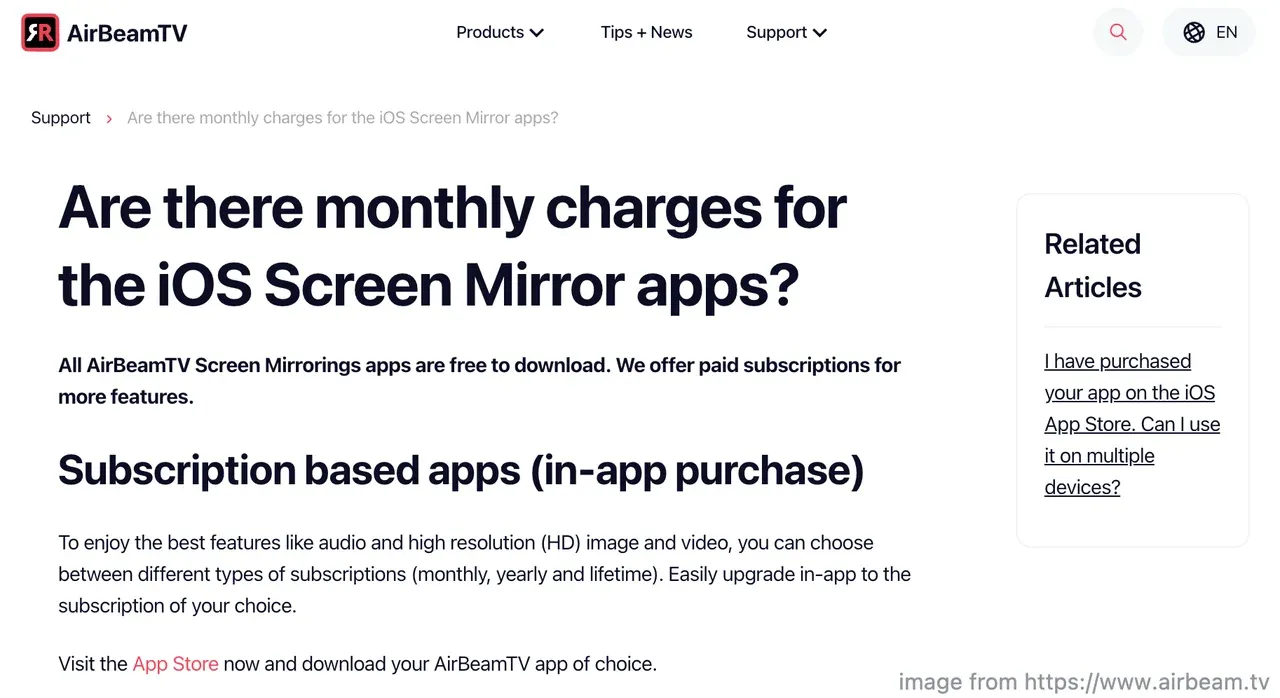
At first glance, AirBeamTV screen mirroring looks friendly to new users. The apps appear free in the App Store, and installation takes only a minute. The cost becomes visible only after you try to mirror your iPhone or Mac screen for real use.
Free Download vs Real Use:
- The AirBeamTV app is free to install
- Basic mirroring may start without payment
- Key features are locked behind in-app purchases
These locked features often include audio transmission, higher resolution, extended session length, or removal of interruptions.
So, when people ask, "Is AirBeamTV free?", the most accurate answer is free to download, paid to use properly.
What Are You Really Paying For With the AirBeamTV App
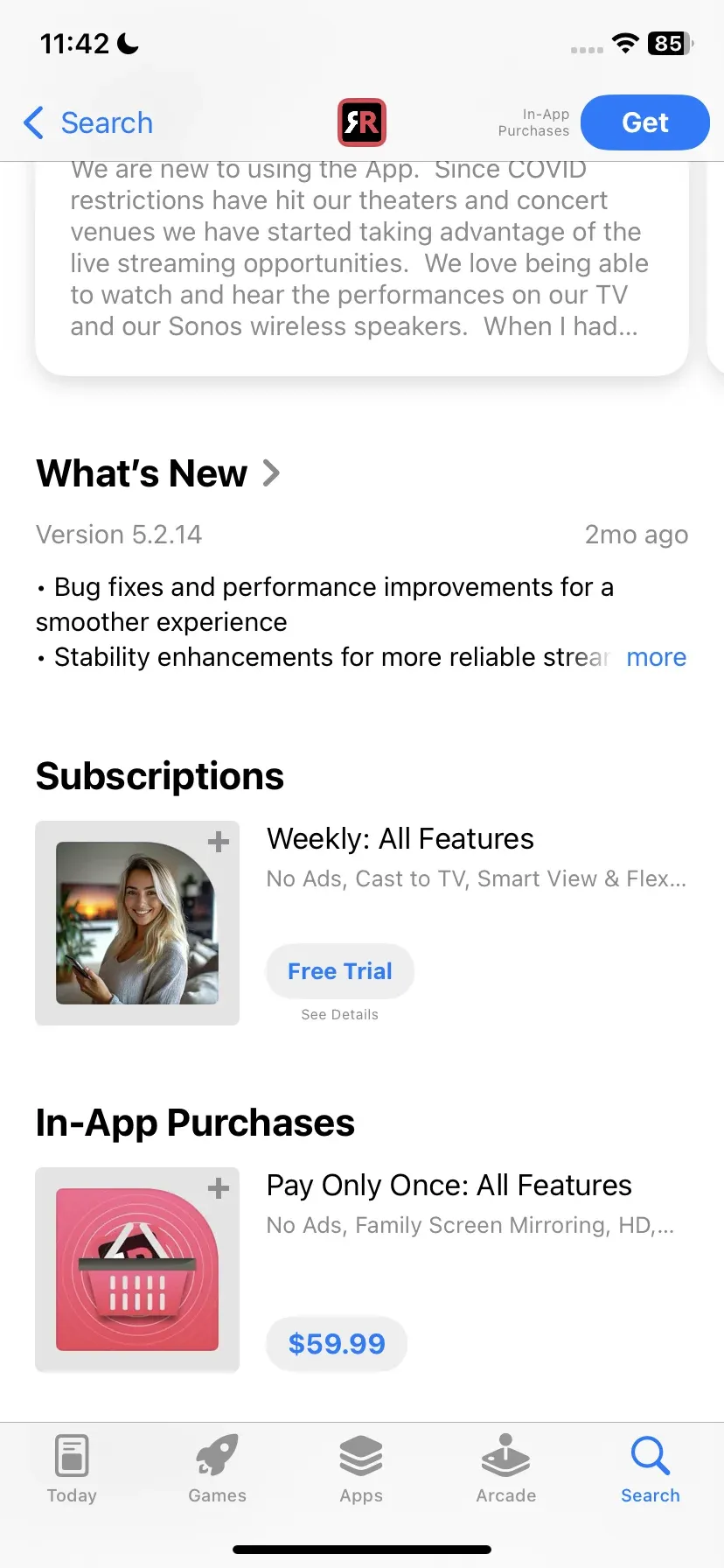
AirBeamTV relies heavily on in-app purchases. Depending on the version and region, users usually see two options:
- Weekly, monthly, or yearly subscriptions with auto-renewal
- A one-time payment marketed as lifetime access
In practice, subscriptions often fall within a low monthly price range, while one-time purchases are usually listed at a higher upfront cost per app. Exact prices vary by TV brand, country, and ongoing promotions, which means there is no single, universal price for AirBeamTV.
The one-time option may sound more economical at first, but it applies only to the specific app you purchase. It does not unlock screen mirroring across other AirBeamTV apps or TV brands. If you switch TVs or use more than one brand, additional purchases may be required.
This is the part many users overlook. What looks like a single payment decision can turn into multiple paid upgrades over time, depending on how and where you use the app.
Why AirBeamTV Can Get Expensive Over Time
One of the most overlooked aspects of AirBeamTV pricing is how the apps are structured. AirBeamTV does not offer a universal screen mirroring app. Instead, it releases separate apps such as:
- Mirror for Samsung TV
- Mirror for LG TV
- Mirror for Sony TV
Each app is treated as a standalone product. That means:
- A purchase for one TV brand does not transfer to another
- Switching TVs may require paying again
- Using multiple TVs can multiply total cost
This is often mentioned in user feedback, and more than one AirBeamTV review points to this as a long-term drawback.
What Are the Limitations of AirBeamTV Without Paying
Even after payment, AirBeamTV screen mirroring has technical limits that matter in everyday use. Commonly reported constraints include:
- Noticeable delay, especially during video playback or fast-moving access
- Audio sync problems on some TVs (e.g., no sound when mirroring iPhone to TV)
- Ads or pop-up prompts in the free version that interrupt the experience
- Limited session length, where mirroring stops after a short time unless you upgrade
For causal testing, these limits may not feel critical. But when you try to watch a full movie, follow a presentation, or mirror your screen for more than a few minutes, they become hard to ignore.
A Free Alternative to AirBeamTV: PigeonCast
If your goal is straightforward screen mirroring without constantly checking paywalls, a free solution can be surprisingly effective.
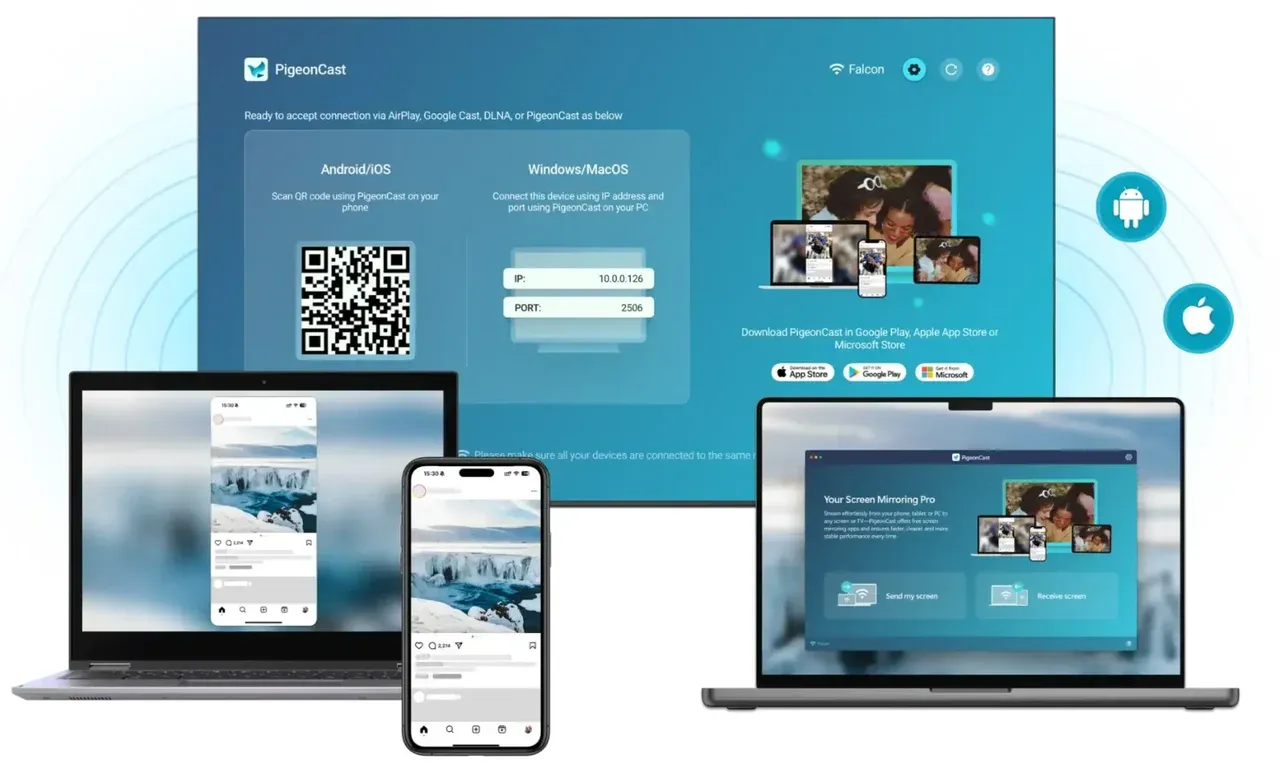
Free PigeonCast offers:
- Mirroring with no ads (when I write this)
- Stable audio transmission alongside video
- HD screen mirroring, with support for resolutions up to 4K
- Broad device compatibility, including Android, iPhone, Windows PCs, Macs, and smart TVs
At the time of writing, PigeonCast does not use subscriptions or time-based upgrades. No prompts are asking you to unlock features mid-session. You install the app, connect your devices, and start mirroring.
If your goal is simply to see your phone or laptop on a larger screen without interruptions, that kind of simplicity can make a real difference.
Choose AirBeamTV or PigeonCast for Screen Mirroring:
| Feature | AirBeamTV | PigeonCast |
|---|---|---|
| Free to download | Yes | Yes |
| Requires payment for full use | Yes | No |
| Ads | Possible on free tier | No |
| HD mirroring | Often paid | Included |
| Separate apps per TV brand | Yes | No |
| Best for | Brand-specific TV users | General mirroring needs |


Overall Rating:



Final Thoughts: Is AirBeamTV Really Free?
So, is AirBeamTV free? Technically yes. Practically no.
If you only need to test screen mirroring for a moment, the free download may be enough. If you want consistent HD mirroring with sound and no interruptions, payment is almost unavoidable. Add multiple TVs into the mix, and the AirBeam TV pricing model becomes harder to justify.
If you prefer a free, ad-free experience with fewer conditions, tools like PigeonCast offer a simpler path. Sometimes the best screen mirroring experience is the one that stays out of your way.
Is AirBeamTV Free FAQs
Is AirBeamTV really free?
No, AirBeamTV is free to download, but most users need to pay to unlock stable screen mirroring, audio support, or longer session times.
Does AirBeamTV charge monthly?
Some AirBeamTV apps offer monthly or yearly subscriptions that renew automatically, while others promote a one-time purchase for that specific app.
How much does the AirBeamTV app cost?
AirBeamTV pricing varies by TV brand and app version. Costs can increase if you use multiple TVs, since each brand requires a separate app purchase.
Does the free version of AirBeamTV have ads?
Yes. The free version may include ads or upgrade prompts, which can interrupt screen mirroring during use.
Does AirBeamTV have a time limit?
Yes. In many AirBeamTV apps, free screen mirroring sessions are limited in length. Mirroring may stop after a short period and prompt users to upgrade to continue. To remove session limits, ads, and interruptions, users typically need to unlock the paid version through in-app purchases.
Is AirBeamTV safe to use?
AirBeamTV is generally considered safe to install and use. The apps are officially published and do not require unusual permissions for basic screen mirroring. As with any third-party tool, it is important to download it only from verified sources such as the official website or trusted app stores.
Why does AirBeamTV show a black screen on some apps?
Black screen issues often occur when mirroring protected streaming content, which is restricted by many screen mirroring technologies.
Is there a truly free screen mirroring app?
Yes. Some screen mirroring tools like PigeonCast offer free use without ads or subscriptions, making them better suited for regular viewing.
Is PigeonCast safe to use?
Yes. PigeonCast is considered safe to use. It uses encrypted connections to protect data during screen mirroring and does not require unnecessary permissions. The app runs locally between devices on the same network and does not collect personal content or viewing data.
Mia Clarke is a technology editor specializing in screen mirroring and casting solutions across multiple platforms. Mia provides clear, practical guides and in-depth insights to help users seamlessly connect their devices. Passionate about enhancing digital experiences, Mia is dedicated to keeping readers updated on the latest trends and tools in cross-platform screen sharing. Whether you’re looking to mirror your smartphone, laptop, or smart TV, Mia’s content delivers reliable, user-friendly advice to simplify your tech setup.