
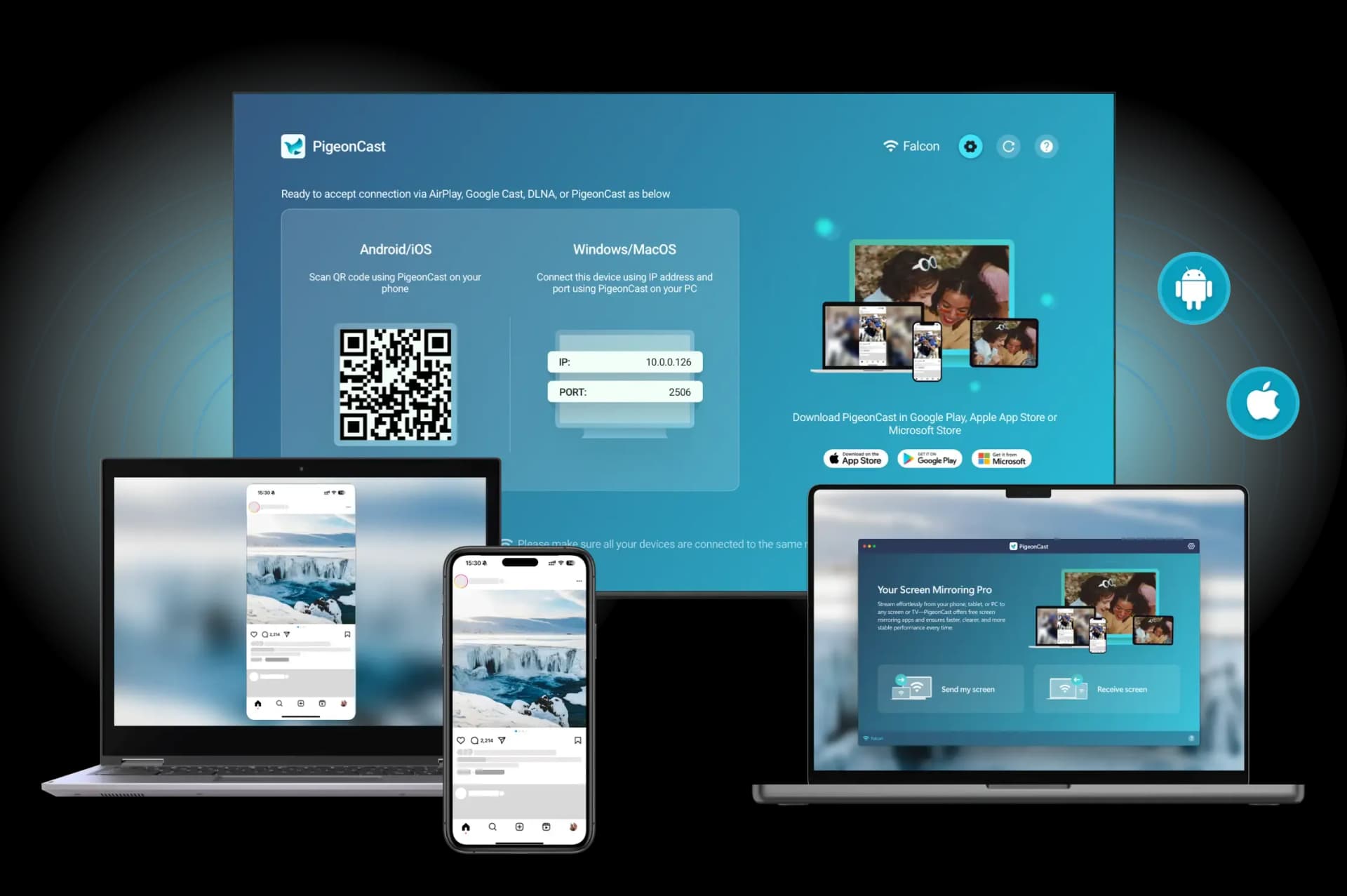
Your phone is in your hand, the Vizio TV is across the room, and the fastest route between them depends entirely on which phone you own. iPhone and Android reach the same Vizio screen through different systems, and picking the wrong one is the usual reason the device list comes up empty. Follow the guide on how to mirror phone to Vizio TV.
How to Mirror Phone to Vizio TV: The Short Answer
Mirroring a phone to a Vizio TV comes down to which phone you are holding.
On an iPhone, open Control Center, tap Screen Mirroring, pick your Vizio TV, and enter the four-digit code shown on the TV. That route runs on AirPlay 2, and the toggle lives under Settings > Apple AirPlay on the TV, where it needs to be On.
On Android, pull down Quick Settings and tap the Cast tile, then choose your TV. Vizio sets act as Chromecast built-in receivers, so most current models need no dongle.
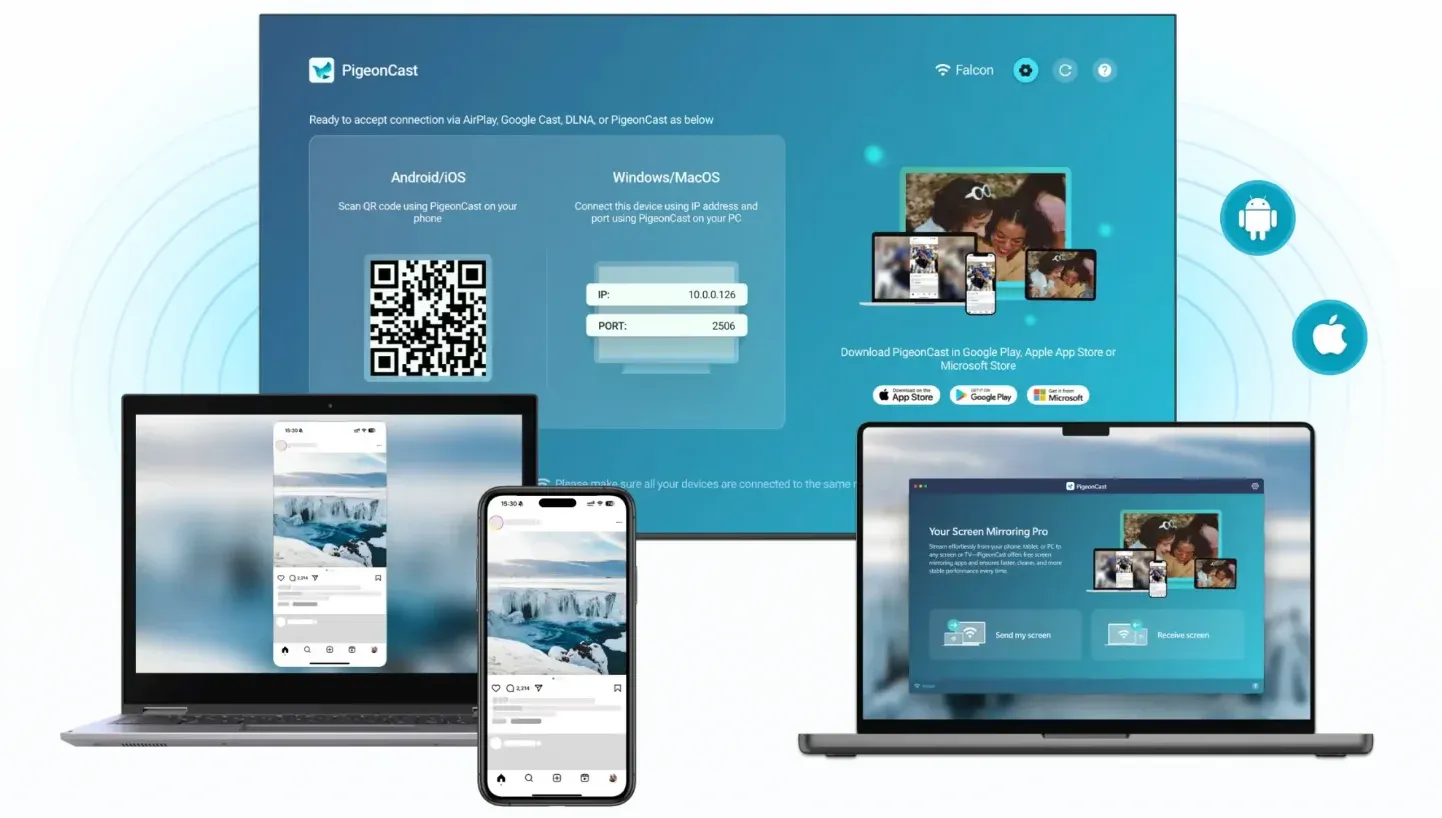
If neither list shows your TV, a screen mirroring app such as PigeonCast covers both platforms and skips the protocol question.
When the network itself is the obstacle, a USB-C or Lightning-to-HDMI adapter puts your screen on the TV over a cable with no Wi-Fi involved at all. Every wireless route needs the phone and the TV on the same network.
What Do You Need Before You Start Mirroring?
Three things decide whether any wireless method works, and all three take under a minute to confirm.
Your phone and TV must sit on the same Wi-Fi network. Dual-band routers are the usual trap here: the TV sits on 2.4 GHz, your phone jumped to the 5 GHz band, and the two never see each other. If your router splits the bands into separate network names, put both devices on the same one.
Guest networks and any router setting called AP isolation or client isolation block device discovery outright. Move the TV off the guest network before troubleshooting anything else.
Finally, the TV needs to be awake on its home screen, not in standby. A Vizio in a deep power-saving state stays invisible to both AirPlay and Cast.
Mirror an iPhone to Vizio TV With AirPlay 2
Expect this to take about thirty seconds once AirPlay is enabled on the TV.
Step 1. On the TV, open Settings > Apple AirPlay and set the toggle to On.
Step 2. On your iPhone, swipe down from the top-right corner to open Control Center and tap Screen Mirroring.
Step 3. Select your Vizio TV from the list.
Step 4. Type the four-digit passcode that appears on the TV into your iPhone.
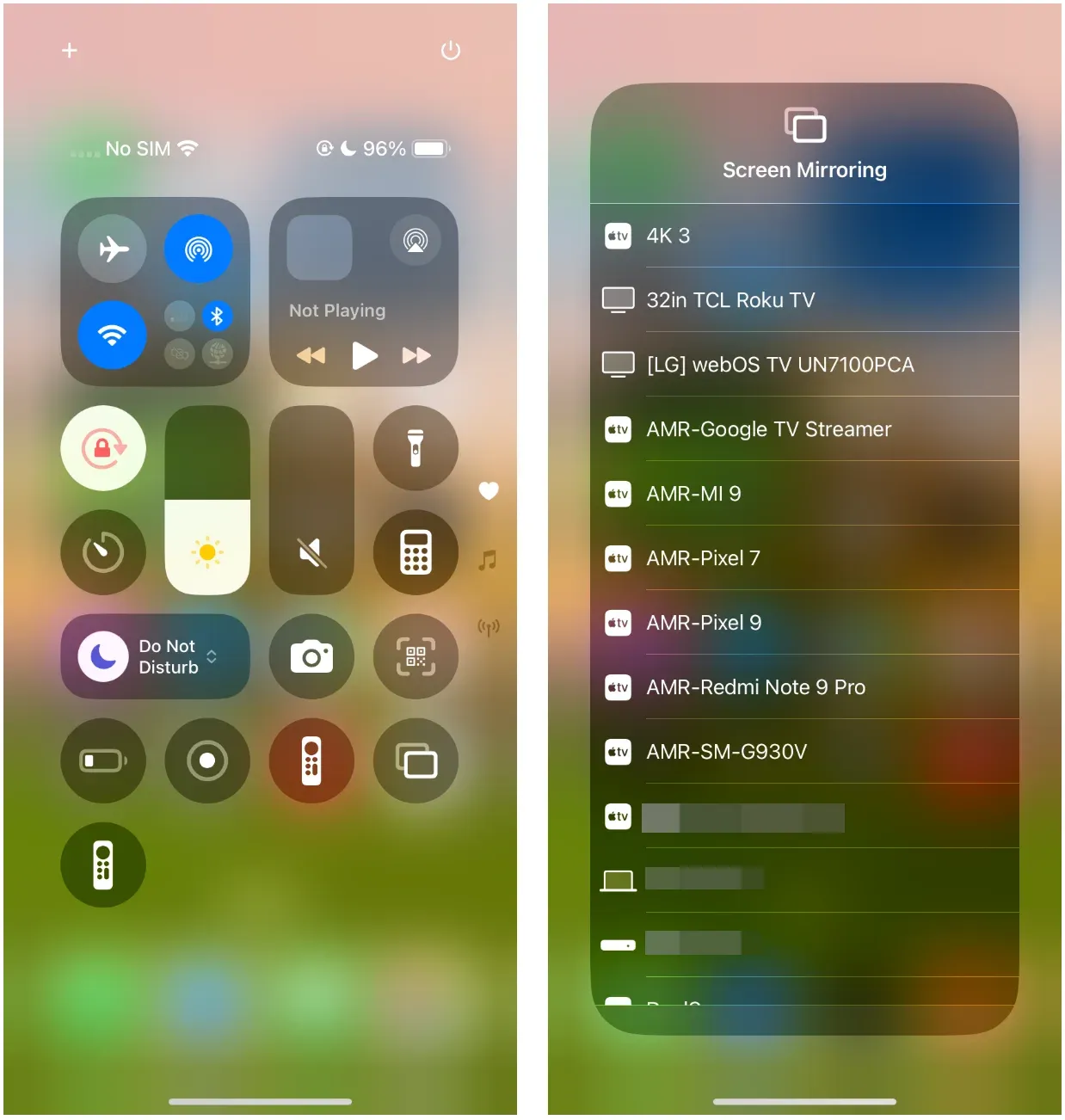
Your entire screen now goes to the TV, rotation included. Two details catch people out. The passcode prompt only appears the first time unless you have set the TV to require a code every session. And a phone locked to Low Data Mode or a VPN will often fail to discover the TV at all, so turn both off before you blame the TV.
For the app-by-app version of this, where you send a single video instead of your whole display, see the walkthrough on casting to a Vizio TV from an iPhone.
What If AirPlay Is Missing From TV Settings?
Two checks resolve almost every missing-AirPlay case:
First, run System > Check for Updates on the TV; the AirPlay menu arrives with firmware, and an unpatched set will not show it.
Second, confirm the TV is online — the AirPlay entry stays hidden while the TV has no network connection, and the full menu path for how to turn on AirPlay on a Vizio TV sits in its own guide.
If the menu is still absent after both, your model does not receive AirPlay, and a mirroring app is the working answer rather than a workaround.
Mirror an Android Phone to Vizio TV With Cast
Expect this to take under a minute, with one large caveat.
Step 1. Swipe down twice from the top of your Android screen to open the full Quick Settings panel.
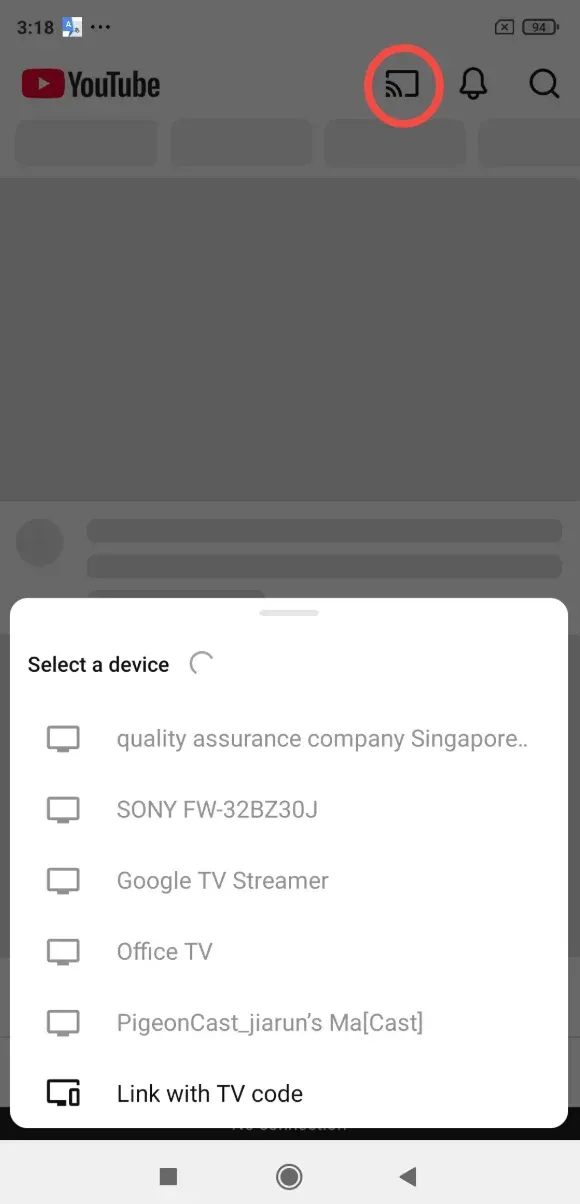
Step 2. Tap the Cast tile. On some phones it sits behind the pencil or edit icon and has to be dragged into the visible tile grid first.
Step 3. Pick your Vizio TV from the device list and confirm Start now.
The caveat: the Cast tile sends your entire display, while the small cast icon inside YouTube or Netflix sends only that app's video stream. Reaching for the in-app icon and expecting the whole home screen to appear is the usual reason a mirroring attempt looks like it half-worked. Both rely on the same receiver, Chromecast built-in on your Vizio.
Samsung owners hit a separate wall. Smart View grew up on Samsung screens and Miracast, a protocol most current Vizio sets no longer speak — so a Vizio that shows up in that list at all is usually arriving through its built-in Chromecast, the same receiver the Cast tile reaches directly. Go straight to the Cast tile or an app, and leave what Smart View can and cannot do with a Vizio for when you want the full picture.
Try PigeonCast When Phone-to-Vizio TV Screen Mirroring Fails
A dedicated screen mirroring app is the practical answer in three situations: your Vizio model predates AirPlay, your Android phone's Cast picker refuses to list the TV, or you are switching between an iPhone and an Android in the same household and want one method that behaves identically on both.
The PigeonCast screen mirroring app runs on both platforms and handles the connection itself, so you are no longer dependent on which protocol your particular TV shipped with.
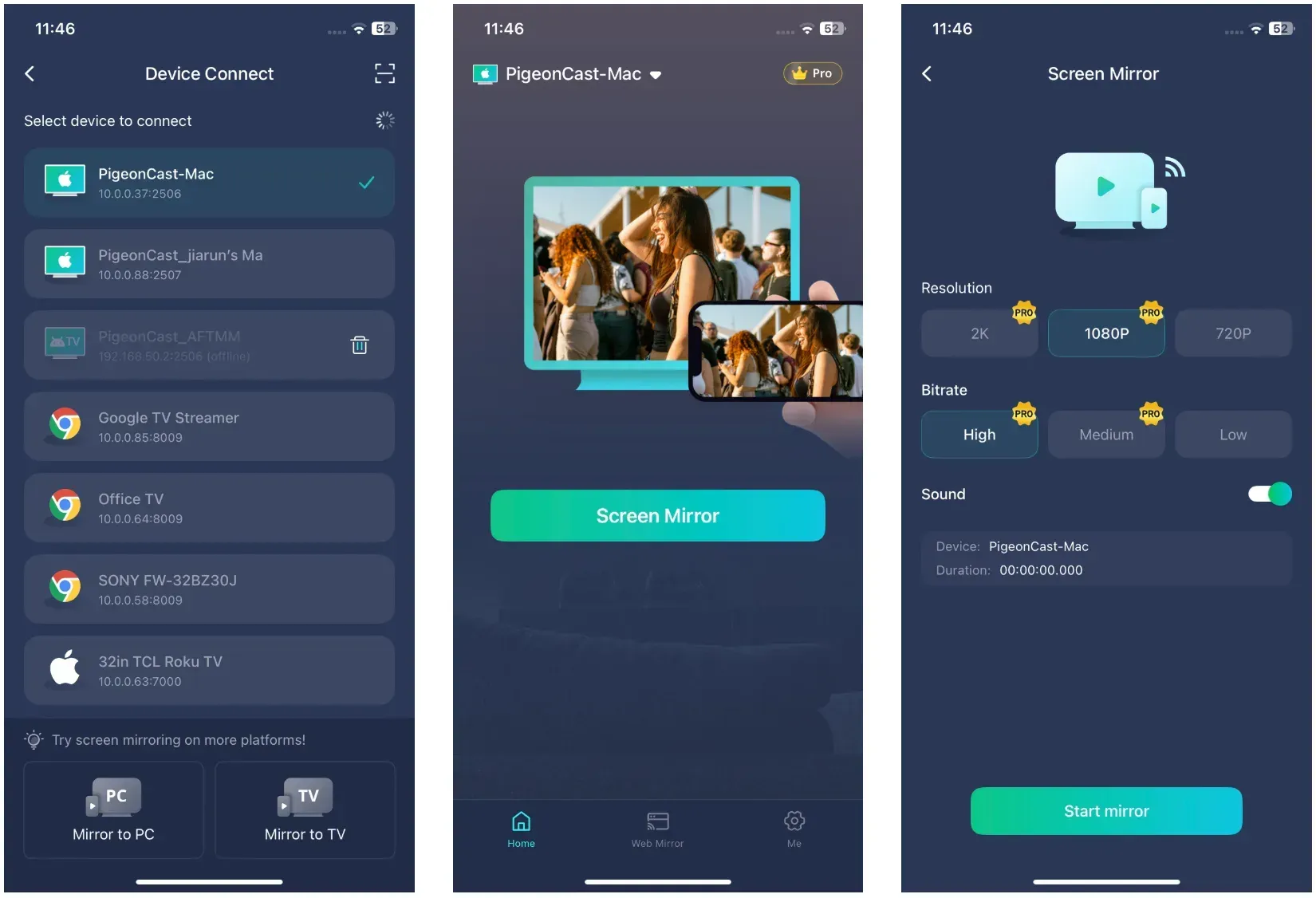
Step 1. Put your phone and Vizio TV on the same Wi-Fi network.
Step 2. Install PigeonCast on your phone from the App Store or Google Play.


Overall Rating:



Step 3. Open the app, let it scan, and tap your Vizio TV in the results.
Step 4. Confirm the mirroring prompt on your phone to start sending your screen.
Mixed-device households are the clearest case. AirPlay covers the iPhones and Cast covers the Android phones, which means two sets of instructions for whoever is on the couch. One app collapses that into a single routine.
The second case is an older Vizio that never received an AirPlay update. Firmware for a set that age is finished, so an app is not a stopgap there — it is the permanent fix.
How to Mirror Phone to Vizio TV Without Wi-Fi
Cables win in hotels, rentals, RVs, and anywhere the Wi-Fi blocks device discovery. Latency drops to nothing and no network is involved.
Step 1. Plug the adapter into your phone's charging port.
Step 2. Run an HDMI cable from the adapter to any HDMI port on the Vizio TV.
Step 3. Press Input on the Vizio remote and select that HDMI port.
Your screen appears within a couple of seconds. Most adapters also take a power cable, and phones that skip that connection tend to drop the signal after a few minutes.
Which adapter does your phone actually need? iPhones through the 14 series use a Lightning Digital AV Adapter. iPhone 15 and later use USB-C.
Android is less predictable. Video output over USB-C requires DisplayPort Alt Mode, which flagship phones generally include and budget models generally do not. Check your specific model before buying, because a phone without it will charge happily through the adapter and send no picture at all.
What If None of the Mirroring Methods Work at All?
When the TV appears in no list on either platform after the network checks, stop diagnosing. Two devices failing the same way points at the network or the TV, not at any one protocol, and testing a second phone on a different OS is faster than working through fixes one at a time.
Plug in the adapter instead. It sidesteps the network entirely and takes two minutes, and it also tells you whether the TV itself is fine — a picture over HDMI narrows the fault to the network. On an Android phone without DisplayPort Alt Mode the adapter will charge the phone and send no picture, which is a phone limit rather than a TV fault.
The Bottom Line: Which Method Fits Your Phone
Own an iPhone with a reasonably recent Vizio, use AirPlay. Own an Android phone, use the Cast tile in Quick Settings. Run both kinds of phone in one house, or own a Vizio old enough to have missed AirPlay entirely, and a mirroring app removes the guesswork permanently. Keep an adapter in the drawer for the nights when the Wi-Fi is the thing that broke.
How to Mirror Phone to Vizio TV: FAQs
Can I mirror to a Vizio TV using my phone's hotspot?
Yes, if the TV can join the hotspot. Connect the Vizio to your phone's hotspot in the TV's network settings, then mirror as usual. The catch is that some carriers block device-to-device traffic on hotspot connections, and mirroring a full screen over cellular data burns through an allowance quickly. A cable is the better call when there is no router.
Does screen mirroring drain my phone battery faster?
Noticeably, yes. Mirroring keeps the display on, the Wi-Fi radio active, and the video encoder running continuously, which typically doubles or triples the drain of ordinary use. A phone at 40 percent will not survive a full film. Plug in before you start a long session, or use the wired adapter route, which charges the phone at the same time on most adapters.
Can I use my phone while it's mirroring to the Vizio TV?
You can, but everyone watching sees it. Mirroring copies the whole display, including messages, notifications, and whatever app you open next. Turn on Do Not Disturb before you start if the TV audience is not the intended audience for your texts. Casting a single app from within that app, rather than mirroring, avoids the problem entirely.
Why does mirrored video look blurry or lag on my Vizio TV?
Wi-Fi bandwidth is nearly always the cause. Mirroring sends a live video stream, so a weak signal, a crowded 2.4 GHz band, or a router several rooms away shows up as stutter and softness. Moving to the 5 GHz band helps most. Distance between phone and router matters more than distance between phone and TV.
Can two phones mirror to the same Vizio TV at once?
No. The TV accepts one mirroring session at a time, and a second phone connecting knocks the first one off. Passing the screen between people means disconnecting one phone before the next connects. Some mirroring apps queue the handover more gracefully than the built-in protocols, which fight over the input.
Does mirroring work with Netflix and other streaming apps?
Often not. Netflix, Disney+, Amazon Prime Video, and most other paid services apply copy protection that blanks the picture during screen mirroring, leaving audio and a black screen. The workaround is the app's own cast button, which sends the stream to the TV directly rather than duplicating your display, and keeps the copy protection intact.
Do I need the Vizio SmartCast app on my phone to mirror?
No. The SmartCast mobile app works as a remote control and content launcher, not a mirroring tool. AirPlay and Cast both talk to the TV directly without it. Installing it is worth doing if you have lost the physical remote, since it can reach the settings menus where AirPlay gets switched on.
Will mirroring work if my Vizio TV is not connected to the internet?
Yes, as long as the TV and phone share a local network. AirPlay and Cast both run over the local network rather than through the internet, so a router with a dead broadband connection still passes the stream. The TV does need to be joined to that router, though — an entirely offline TV needs the cable route.
Clara Rossi is an experienced technology editor and a seasoned expert in screen mirroring and casting technologies. With a keen eye for detail and a deep understanding of how to seamlessly connect devices, Clara excels at optimizing user experiences for effortless sharing and streaming. Whether you're seeking quick fixes or advanced tips, her expertise and responsiveness ensure that every query is met with a well-informed and efficient solution.