
If you've been using your Chromecast to stream your favorite shows or music, you may have encountered a frustrating issue: Chromecast skipping. This phenomenon can occur in various forms, such as skipping audio, frames, or even entire songs. In this article, we'll dive into the common causes behind this problem and offer practical solutions to get your Chromecast back to smooth, uninterrupted streaming.
Why Is My Chromecast Skipping
Before jumping to solutions, let's first understand why Chromecast skipping occurs. Several factors can cause Chromecast to skip back and forth or Chromecast audio skipping during playback. Here's a breakdown:
- Network issues: Chromecast keeps skipping if your network can't maintain a stable connection. A slow or fluctuating Wi-Fi signal can cause buffering, which results in Chromecast skipping songs, frames, or audio.
- Overloaded device: If your casting device (like a phone or laptop) is running multiple apps or has limited processing power, it may struggle to send a steady stream to your Chromecast, resulting in Google Chromecast skipping.
- Chromecast overheating: If your Chromecast overheats, it can cause performance issues. This may lead to Chromecast video skipping or even total video freezes.
- Outdated software: Running outdated software on either your Chromecast or casting device can contribute to instability, causing skips and stutters during streaming.
How to Fix Chromecast Skipping
If you're experiencing Chromecast skipping, here's a step-by-step guide to help you troubleshoot and resolve the issue. Whether it's Chromecast skipping frames, Chromecast skipping songs, or Chromecast skipping audio, these fixes should improve your streaming experience:
Fix 1: Check Your Wi-Fi Network
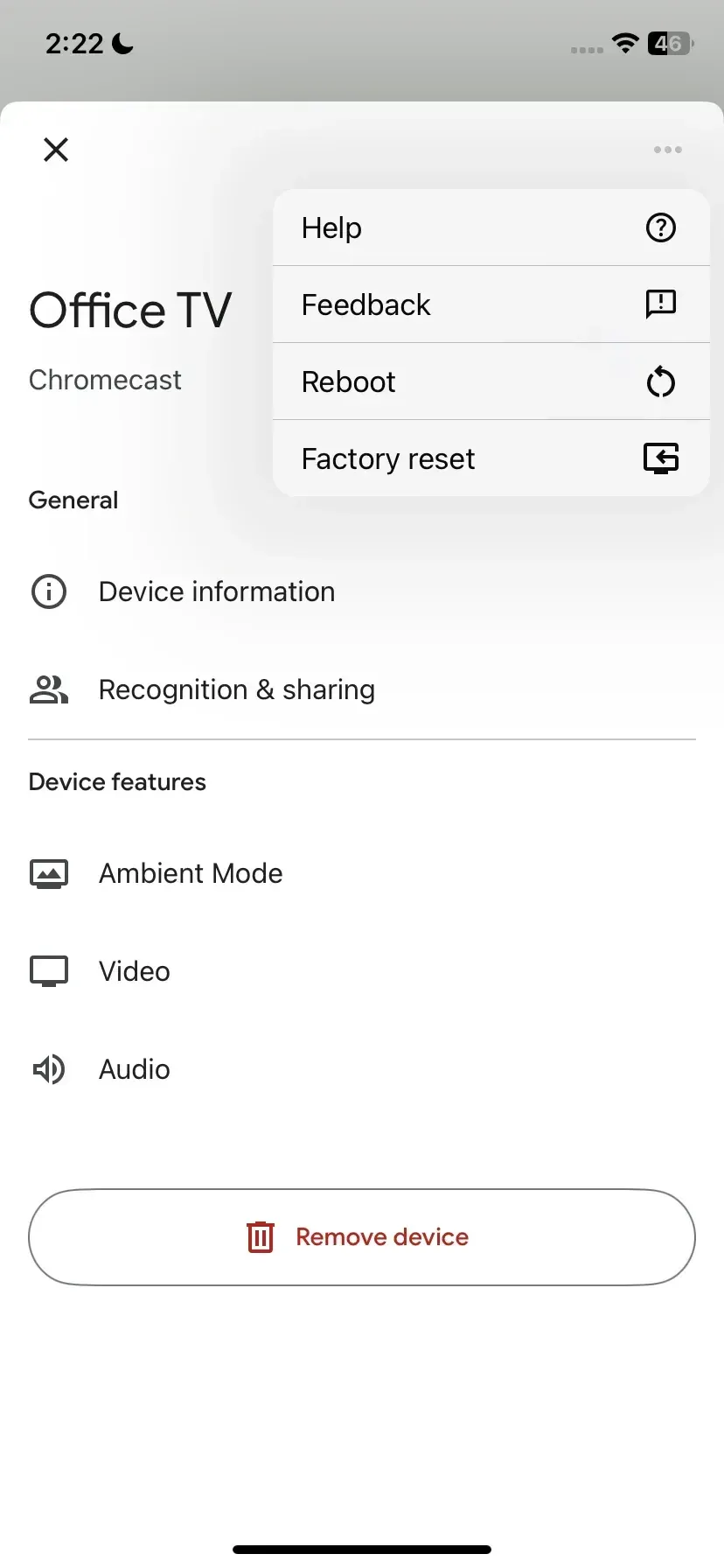
Often, a weak Wi-Fi connection is to blame. If your network is congested or your signal is weak, Chromecast skipping is likely to occur. To stop Chromecast from skipping, you can move your Chromecast closer to the router or connect your Chromecast to another Wi-Fi network via Google Home.
You can also switch to a 5GHz network:
Step 1. Check the back of your router for login details.
Step 2. Log into your router settings via a browser.
Step 3. Choose the Advanced Settings or Advanced Wireless Settings option.
Step 4. Click the enable 5GHz option.
Step 5. Click Apply or Save Changes.
The 5GHz band typically offers faster speeds and is less prone to interference compared to the more crowded 2.4GHz network.
If you're still experiencing Chromecast skipping back and forth during music or video playback, disconnecting devices from the same network can help free up bandwidth.
Fix 2: Restart Your Chromecast
If Google Chromecast skipping persists, a quick restart might be all that's needed. Unplugging your Chromecast for about 10 seconds and plugging it back in can clear temporary glitches and restore smooth playback. This is to ensure your Chromecast is not overheating or stuck in a loop that causes the Chromecast to skip frames.
Fix 3: Update Chromecast and Casting Device
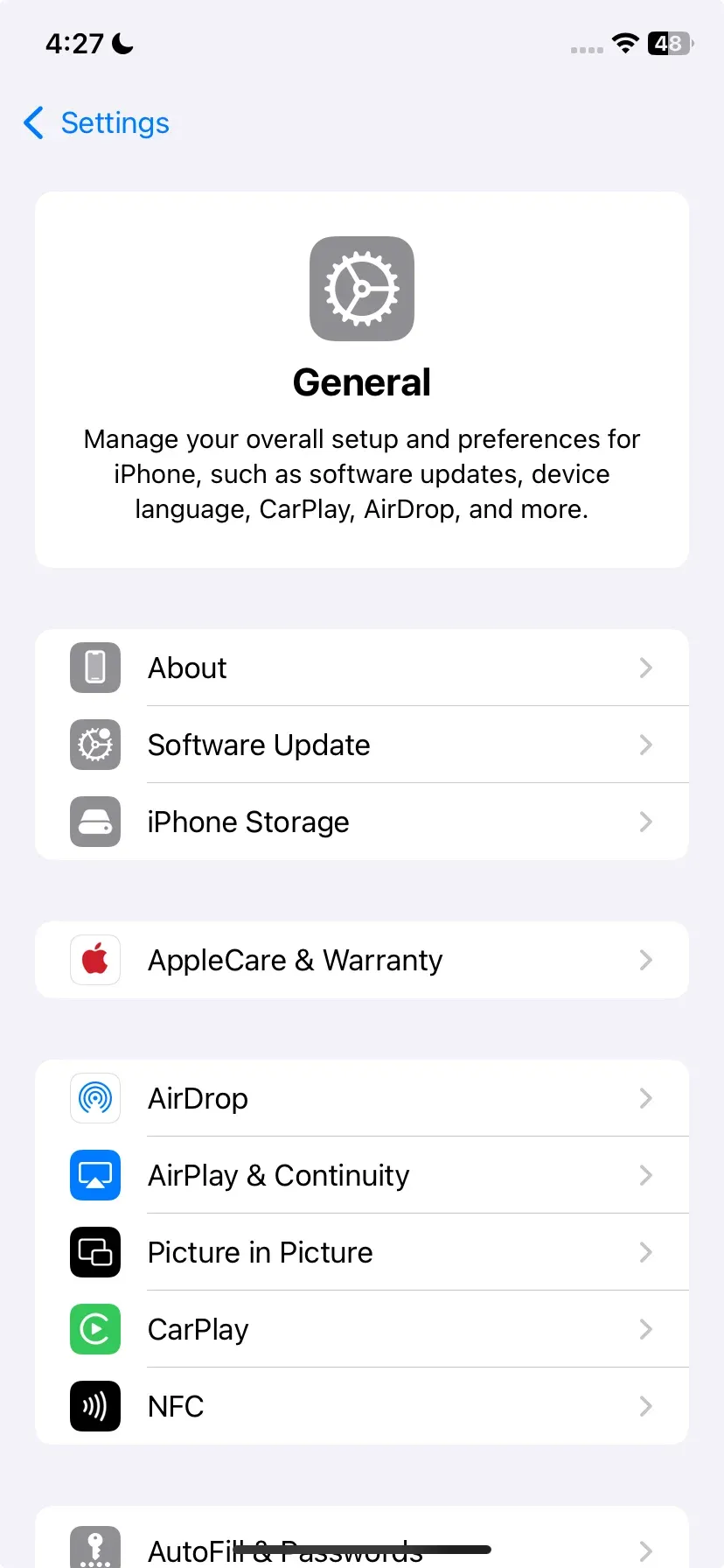
Outdated software can cause performance issues with Chromecast. It's important to keep both your Chromecast and casting device updated. So, check for software updates in the settings of both your Chromecast (check the steps about Chromecast update) and the device you are casting from. This ensures that you're running the latest version, free from bugs that may lead to Chromecast skipping audio or lag.
Fix 4: Limit Background Apps on Casting Device
Running too many apps or processes on your casting device can affect its performance, leading to Chromecast skipping audio or skipping video frames. The device may be unable to handle the load, causing interruptions in playback.
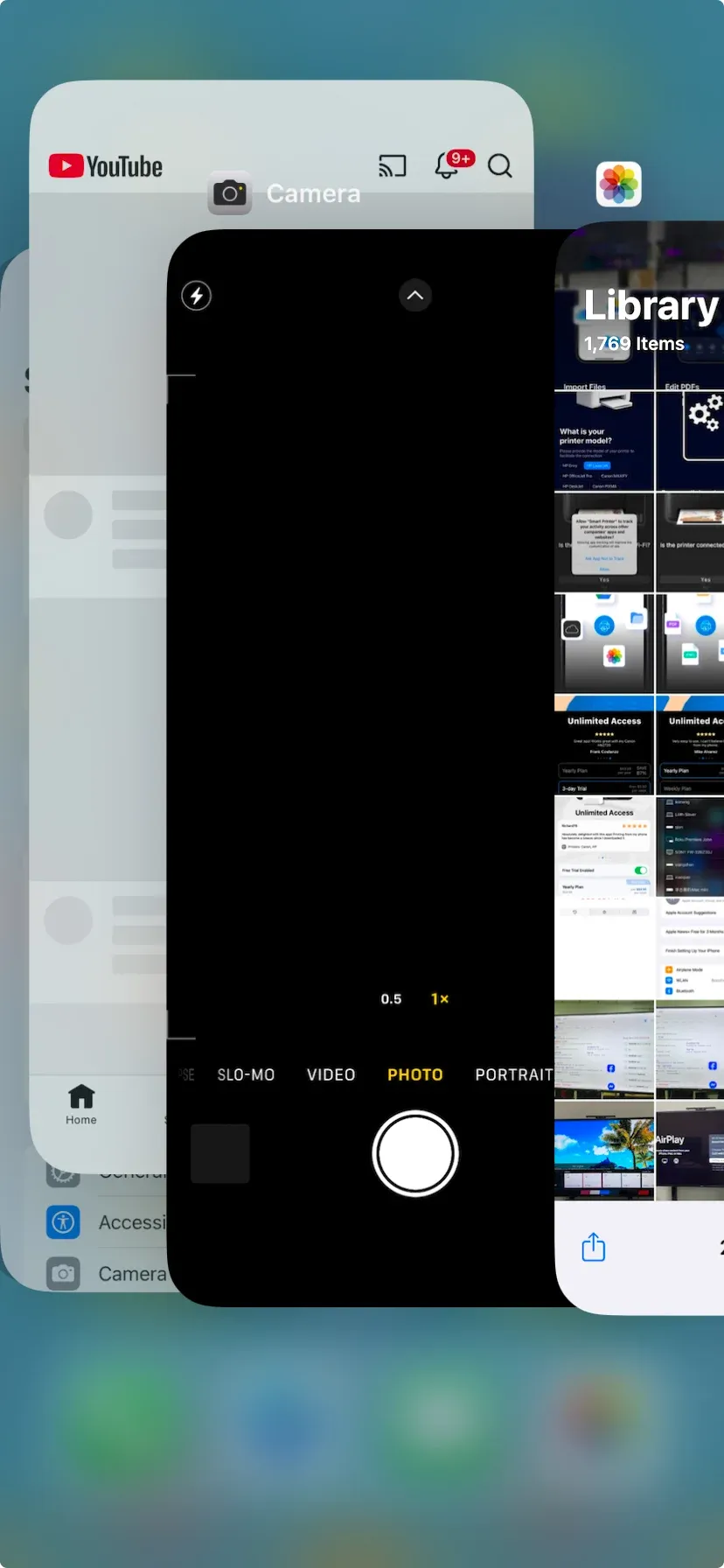
So, close unnecessary apps and browser tabs on your phone, tablet, or computer to free up system resources for a smoother casting experience.
Fix 5. Reduce Video Quality
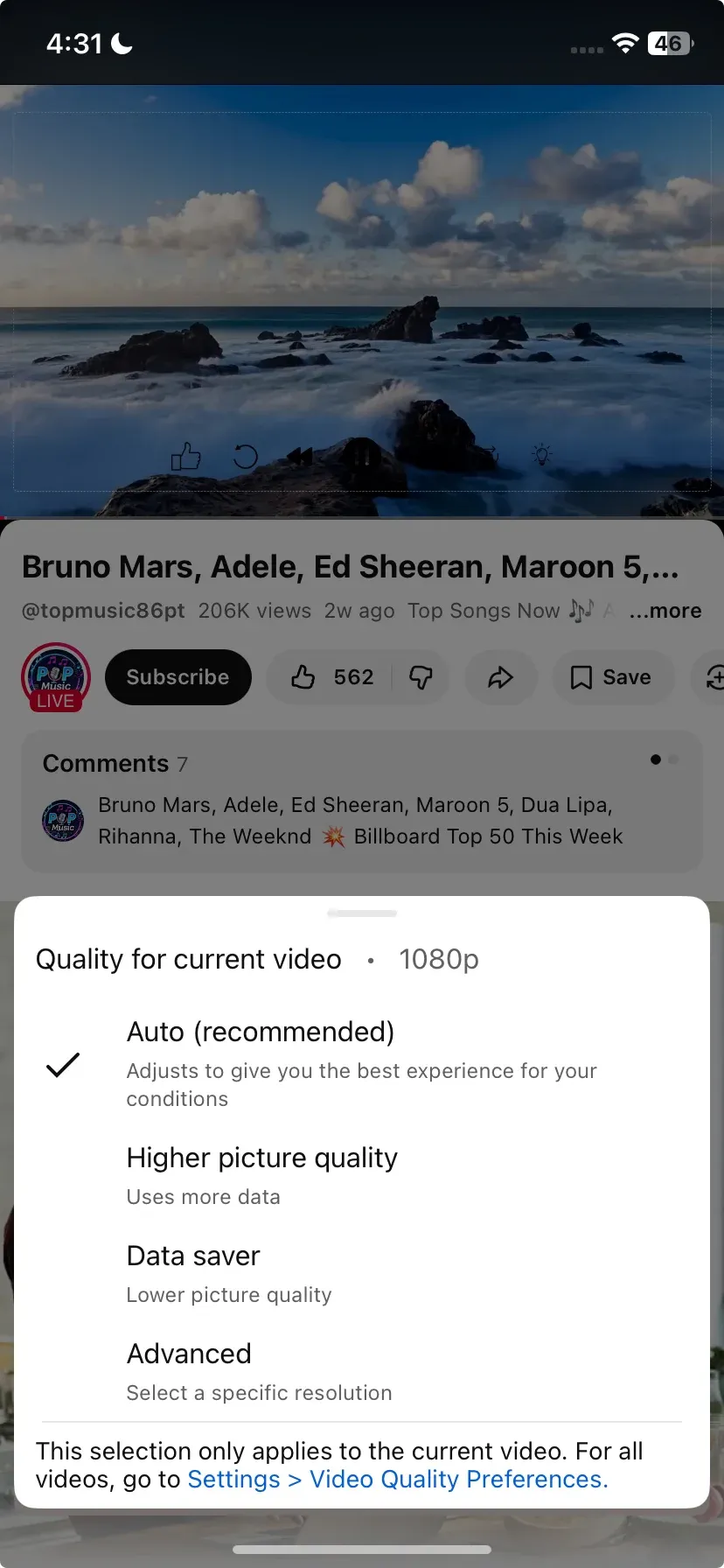
Chromecast skipping frames can often happen when the video resolution is too high for your network or device to handle, especially when streaming 4K content. Lower the video quality in the streaming app to reduce the load on your network and avoid buffering. This can help mitigate issues like Chromecast video skipping or Chromecast skipping back and forth.
Switch to PigeonCast for Smooth Casting
If you've tried the above solutions and are still facing issues with Chromecast skipping, consider switching to PigeonCast for a more seamless casting experience. PigeonCast is a free alternative to Chromecast, offering a smooth, uninterrupted streaming experience across different platforms, including Android, iPhone, Windows PC, Mac, and smart TV.
How to use PigeonCast for fluid streaming:
Step 1. Download and install PigeonCast on your devices and launch it.


Overall Rating:



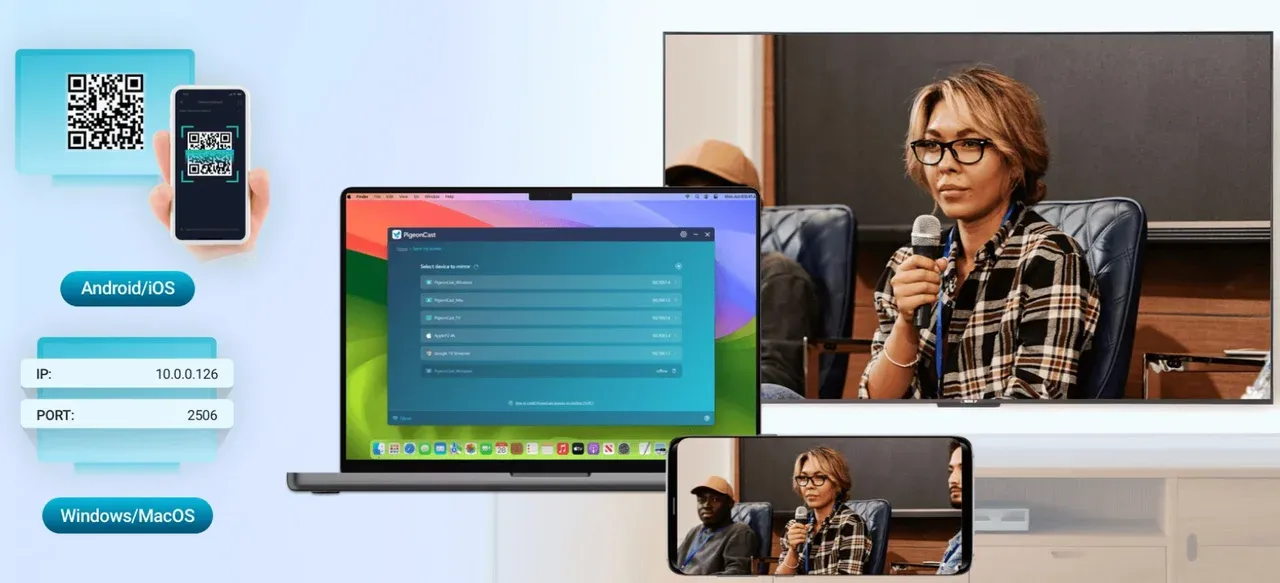
Step 2. Connect your devices to the same Wi-Fi network.
Step 3. On the sending device, choose the target device from the device list.
Step 4. Start mirroring from phone or laptop to TV.
Wrapping Up
Chromecast skipping issues, whether it's Chromecast skipping frames or audio skipping, can disrupt an otherwise enjoyable experience. However, by addressing network stability, updating software, restarting devices, and managing device load, you can usually resolve these problems.
And if you're looking for a more reliable casting solution, PigeonCast can provide the stability and smoothness you need, without the interruptions that come with traditional Chromecast streaming.
Chromecast Skipping FAQs
Why is my Chromecast cutting in and out?
This is likely due to a weak or fluctuating Wi-Fi signal. Ensure that your Chromecast is close to the router and try using a 5GHz network for a more stable connection.
Is Chromecast better on 2.4GHz or 5GHz?
5GHz is better for streaming as it offers faster speeds and less interference. Switch to this band if you're experiencing Chromecast skipping frames.
Why is my Chromecast skipping audio?
Weak Wi-Fi or device overload can cause Chromecast skipping audio. Try reducing background apps on your casting device or optimizing your network.
Why does my Chromecast keep skipping frames?
This could be due to network issues or high video resolution. Lowering video quality and improving Wi-Fi strength can help solve this.
What causes Google Chromecast to skip songs?
Chromecast skipping songs can happen due to network congestion or a low-quality connection. Make sure your network is free from interference and try moving your Chromecast closer to the router.
Mia Clarke is a technology editor specializing in screen mirroring and casting solutions across multiple platforms. Mia provides clear, practical guides and in-depth insights to help users seamlessly connect their devices. Passionate about enhancing digital experiences, Mia is dedicated to keeping readers updated on the latest trends and tools in cross-platform screen sharing. Whether you’re looking to mirror your smartphone, laptop, or smart TV, Mia’s content delivers reliable, user-friendly advice to simplify your tech setup.