
AirPlay, Apple's wireless streaming technology, has revolutionized the way we share content between devices. Whether you're sending music to a speaker or mirroring your iPhone's screen to a TV, AirPlay makes it easy and seamless. But one of the most common questions among users is: Is AirPlay free? In this article, we'll dive into AirPlay's cost, its features, and whether there are any free alternatives that can offer similar functionality.
Does AirPlay Cost Money
No, AirPlay is free to use. It's a built-in feature on Apple devices like iPhones, iPads, MacBooks, and Apple TVs, allowing users to stream audio, video, and mirror screens wirelessly without incurring any extra costs. Whether you're playing music through an AirPlay-compatible speaker or streaming a movie from your iPhone to an Apple TV, you don't need pay for AirPlay itself.
AirPlay Features and Usage
Is AirPlay free on iPhone? While the cost of AirPlay is free, its capabilities offer immersive value for Apple users. Here's a breakdown of AirPlay features that come at no extra cost:
- Screen mirroring: AirPlay allows you to wirelessly mirror your iPhone, iPad, or MacBook screen to an Apple TV or compatible smart TV.
- Audio streaming: with AirPlay, you can stream music, podcasts, or audio from your device to any AirPlay-compatible speakers, such as home audio systems or wirelss speakers. It allows for seamless music syncing across multiple devices.
- Video streaming: AirPlay supports video streaming from apps like Netflix, YouTube, or the Apple TV app to any AirPlay-compatible TV. You can enjoy high-definition video playback without the hassle of cables.
- AirPlay 2: The enhanced version of AirPlay, AirPlay 2, takes the experience further by supporting multi-room audio, improved buffering, and integration with smart home devices. With AirPlay 2, you can stream to multiple speakers or TVs simultaneously, creating a seamless audio experience across rooms.
How to Use AirPlay on an Apple Device
Using AirPlay is simple:
Step 1. Make sure all devices are on the same Wi-Fi network.
Step 2. Open the content you want to share (video, music, etc.) on your iPhone, iPad, or Mac.
Step 3. Select the AirPlay icon from the media playback screen or the control center.
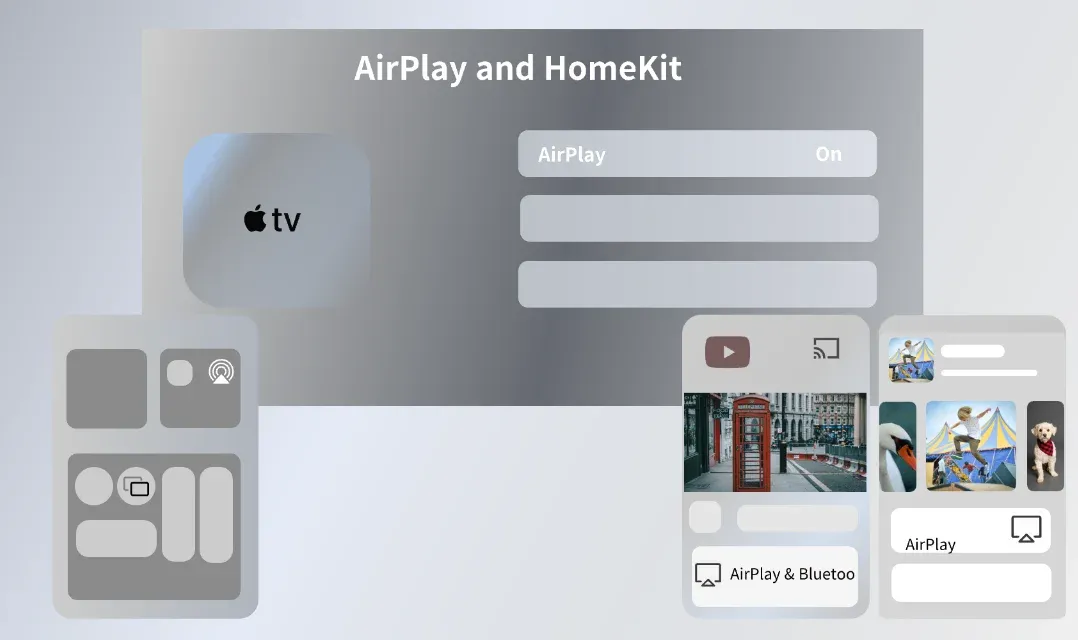
Step 4. Choose the device you want to stream to (e.g., Apple TV, HomePod, compatible TV).
Step 5. Your video will now stream wirelessly to the selected device.
AirPlay to a TV or compatible device from an Apple device is easy. However, the experience can differ if you are using non-Apple devices. While AirPlay itself is free, some third-party apps designed to enable AirPlay on Android or other non-Apple devices may come with a price or offer premium features for a fee.
How to Enable AirPlay on Non-Apple Devices for Free
For those who don't have Apple TV or a compatible device, it's still possible use AirPlay with non-Apple devices using third-party apps. For example, you can enable AirPlay on an Android device, Windows PC, or Android TV for free by setting up the PigeonCast screen mirroring app.
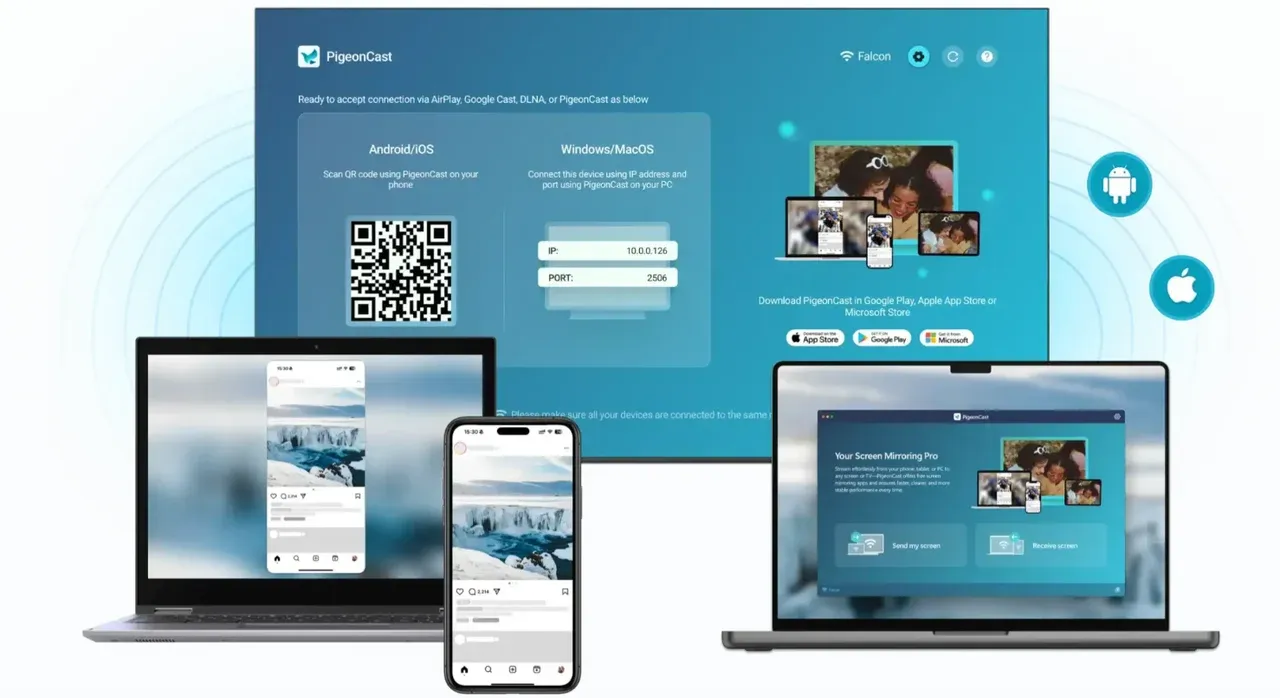
PigeonCast is a versatile, cross-platform screen mirroring solution that integrates with AirPlay, Google Cast, and DLNA technologies. This integration allows you to stream content between Apple and non-Apple devices (e.g., mirror iPhone to Android TV) effortlessly, without the need for additional hardware or complicated setups.
Here's how to use PigeonCast to enable AirPlay on your non-Apple device for free:
Step 1. Go to the Google Play Store, Microsoft Store, or Amazon App Store and download PigeonCast for your device.


Overall Rating:



Step 2. (Optional) Go to the App Store on your Apple device, download PigeonCast. This ensures a smoother connection.
Step 3. Ensure your Apple device and non-Apple device are on the same Wi-Fi network.
Step 4. Launch PigeonCast on your devices, follow the on-screen instructions to AirPlay what you need.
The End
In conclusion, AirPlay is a powerful and cost-free feature that provides seamless wireless streaming between Apple devices. Whether you're sharing music, videos, or mirroring your screen, AirPlay enhances the way you interact with your content without requiring any additional payments or subscriptions. The introduction of AirPlay 2 has further expanded its capabilities, offering multi-room audio, improved streaming quality, and better integration with smart home devices.
However, if you're not using Apple devices, you can still enjoy the benefits of AirPlay by utilizing third-party apps like PigeonCast. This solution enables you to wirelessly stream content from your Apple device to non-Apple platforms, including Android TVs, Windows PCs, and Android devices, without any added costs.
Ultimately, AirPlay is about convenience, flexibility, and enhancing your multimedia experience. Whether you're an Apple enthusiast or a user looking to bridge the gap with non-Apple devices, the world of wireless streaming has never been more accessible. Choose the option that fits your needs, and enjoy effortless content sharing across your devices.
Is AirPlay Free FAQs
Why is AirPlay so bad?
AirPlay itself is generally well-received, but issues may arise due to network congestion, compatibility problems, or interference from other wireless devices. These issues are typically fixable by ensuring all devices are on the same network and updating software.
Does AirPlay require a subscription?
No, AirPlay does not require any subscription. It's free for all Apple device users.
How do I get AirPlay on my TV?
To get AirPlay on your TV, you'll need an Apple TV or a compatible smart TV. Simply ensure both your iPhone or iPad and the TV are connected to the same Wi-Fi network, and you’ll be able to cast or mirror content from your device.
Is AirPlay free on Firestick?
AirPlay is not natively supported on Firestick, but you can use third-party apps like PigeonCast to enable AirPlay functionality. Some of these apps are free with limited features.
Is AirPlay free on Roku?
AirPlay is free on Roku devices that support it. Roku devices with the latest firmware updates allow AirPlay without any subscription, so you can easily cast or mirror content from your Apple device to a Roku-enabled TV.
Is AirPlay free to download?
Yes, AirPlay is free to use and is built into Apple devices, so there's no need to download it separately.
Is there a free AirPlay app?
There are apps available that enable AirPlay functionality on non-Apple devices. Some apps are free, like PigeonCast for Firestick, while others offer premium features for a price.
Mia Clarke is a technology editor specializing in screen mirroring and casting solutions across multiple platforms. Mia provides clear, practical guides and in-depth insights to help users seamlessly connect their devices. Passionate about enhancing digital experiences, Mia is dedicated to keeping readers updated on the latest trends and tools in cross-platform screen sharing. Whether you’re looking to mirror your smartphone, laptop, or smart TV, Mia’s content delivers reliable, user-friendly advice to simplify your tech setup.