
Fox One supports Chromecast, so the easiest way to watch Fox One on a bigger screen is to use the Cast option built into the app or cast from Chrome on a computer.
In most cases, you only need to make sure your device and Chromecast are connected to the same Wi-Fi network, select your TV, and start watching. If Chromecast does not appear or the connection is unstable, there are a few simple checks you can try before using another casting method.
Follow my guide to learn more about Fox One Chromecast.
How to Cast Fox One to Chromecast From iPhone or Android
Casting from the Fox One mobile app works similarly on iPhone and Android because the app uses Google Cast to connect to compatible TVs and Chromecast devices.
Step 1. Make sure your phone and Chromecast or Google Cast-enabled TV are connected to the same Wi-Fi network.
Step 2. Launch the Fox One app and sign in to your account if needed.
Step 3. Choose the live channel, sports event, or on-demand content you want to watch.
Step 4. Tap the Cast icon in the video player.
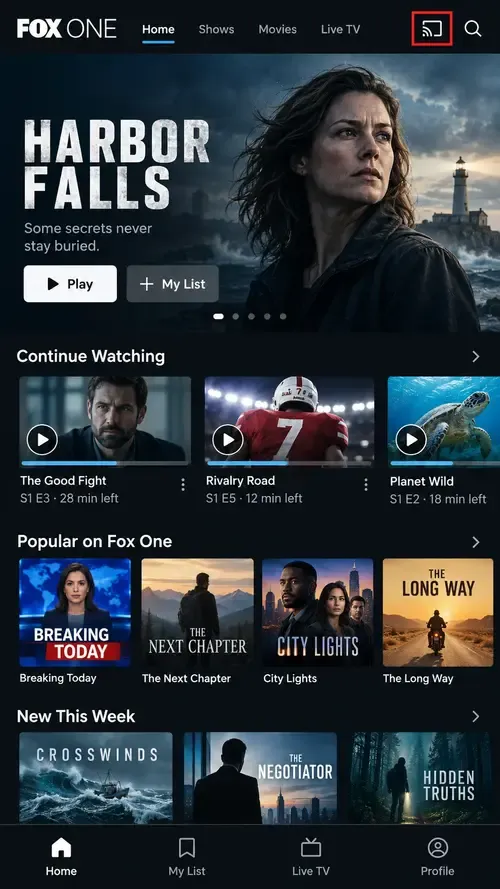
Step 5. Choose your Chromecast or Google Cast-enabled TV from the available devices.
Playback should move to the TV, while your phone can still be used to control the stream.
If you use Android, the process is similar to casting other Android apps to Chromecast.
How to Cast Fox One to Chromecast From a Computer
You can also cast from Chrome to watch Fox One on a Chromecast from a Windows PC or Mac.
Step 1. Go to the Fox One website, sign in, and open the content you want to watch.
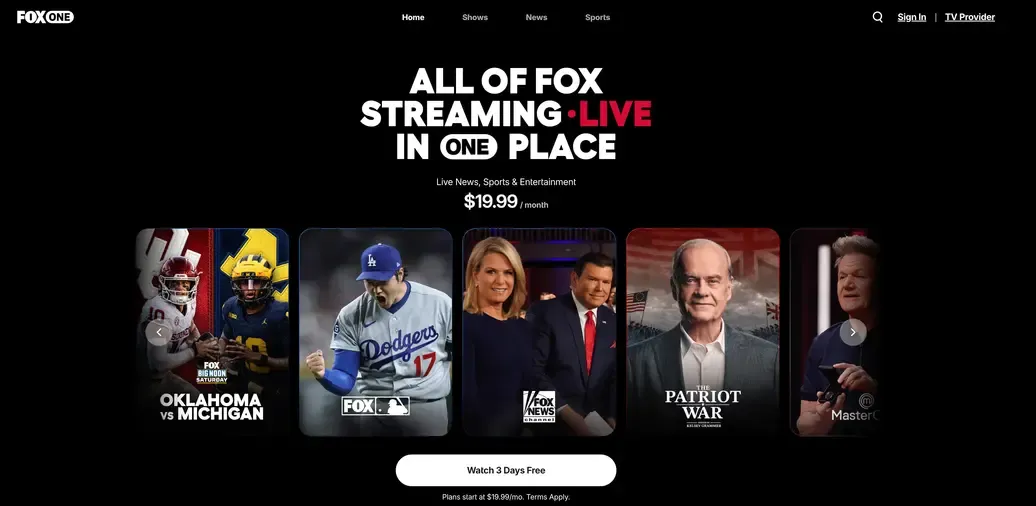
Step 2. Open the Chrome menu and select Cast.
Step 3. Select your Chromecast or compatible TV from the device list.
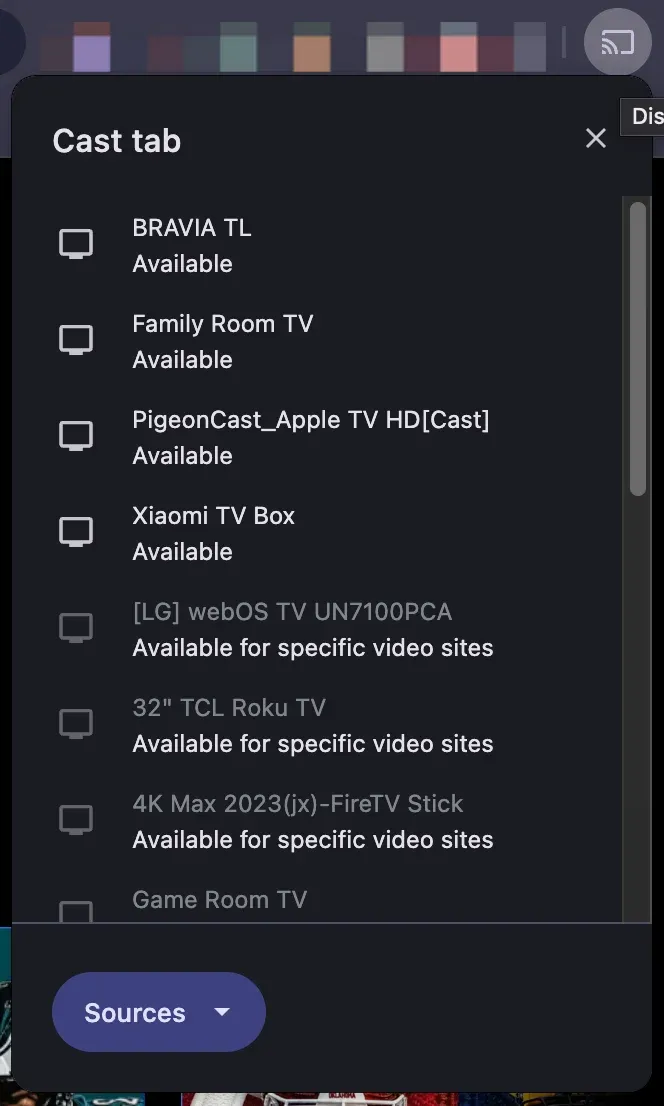
Step 4. Chrome will send the Fox One tab to your TV, including its video and audio.
What If Fox One Won't Cast to Chromecast?
If Fox One cannot find your Chromecast or the stream becomes unstable after connecting, start with the basic connection checks below.
Chromecast Doesn't Appear
First, confirm that your phone or computer and Chromecast are connected to the same Wi-Fi network.
Then try closing and reopening Fox One, restarting the Chromecast or TV, turning Wi-Fi off and back on, and avoiding guest or public Wi-Fi networks that may block communication between devices.
If Chromecast is also missing from other apps, the issue is more likely related to device discovery than Fox One itself. See why Chromecast is not showing up for additional fixes.
Fox One Keeps Buffering or Lagging
If Fox One connects successfully but the video freezes or buffers, check the stability of your Wi-Fi connection.
You can also try moving the Chromecast closer to the router, reducing downloads or other high-bandwidth activity, restarting the router and Chromecast, and lowering streaming quality if Fox One provides that option.
For similar playback problems, see how to fix Chromecast skipping or stuttering.
Fox One Keeps Disconnecting
If the connection drops during playback, reconnect both devices and make sure they remain on the same network.
Restarting Fox One, Chromecast, and the router can also clear temporary connection problems.
If disconnections continue across different apps, follow the troubleshooting steps in how to fix Chromecast keeps disconnecting.
How to Watch Fox One When Chromecast Isn't Available
Fox One's built-in Cast option is the simplest choice when you have a Chromecast or Google Cast-enabled TV.
But it may not work for every setup. For example, your TV may not support Google Cast, or your phone and receiving device may rely on different casting technologies.
In that situation, you can use PigeonCast to mirror Fox One from your phone or computer to a compatible TV or receiving device.
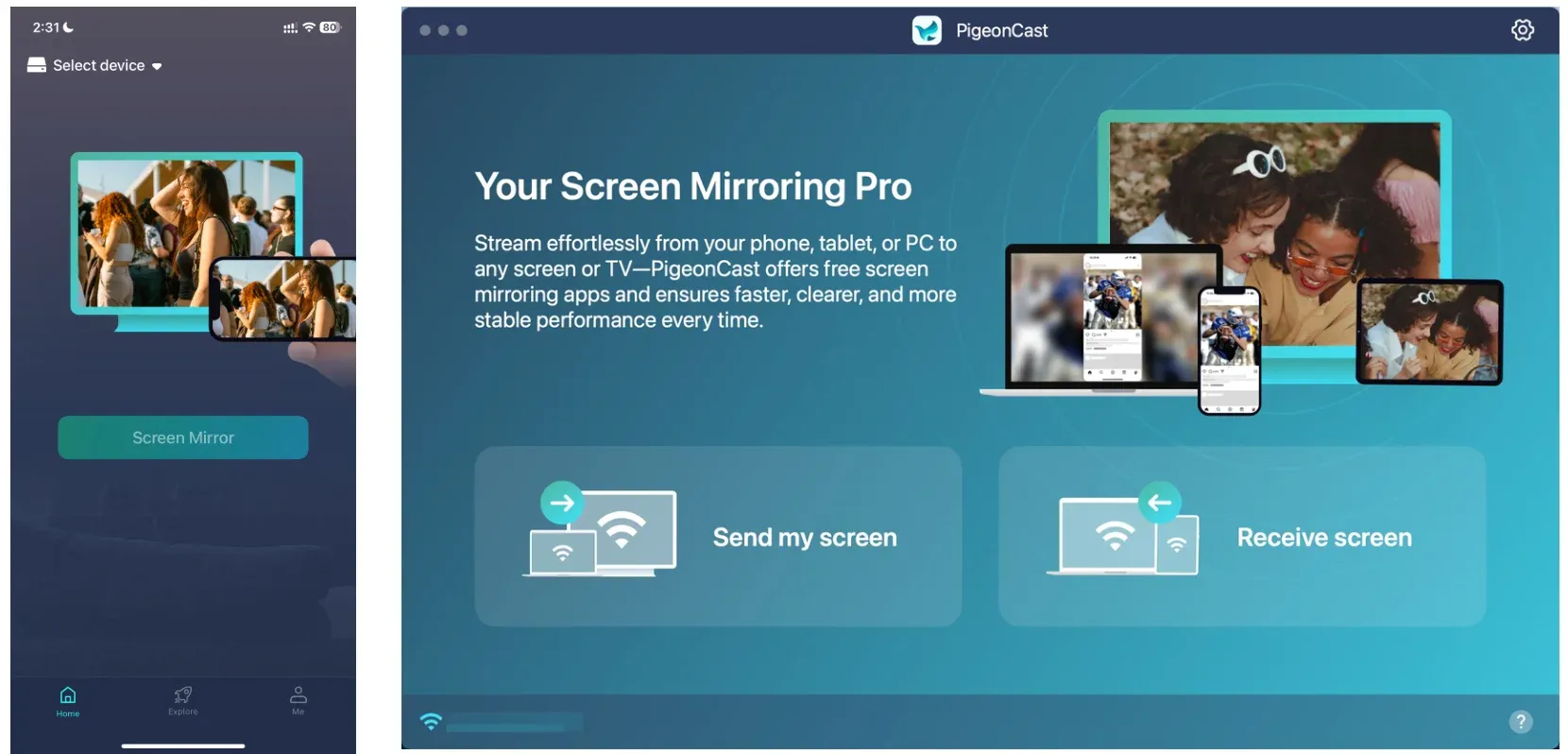
PigeonCast is a cross-platform screen mirroring app designed for device combinations that do not share the same native casting protocol. Instead of relying on the Cast button inside Fox One, it mirrors what is playing on your phone or computer directly to the larger screen.
This makes it especially useful when Google Cast is unavailable on the TV, when you are using mixed devices, or when Fox One's built-in Cast option cannot establish a connection.
How to cast Fox One to TV with PigeonCast:
Step 1. Open PigeonCast on your phone or computer.


Overall Rating:



Step 2. Open the PigeonCast app on the receiving TV or supported device.
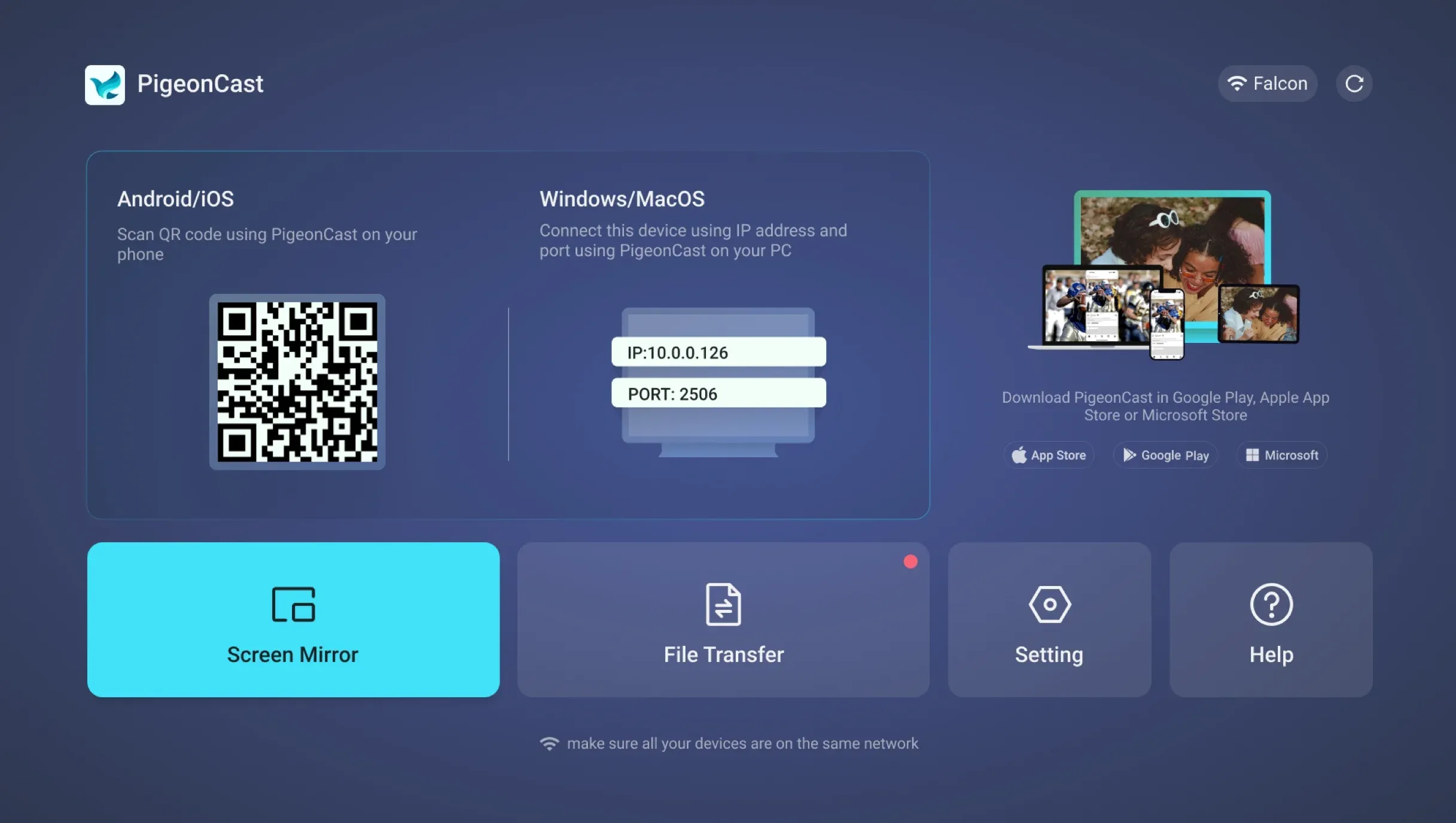
Tip: If you prefer not to install an app on the receiver, you can also use the browser-based Web Mirror.
Step 2. Ensure the device connects to the same Wi-Fi network as the receiving device.
Step 4. On your phone or computer, choose the target device from the list.
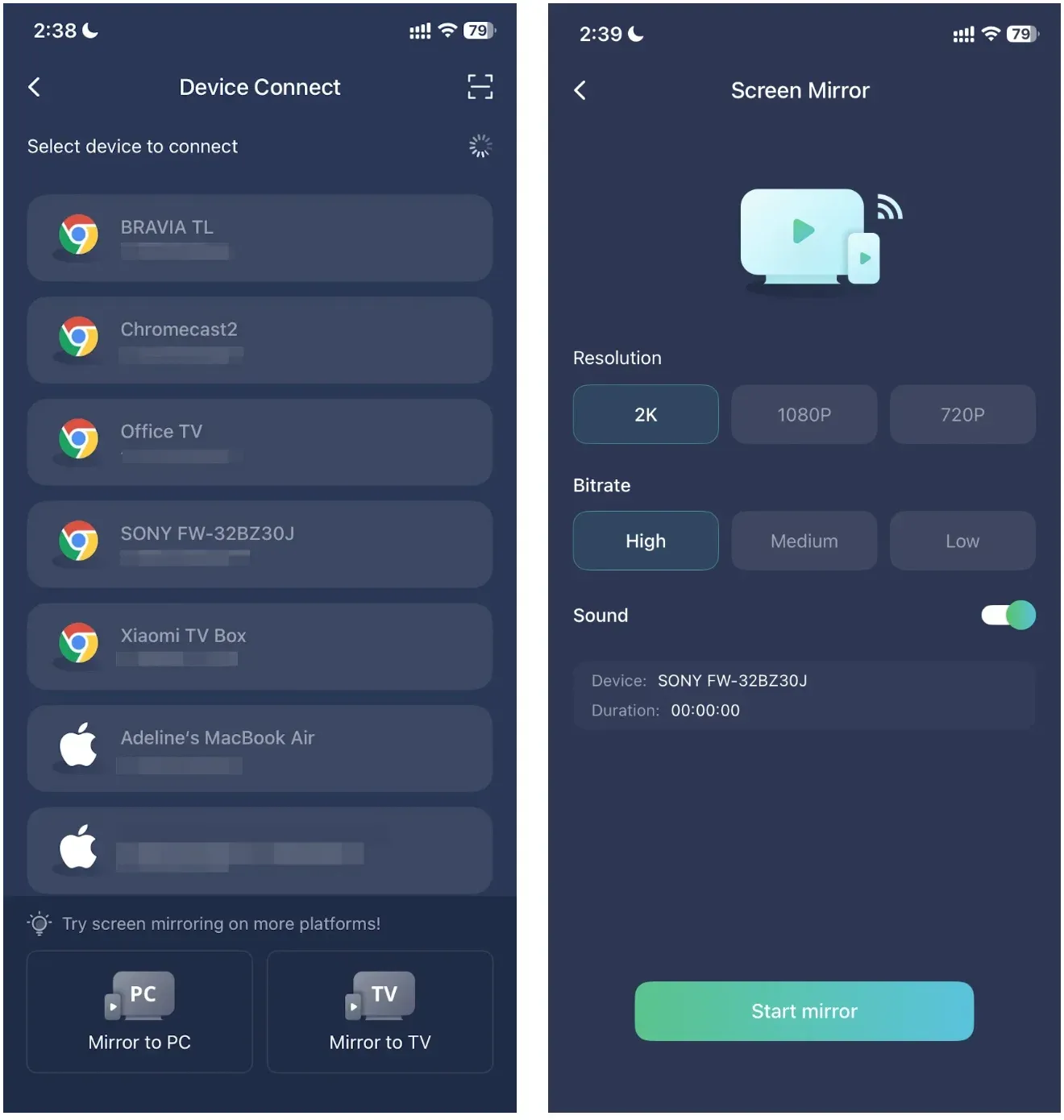
Step 5. Start screen mirroring, then open Fox One and play your content.
Final Take
Fox One follows the same basic casting logic as many other streaming apps: use the app's built-in Cast option when it is available, use Chrome for browser-based playback, and switch to screen mirroring when the receiving device does not support the required casting protocol.
Once you understand those three paths, the same approach applies to many other apps as well. The main thing to check is not the app name itself, but whether the sender and receiver support the same casting method. When they do not, a cross-platform solution such as PigeonCast can bridge that gap without limiting you to a single device ecosystem.
Fox One Chromecast FAQ
Do I need the Fox One app installed on my TV to cast?
No. When you cast Fox One from your phone or computer, the content is sent to the Chromecast or compatible receiver, so you do not usually need to install the Fox One app separately on the TV.
Can I still use my phone while Fox One is casting?
Yes. With native Chromecast casting, your phone mainly acts as a controller after playback starts on the TV. You can usually use other apps without stopping the stream, although closing Fox One completely may affect playback controls.
Can I cast Fox One over mobile data?
Your phone may use mobile data for internet access, but Chromecast discovery normally requires the sending device and receiver to communicate over the same local network. For the most reliable setup, connect both devices to the same Wi-Fi network.
Can I cast Fox One on hotel Wi-Fi?
It may not work reliably. Many hotel and public Wi-Fi networks prevent connected devices from communicating with each other, which can stop your phone or laptop from discovering a Chromecast.
Does casting Fox One affect video quality?
Casting itself does not necessarily reduce video quality. The result depends more on the stream quality available from Fox One, your internet connection, and the capabilities of the Chromecast or TV.
Can I use Fox One casting without keeping my phone screen on?
With native Chromecast casting, the TV handles the stream after the connection is established, so your phone screen generally does not need to remain on. Screen mirroring works differently because the TV is displaying what is happening on the sending device.
Mia Clarke is a technology editor specializing in screen mirroring and casting solutions across multiple platforms. Mia provides clear, practical guides and in-depth insights to help users seamlessly connect their devices. Passionate about enhancing digital experiences, Mia is dedicated to keeping readers updated on the latest trends and tools in cross-platform screen sharing. Whether you’re looking to mirror your smartphone, laptop, or smart TV, Mia’s content delivers reliable, user-friendly advice to simplify your tech setup.