
Want to know how to mirror phone to LG TV without WiFi? It is easier than it sounds. Whether your router is down, you are staying in a hotel, or you just want a quick way to show photos, videos, or apps on a bigger screen, there are several ways to connect your iPhone or Android phone to an LG TV without a normal WiFi network.
Quick Answer: Which Method Should You Choose
The best method depends on your phone, LG TV, and whether you can create a local wireless network.
| Your setup | Best method | Why |
|---|---|---|
| No WiFi, no hotspot, no wireless connection | HDMI adapter | It works through a cable and does not need any network. |
| iPhone and no network at all | HDMI adapter | AirPlay needs both devices on the same network. |
| Android phone supports Wireless Display or Miracast | LG Screen Share | It can mirror Android to LG TV without a home router on supported devices. |
| No home WiFi, but a mobile hotspot is available | Mobile hotspot | It creates a temporary network for wireless mirroring. |
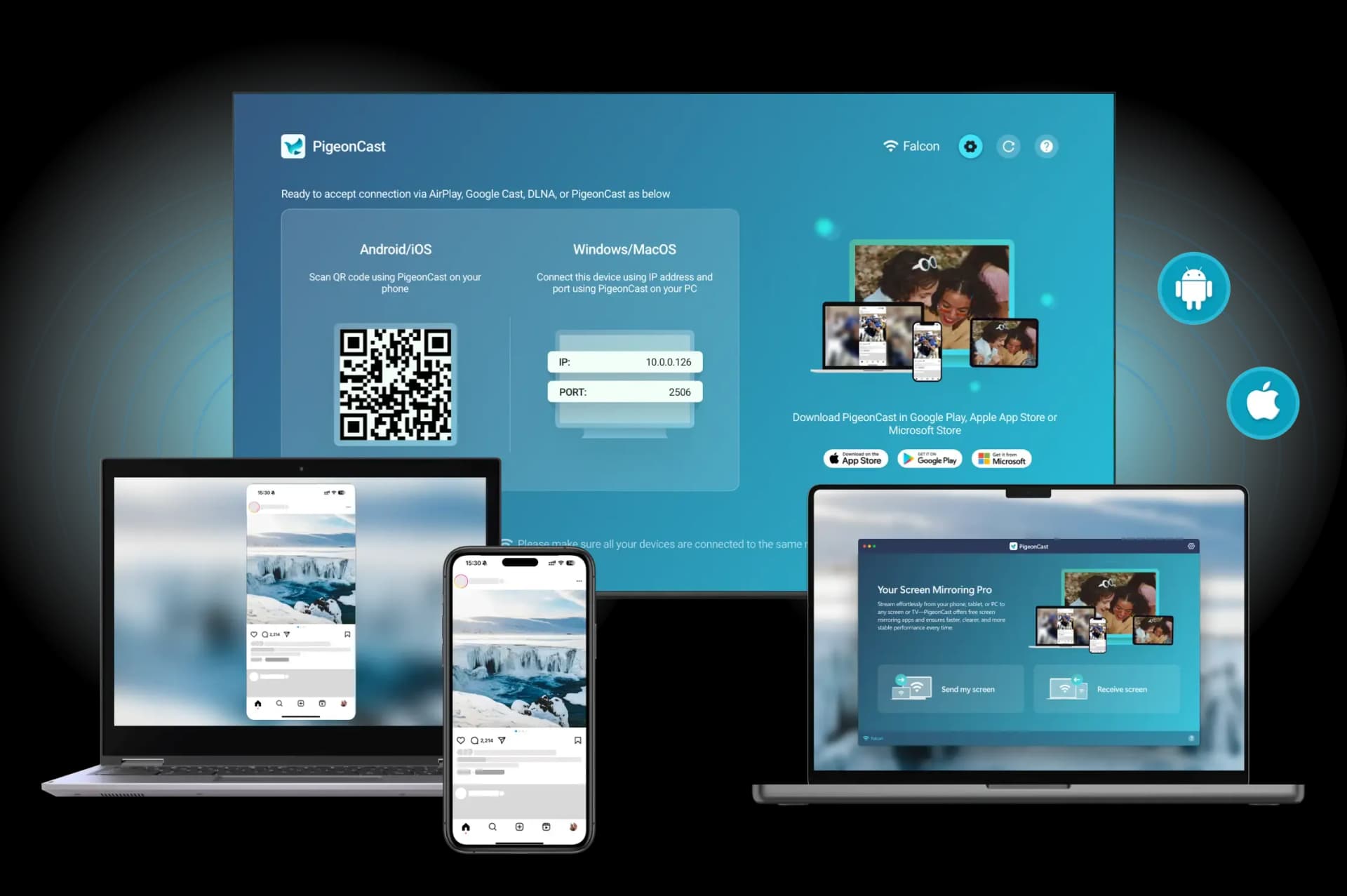
| Want easier casting across phones and laptops | PigeonCast with hotspot | It supports iPhone, Android, Windows, and Mac, so you can cast from different devices when they are on the same wireless network. |
If you need a true no WiFi method, use HDMI. If you can create a mobile hotspot, you can mirror wirelessly and use PigeonCast for easier casting from your phone or laptop.
Can You Mirror Phone to LG TV Without WiFi?
Yes, you can mirror your phone to an LG TV without home WiFi. If you have no router, you can use a mobile hotspot for wireless screen mirroring. If you have no network at all, a wired HDMI adapter is the safer choice.
Before you start, check which situation fits you:
| Situation | What it means | Best option |
|---|---|---|
| No home WiFi | There is no router, or the router is not working | Use a mobile hotspot, LG Screen Share, or HDMI |
| No internet | The devices can still connect to a local wireless network | Use LG Screen Share, Miracast, or a mobile hotspot |
| No wireless connection at all | You want a fully offline method | Use an HDMI adapter |
Method 1. Use an HDMI Adapter
An HDMI adapter is the best choice when you want to mirror your phone to an LG TV with no WiFi, no hotspot, and no wireless setup. It sends your phone screen to the TV through a cable, so the HDMI mirroring connection is usually stable and fast. You need these items first:
| Phone type | What you need |
|---|---|
| iPhone with Lightning port | Lightning to HDMI adapter and HDMI cable |
| iPhone with USB C port | USB C to HDMI adapter and HDMI cable |
| Android with USB C port | USB C to HDMI adapter and HDMI cable |
| Older Android with Micro USB | MHL or SlimPort adapter and HDMI cable, if supported |
Step 1. Plug the HDMI adapter into your phone.
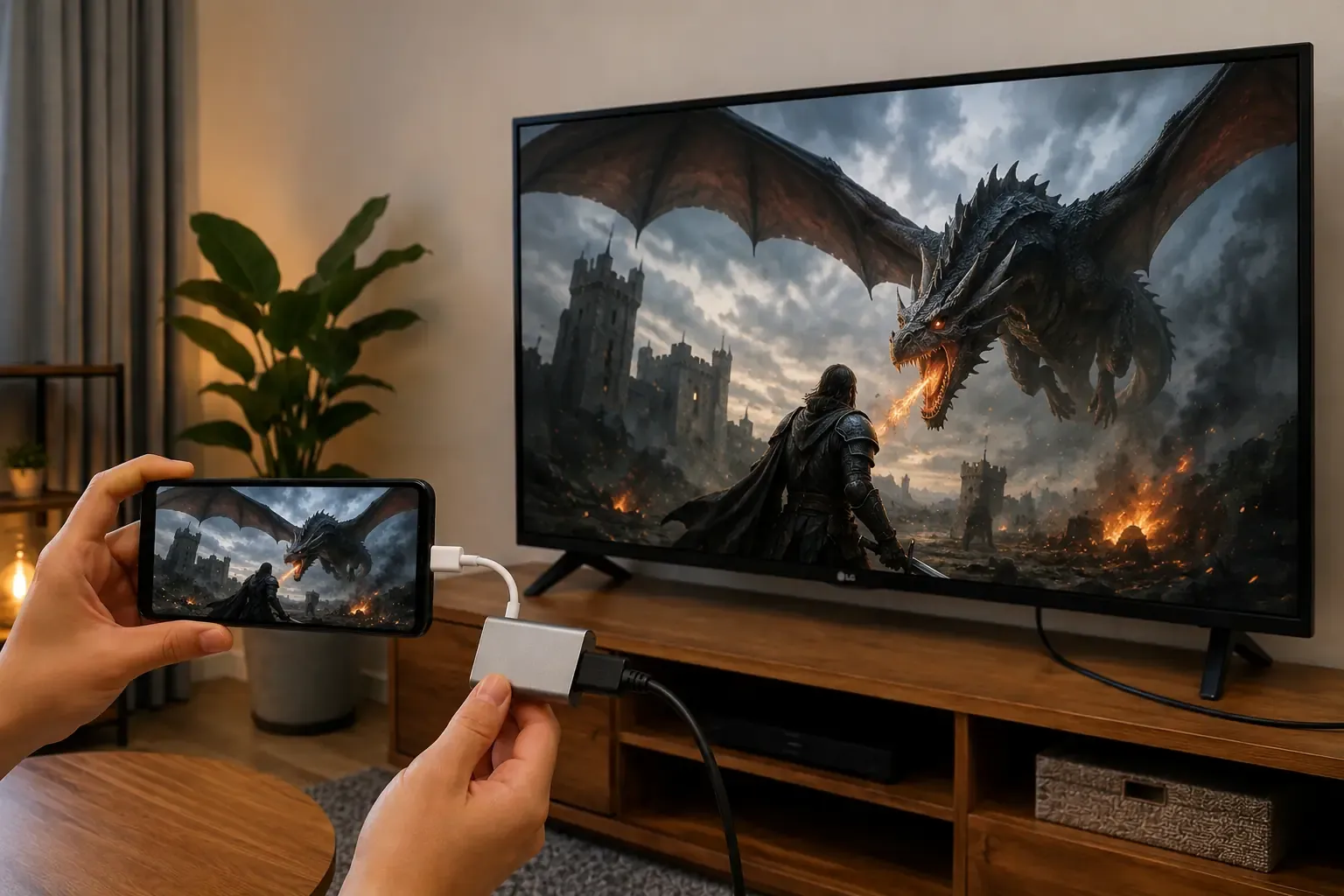
Step 2. Connect one end of the HDMI cable to the adapter.
Step 3. Connect the other end to an HDMI port on your LG TV.
Step 4. Use the LG TV remote to switch the input to that HDMI port.
Step 5. Wait a few seconds for your phone screen to appear on the TV.
This method is a good choice when you want to watch saved videos, show photos, share slides, or enjoy mobile content on a bigger screen. If you use an Android phone, check whether your device supports video output before buying an adapter. Some phones only use the charging port for power and file transfers, which means you will not be able to mirror your screen to an LG TV through HDMI.
Method 2. Use a Mobile Hotspot
If you do not have home WiFi but still want wireless screen mirroring, use a mobile hotspot. A hotspot works like a small WiFi network. It lets your LG TV and phone stay on the same network without a router.
The easiest setup is to use one phone as the hotspot and another device for casting. If you only have one phone, you can still try it, but some phones may not cast while sharing a hotspot. Steps to mirror your phone with a mobile hotspot:
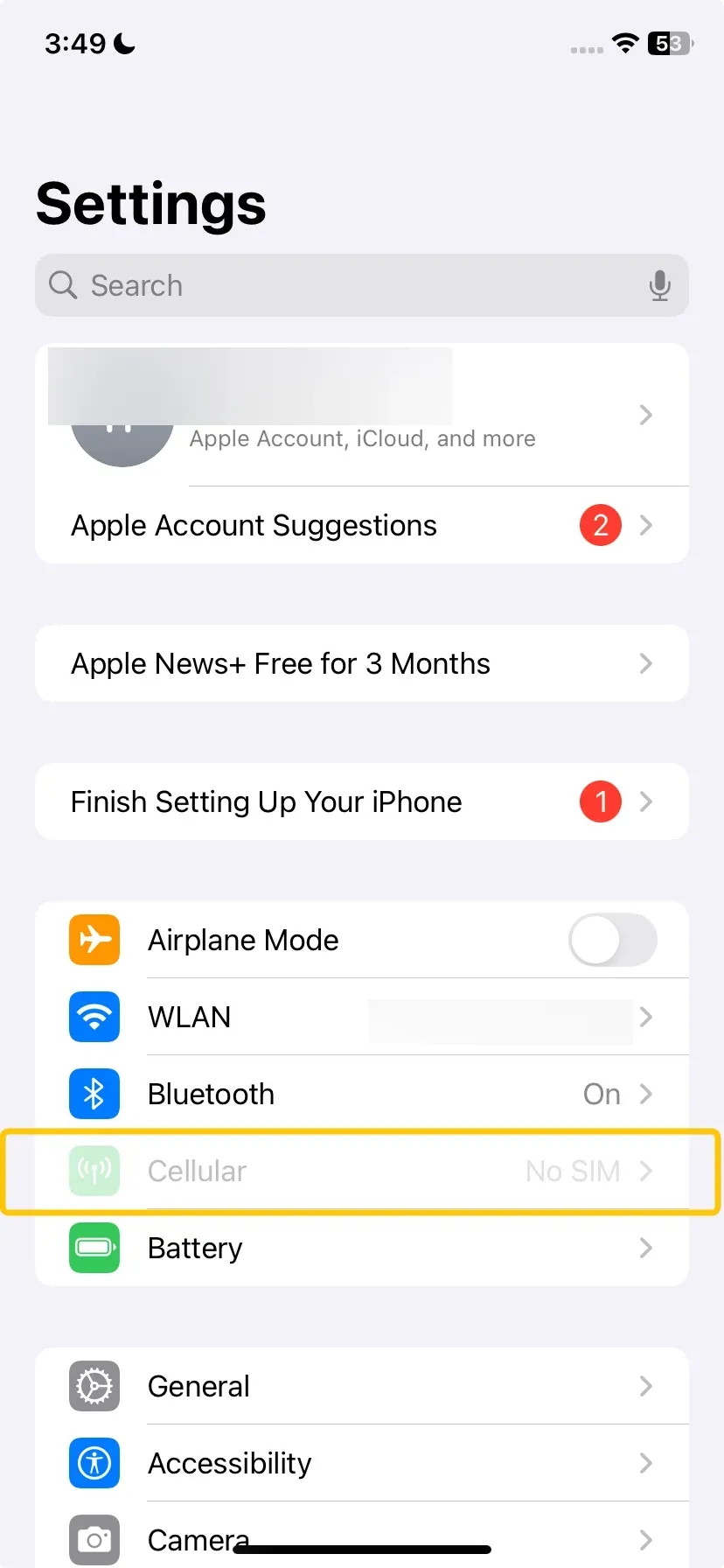 Step 1. On the phone used for hotspot, open Settings.
Step 2. Find Personal Hotspot, Mobile Hotspot, or Tethering.
Step 3. Turn on the hotspot and set a simple network name and password.
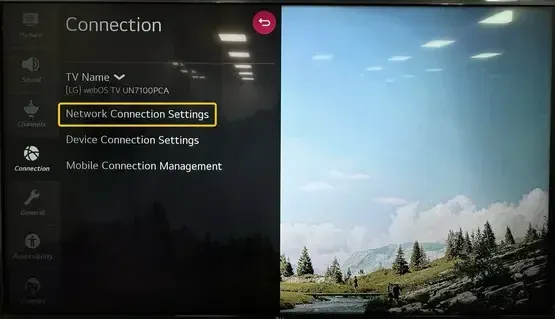 Step 4. On your LG TV, go to Settings > Network or WiFi Connection.
Step 5. Select the hotspot name from the network list.
Step 6. Enter the hotspot password and connect the TV.
Step 7. On the phone used for casting, connect to the same hotspot network.
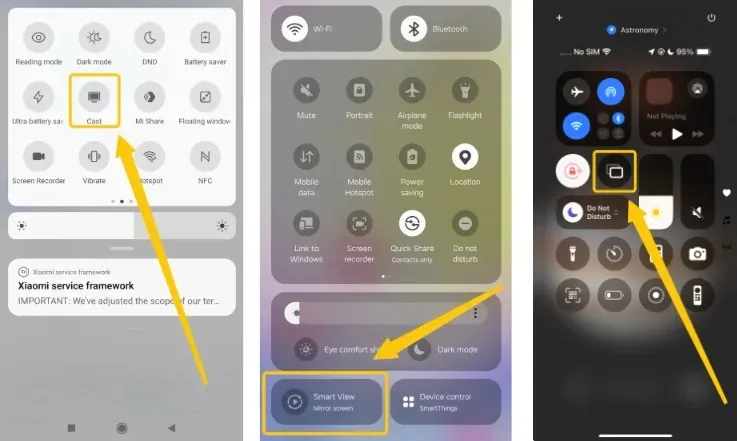 Step 8. Open the screen mirroring feature on your phone, such as Screen Mirroring, Cast, Smart View, or AirPlay.
Step 9. Choose your LG TV from the device list and start mirroring.
Keep the phone and TV close to the hotspot device for a stronger connection. If the screen lags or disconnects, lower video quality, stop downloads, or restart the hotspot.
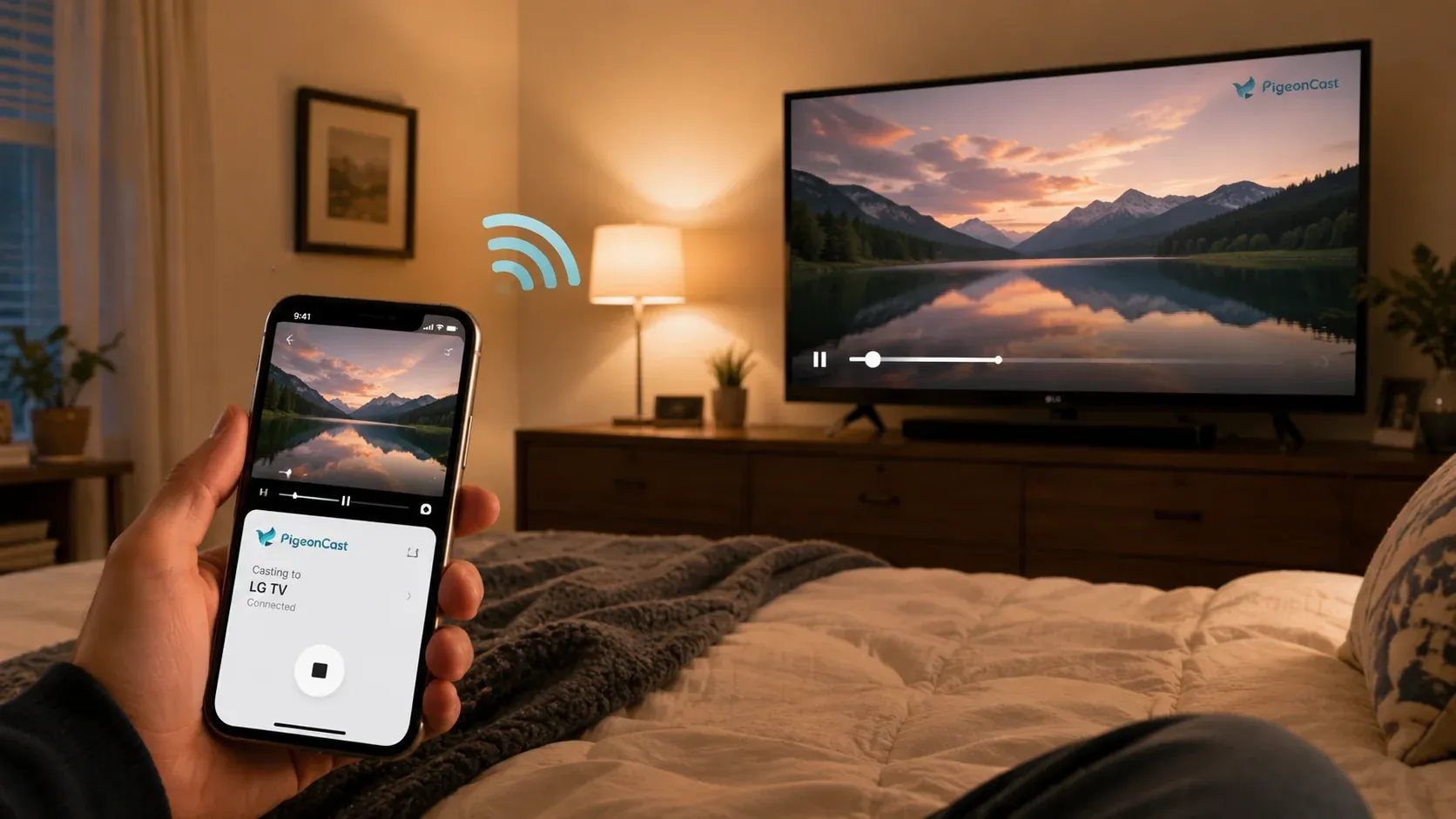 Tip: If you want a smoother way to mirror your phone wirelessly, try PigeonCast after your phone and LG TV join the same mobile hotspot. It lets you cast your screen, photos, videos, and web content to the TV without HDMI cables, and it also supports casting from a laptop. The setup is simple, and it works with iPhone, Android, Windows, and Mac. Connect your devices to the same hotspot, open PigeonCast, and start casting without HDMI cables.


Overall Rating:



Method 3. Use LG Screen Share on Android
LG Screen Share is available on many LG Smart TVs, especially models running webOS. It works best with Android phones that support Miracast or Wireless Display. Depending on your phone brand, the feature may appear as Smart View on Samsung devices, Wireless Display, Screen Cast, Screen Mirroring, or Cast on some Android phones.
 Newer Google Pixel phones do not support Miracast, so they usually cannot connect through LG Screen Share without additional hardware or apps. Before starting, make sure your LG TV has the Screen Share feature and your Android phone supports wireless display mirroring. Here are steps to mirror Android to LG TV with Screen Share:
Step 1. Turn on your LG TV, press the Home button on the LG remote.
Step 2. Open Screen Share or Device Connector on the TV, then keep the Screen Share page open.
Step 3. On your Android phone, swipe down from the top of the screen.
Step 4. Look for Cast, Smart View, Screen Cast, or Wireless Display.
Step 5. Tap the casting option and wait for your LG TV to appear.
Step 6. Select your LG TV from the list, then confirm the connection on the TV if a message appears.
Step 7. Wait for your Android screen to show on the LG TV.
How to Fix Phone Not Connecting to LG TV
If your phone does not connect to the LG TV, check the connection method first. HDMI, hotspot, and LG Screen Share all have different requirements, so use the fixes that match your setup.
- Check the TV Input Source
If you use an HDMI adapter, make sure the LG TV is set to the correct HDMI port. Try another HDMI port if the screen stays black.
- Make Sure Both Devices Use the Same Network
If you use a mobile hotspot, connect both your phone and LG TV to that hotspot. Wireless casting will not work if the phone uses mobile data while the TV uses another network.
- Restart the Phone, TV, and Hotspot
Turn off the LG TV, restart your phone, and turn the hotspot off and on again. This can clear temporary connection errors.
- Check Screen Mirroring Support
For Android, make sure the phone supports Wireless Display, Miracast, Smart View, or a similar casting feature. For iPhone, AirPlay needs a supported LG TV and the same local network.
- Move the Devices Closer
A weak hotspot signal can cause lag, failed pairing, or a black screen. Keep the phone, TV, and hotspot device close during setup.
- Turn off VPN
A VPN can block your phone from finding the LG TV on the same network. Turn it off before you start casting.
- Update Your LG TV and Phone
Software updates may fix casting bugs and device detection problems. Check for updates in the TV settings and phone settings.
- Try Another Method
If wireless mirroring keeps failing, use HDMI for a direct connection. If HDMI does not work on Android, check whether the phone supports video output through its charging port.
Bottom Line
Choose HDMI when you need a fully offline setup. Use a mobile hotspot when you want wireless casting without a home router. For supported Android phones, LG Screen Share is also worth trying. If you want a simpler way to cast from phone or laptop, connect your devices to the same hotspot and use PigeonCast to send your screen or media to the TV without cables.
How to Mirror Phone to LG TV Without WiFi FAQ
Does "without WiFi" mean no internet or no router?
It usually means no home router. Screen mirroring does not always need internet, but many wireless methods still need a local connection between your phone and LG TV. A mobile hotspot can create that local network. If you have no wireless connection at all, HDMI is the better choice.
Why won't my phone mirror to my LG TV without WiFi?
The likely reason is that your chosen method still needs a network or device support. AirPlay, casting apps, and hotspot casting need both devices on the same local network. LG Screen Share needs Android Wireless Display or Miracast support. HDMI needs a compatible adapter and a phone that can send video through its port.
Is mobile hotspot screen mirroring smooth?
It can be smooth for photos, slides, short videos, and light screen sharing. For online videos or gaming, the result depends on your hotspot signal, phone performance, and distance from the TV. Keep the devices close, close unused apps, and avoid downloads during mirroring to reduce lag.
Will screen mirroring use mobile data?
Screen mirroring local content, such as saved photos or downloaded videos, uses little or no mobile data. Streaming online videos through a hotspot can use a lot of data. If your mobile plan has a hotspot limit, check it before watching long videos on the TV.
What should I do if HDMI shows no signal?
-
Switch your LG TV to the correct HDMI input.
-
Unplug the adapter and HDMI cable, reconnect them, and try another HDMI port.
-
If it still shows no signal, check whether your phone supports video output. Many Android phones can charge through USB C or Micro USB but cannot send video to a TV.
Is Bluetooth enough for screen mirroring?
No. Bluetooth does not have enough speed for full phone screen mirroring. It is mainly for headphones, speakers, remotes, keyboards, and small accessories. To mirror a phone screen to an LG TV, use HDMI, a mobile hotspot, or a supported wireless display feature.
Clara Rossi is an experienced technology editor and a seasoned expert in screen mirroring and casting technologies. With a keen eye for detail and a deep understanding of how to seamlessly connect devices, Clara excels at optimizing user experiences for effortless sharing and streaming. Whether you're seeking quick fixes or advanced tips, her expertise and responsiveness ensure that every query is met with a well-informed and efficient solution.