
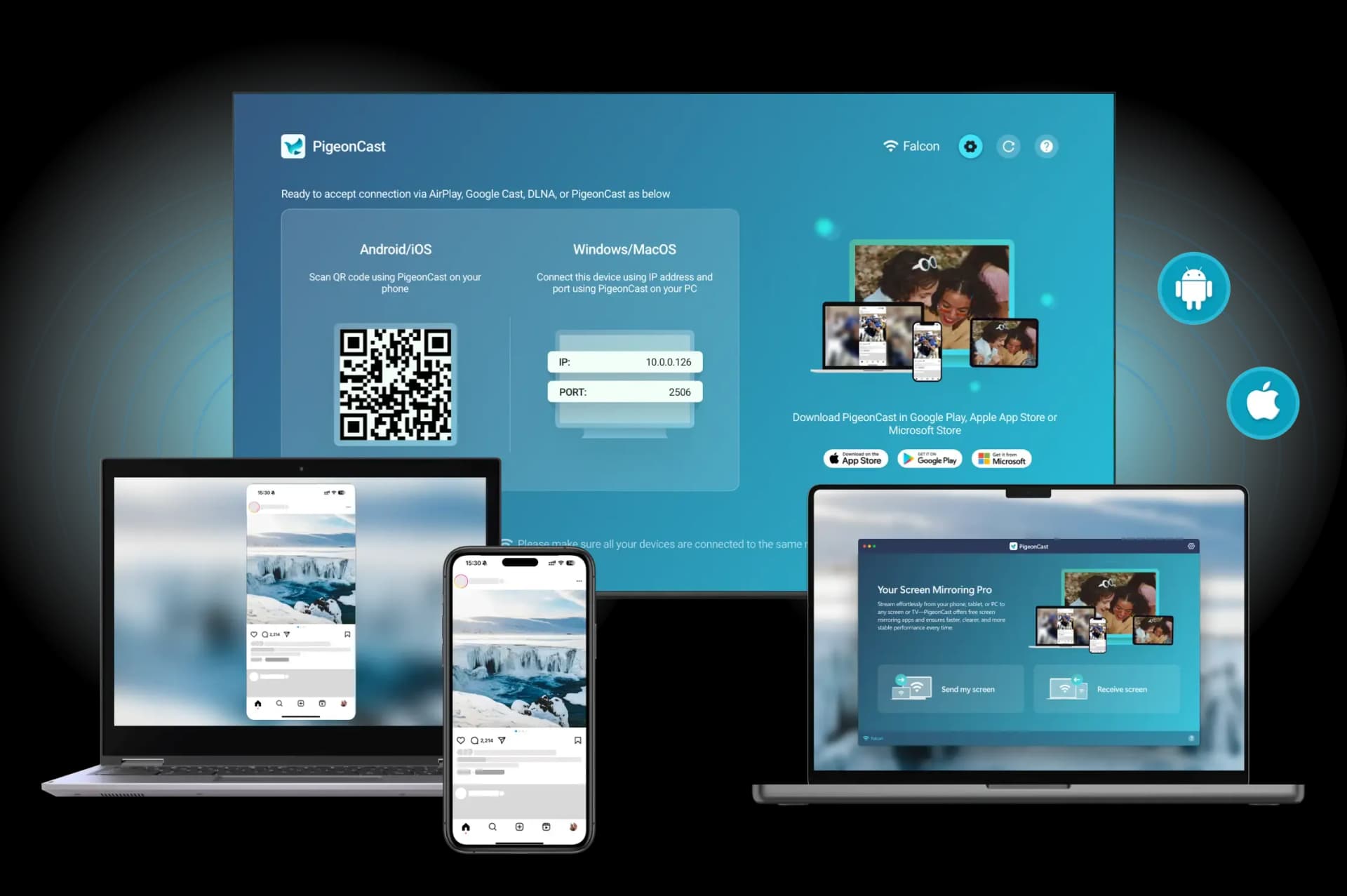
Vysor lets you mirror and control your Android phone from a computer browser or desktop app over a USB or Wi-Fi connection. It works, but the free tier limits resolution, adds a watermark, and locks key features behind a paid plan. If you want the same functionality — or better — without the restrictions, there are several solid Vysor alternatives worth trying in 2026.
This guide covers seven options ranked by ease of use, device compatibility, and feature quality. Whether you need basic phone mirroring for a presentation or full remote control for app testing, one of these tools will fit.
What Are the Best Vysor Alternatives?
The best Vysor alternatives are screen mirroring and remote control tools that connect your Android device to a PC or Mac without requiring a subscription or adding watermarks. The strongest options support both USB and Wi-Fi connections, deliver low-latency video, and give you mouse and keyboard control over the phone.
PigeonCast, built around AirPlay and Google Cast standards, handles wireless mirroring to TVs and computers without paywalls. Other tools like scrcpy offer open-source USB mirroring with no account required, making them well suited for developers who test Android apps from a desktop. For classroom or presentation use, AirServer and Reflector 4 can receive casts from multiple devices simultaneously.
The right choice depends on whether you want a polished graphical interface or a lightweight command-line tool, and whether you primarily need TV casting, PC mirroring, or full remote device control.
#1. PigeonCast [Cross-Platform Mirroring App]
PigeonCast is a free screen mirroring solution that supports wireless casting from Android and iOS devices to any screen like computer, TV, or monitor.
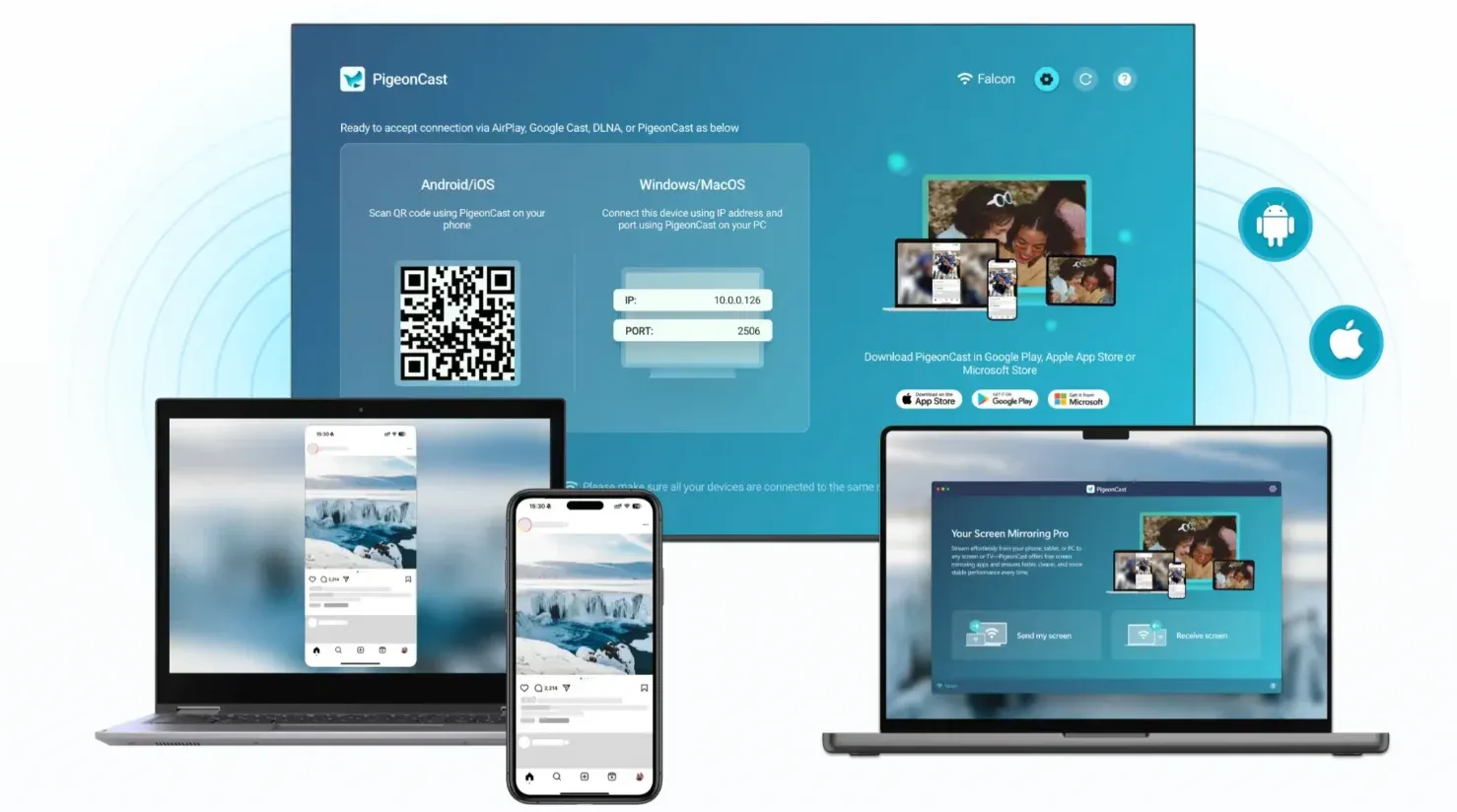
Unlike Vysor, PigeonCast does not require a USB cable for basic mirroring. It connects over your local Wi-Fi network using AirPlay and Google Cast standards, which means it works across platforms without driver installation. The app is particularly strong for sending video and audio from a phone to a computer or TV, making it the solid pick for screen mirroring across divices wirelssly.
Main features:
- Wireless mirroring with no USB required
- Works with Android, iOS, Windows, macOS, and smart TVs
- Supports AirPlay 2, Google Cast, and DLNA protocols
- No watermarks, no account required
- Encrypted local connections for privacy
Best for: Users who want reliable wireless mirroring from phone to TV or laptop without subscriptions.
To mirror your phone to your computer with PigeonCast, do the steps below:
Step 1. Install PigeonCast on your phone and computer from the app store.


Overall Rating:



Step 2. Ensure your phone and computer are connected to the same Wi-Fi network.
Step 3. Launch the app on your computer anc click Receive screen.
Step 4. Launch the app on your phone and choose your target computer from the list or scan the QR code displayed on the computer screen.
Step 5. Once connected, start screen mirroring or casting video, audio, or other file.
#2. scrcpy [Free, Open Source]
scrcpy is an open-source tool that mirrors and controls Android devices over USB or TCP/IP from a Windows, Mac, or Linux desktop. It is one of the few completely free options with no watermarks, no account, and no limitation on resolution.
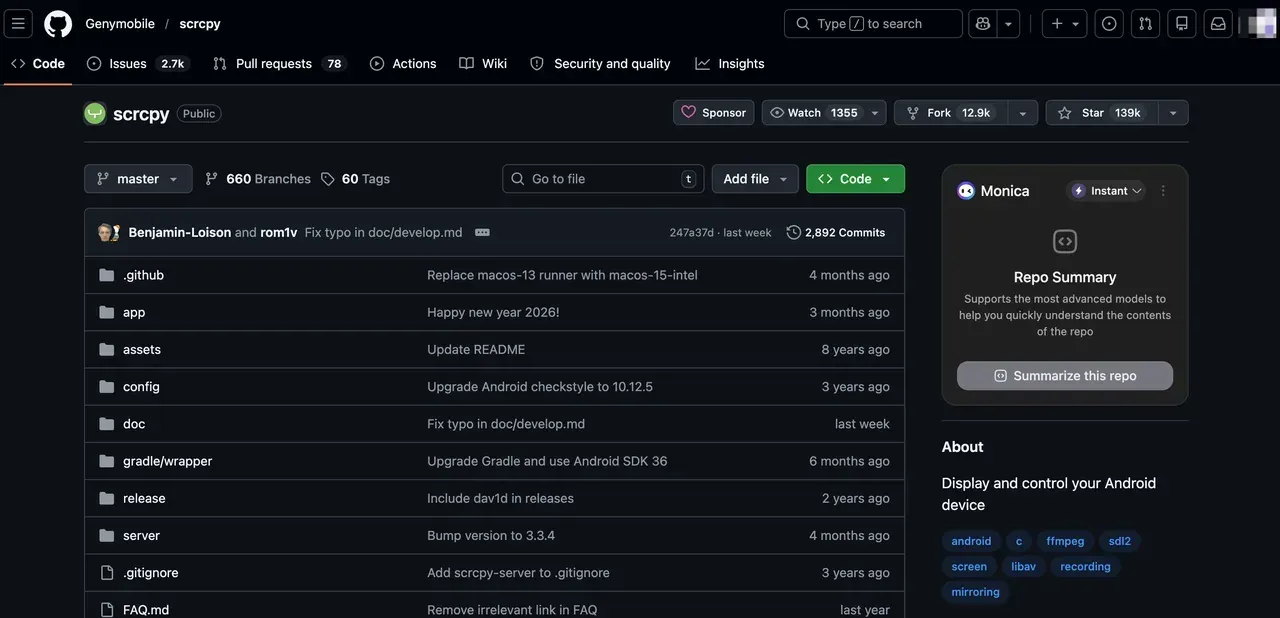
The tool runs from a command line, so it is not the most beginner-friendly option. However, it is actively maintained, lightweight, and produces genuinely low latency. For developers who test apps or automate workflows on a physical device, scrcpy is the most capable free replacement for Vysor.
Main features:
- Full mouse and keyboard control over Android
- USB and Wi-Fi (TCP/IP) connectivity
- Up to 1080p or higher resolution output
- No root required
- Works on Windows, macOS, Linux
Best for: Developers and technical users who want full Android control with zero cost.
#3. LetsView [Free]
LetsView mirrors Android and iOS screens to Windows or Mac wirelessly using the AirPlay and Google Cast protocols. Setup is simple: install the desktop app, open LetsView on your phone, and the connection completes automatically on the same network.
For casual users switching away from Vysor, LetsView offers a more polished interface than command-line tools. The free tier covers basic mirroring without a time limit. Before installing, check our LetsView safety guide for a full privacy breakdown.
Main features:
- Wireless mirroring to Windows and Mac
- Screen recording and screenshot capture
- Works for presentations, gaming, and video streaming
- Free tier with no watermark
Best for: Casual users who want a simple, wireless Vysor replacement without a subscription.
#4. AirServer [Paid, Free Trial]
AirServer turns your Windows or Mac into a wireless receiver for AirPlay, Google Cast, and Miracast streams. Rather than pushing from your phone like Vysor does, AirServer pulls the signal — your phone initiates the cast, and the computer receives it.
This receiver model means AirServer works with any device that supports AirPlay or Google Cast, not just Android. It is a strong choice for people already invested in the Apple ecosystem or for teachers and presenters who need to receive screens from multiple student devices at once.
Main features:
- Receives AirPlay 2, Google Cast, and Miracast
- Supports up to 4K resolution
- Multi-device reception for classrooms
- Compatible with macOS and Windows
Best for: Educators and enterprise users who need to receive wireless casts from multiple devices.
#5. ApowerMirror [Freemium]
ApowerMirror connects Android and iOS devices to a PC over Wi-Fi or USB and adds screen recording, remote control, and multi-screen display. The interface is polished and setup is straightforward, making it one of the most direct Vysor alternatives for users who prefer a GUI over command-line tools.
The free tier includes basic mirroring with a watermark. A subscription removes the watermark and unlocks recording quality settings. For a full comparison of free options in this category, see our ApowerMirror alternatives guide.
Main features:
- Wi-Fi and USB mirroring for Android and iOS
- Screen recording with audio
- Remote control of phone from desktop
- Available on Windows and Mac
Best for: General users who want a polished GUI and are comfortable with a light freemium model.
#6. Reflector 4 [Paid]
Reflector 4 turns a Mac or Windows PC into an AirPlay and Google Cast receiver, similar to AirServer. The focus is on clean on-screen presentation: phone frames, custom backgrounds, and multi-device layouts make it popular in education and live streaming setups.
It is a paid app with no meaningful free tier, but the purchase is one-time for personal use. For teams that need reliable multi-device casting for classroom or webinar use, Reflector 4 covers AirPlay and Google Cast natively without requiring hardware.
Main features:
- AirPlay, Google Cast, and Miracast receiver
- Custom overlays and device frames
- Multi-device simultaneous display
- Works on macOS and Windows
Best for: Presenters, educators, and streamers who need clean multi-device layouts.
#7. AnyCast (Hardware Dongle)
AnyCast is a compact HDMI dongle that plugs into a TV or monitor and receives Miracast, DLNA, and AirPlay streams from your phone or laptop. Unlike software-only tools, AnyCast works independently of any PC — the display itself receives the cast.
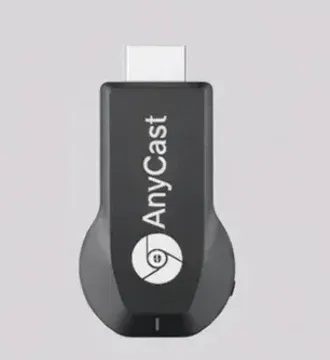
For users who primarily want to project from a phone to a TV that does not support wireless casting natively, AnyCast is the simplest hardware path. AnyCast setup takes under five minutes.
Main features:
- Plug-and-play HDMI receiver
- Supports Miracast, DLNA, and some AirPlay signals
- No PC required — connects directly to TV
- Works with Android and Windows devices
Best for: Users who need to mirror to an older TV or monitor that lacks built-in casting support.
Vysor Alternative Comparison
| Tool | Price | USB | Wi-Fi | Android | iOS | Computer Support | TV Support |
|---|---|---|---|---|---|---|---|
| Vysor | Free/Paid | Yes | Yes | Yes | Yes | Yes | No |
| PigeonCast | Free/Paid | No | Yes | Yes | Yes | Yes | Yes |
| scrcpy | Free | Yes | Yes | Yes | No | Yes | Yes |
| LetsView | Free/Paid | No | Yes | Yes | Yes | Yes | Yes |
| AirServer | Paid | No | Yes | Yes | Yes | Yes | No |
| ApowerMirror | Freemium | Yes | Yes | Yes | Yes | Yes | No |
| Reflector 4 | Paid | No | Yes | Yes | Yes | Yes | No |
| AnyCast | Hardware | No | Yes | Yes | Partial | No | Yes |
How to Choose the Right Vysor Alternative
The best replacement for Vysor depends on what you actually need it for.
If you need free Android control from a PC: scrcpy is the most capable option with no limitations. It requires comfort with a terminal but delivers full remote control and screen mirroring over USB or Wi-Fi without any account or payment.
If you want wireless mirroring to a computer or TV: PigeonCast is the cleanest path. It supports AirPlay and Google Cast natively, works across platforms, and has no watermark.
If you need to receive casts from multiple devices: PigeonCast, AirServer, or Reflector 4 are built for this. They turn your Mac or Windows machine into a casting receiver for classrooms and presentations.
If you need to cast to a non-smart TV: AnyCast solves this with a hardware dongle — no app installation needed on the TV side.
Wrapping Up
The right tool depends on the connection type and budget you are working with. For no-cost USB control of an Android device, scrcpy has no equals. For wireless casting to a TV, PigeonCast is the simpler choice — no cable, no paywall, no account. If the goal is receiving streams from multiple devices in a classroom or live stream, AirServer or Reflector 4 are worth the investment. For non-smart TVs, AnyCast handles everything with a small hardware dongle.
Pick the option that fits your device combination and how you plan to use it. For a broader comparison of screen mirroring tools across different platforms, see our guide to the best screen mirroring apps available today.
Vysor Alternative Questions
Is there a completely free Vysor alternative?
Yes. scrcpy is fully free and open source with no watermark, no account, and no feature limits. PigeonCast is also completely free for wireless mirroring and TV casting.
Can I mirror my Android to a TV without Vysor?
Yes. PigeonCast supports wireless casting from Android to any smart TV that supports Google Cast or AirPlay. For more detail on what tools work best for this use case, see our full guide to mirroring your phone to TV.
Does scrcpy work without root?
Yes. scrcpy does not require root access. It uses Android Debug Bridge (ADB) over USB or a TCP/IP network connection.
What is the best free Vysor alternative for Windows?
scrcpy and PigeonCast are both strong free options for Windows. scrcpy provides USB-based remote control; PigeonCast handles wireless mirroring and casting over Wi-Fi.
Mia Clarke is a technology editor specializing in screen mirroring and casting solutions across multiple platforms. Mia provides clear, practical guides and in-depth insights to help users seamlessly connect their devices. Passionate about enhancing digital experiences, Mia is dedicated to keeping readers updated on the latest trends and tools in cross-platform screen sharing. Whether you’re looking to mirror your smartphone, laptop, or smart TV, Mia’s content delivers reliable, user-friendly advice to simplify your tech setup.