
If you search for Google TV vs Chromecast in 2026, you are really sorting through a naming problem that changed over time. Google TV is an interface and platform. Chromecast started as a cast-only device family. Google Cast is the wireless protocol underneath. Those three names still get used interchangeably, even though they do not mean the same thing.
That confusion matters more now because the product lineup is no longer what it was a few years ago. In August 2024, Google introduced Google TV Streamer and said it replaces Chromecast hardware. So the modern answer is not just "Google TV has a remote and Chromecast does not." You also have to separate older Chromecast dongles, Chromecast with Google TV, Google Cast support, and Google's current first-party streaming box.
This guide breaks the names apart, compares how they work in real use, and explains what still makes sense to buy or keep using as of 2026.
Google TV vs Chromecast: Quick Comparison
| Category | Google TV | Chromecast |
|---|---|---|
| What it is | A TV interface built on Android TV OS | Originally a cast-only hardware line; sometimes also used loosely for Google Cast |
| Main control method | On-screen interface plus remote | Phone, tablet, or laptop for older models; remote on Chromecast with Google TV |
| Apps | Native TV apps installed on the device | Original Chromecast had no native apps; Chromecast with Google TV does |
| Casting | Usually includes Google Cast built in | Core purpose of the original product line |
| Screen mirroring | Limited by platform and protocol support | Works for Cast-supported mirroring, not universal mirroring |
| Current hardware status | Active on TVs and on Google TV Streamer | Chromecast hardware line was discontinued in August 2024 |
| Best for | People who want a full streaming interface | People using older hardware or talking about Cast support |
| Buying advice in 2026 | Still current | Only older stock, used devices, or legacy ownership scenarios |
What Is Google TV?
Google TV is Google's content-first TV experience that runs on top of Android TV OS (you may wonder the differnces between Google TV and Android TV). It gives you a home screen, app library, watchlist, recommendations, voice search, and a remote-driven way to browse without starting from your phone.
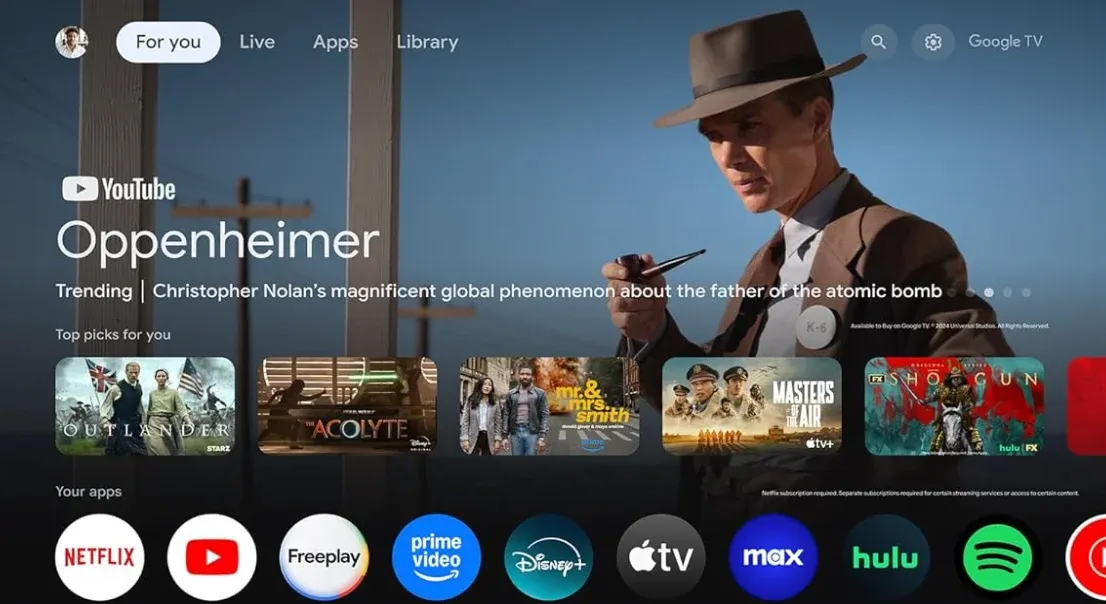
In practice, Google TV is not a separate casting standard. It is the interface layer you see on certain smart TVs and streaming devices. A Sony, TCL, or Hisense TV can run Google TV natively, and Google's own streaming hardware now centers on Google TV as the main experience.
What Is Chromecast?
Chromecast is the name Google used for a streaming hardware line that started as a small HDMI dongle. The original Chromecast had no real TV interface, no full app home screen, and no remote. You opened a supported app on your phone or computer, tapped the Cast button, and sent playback to the TV.
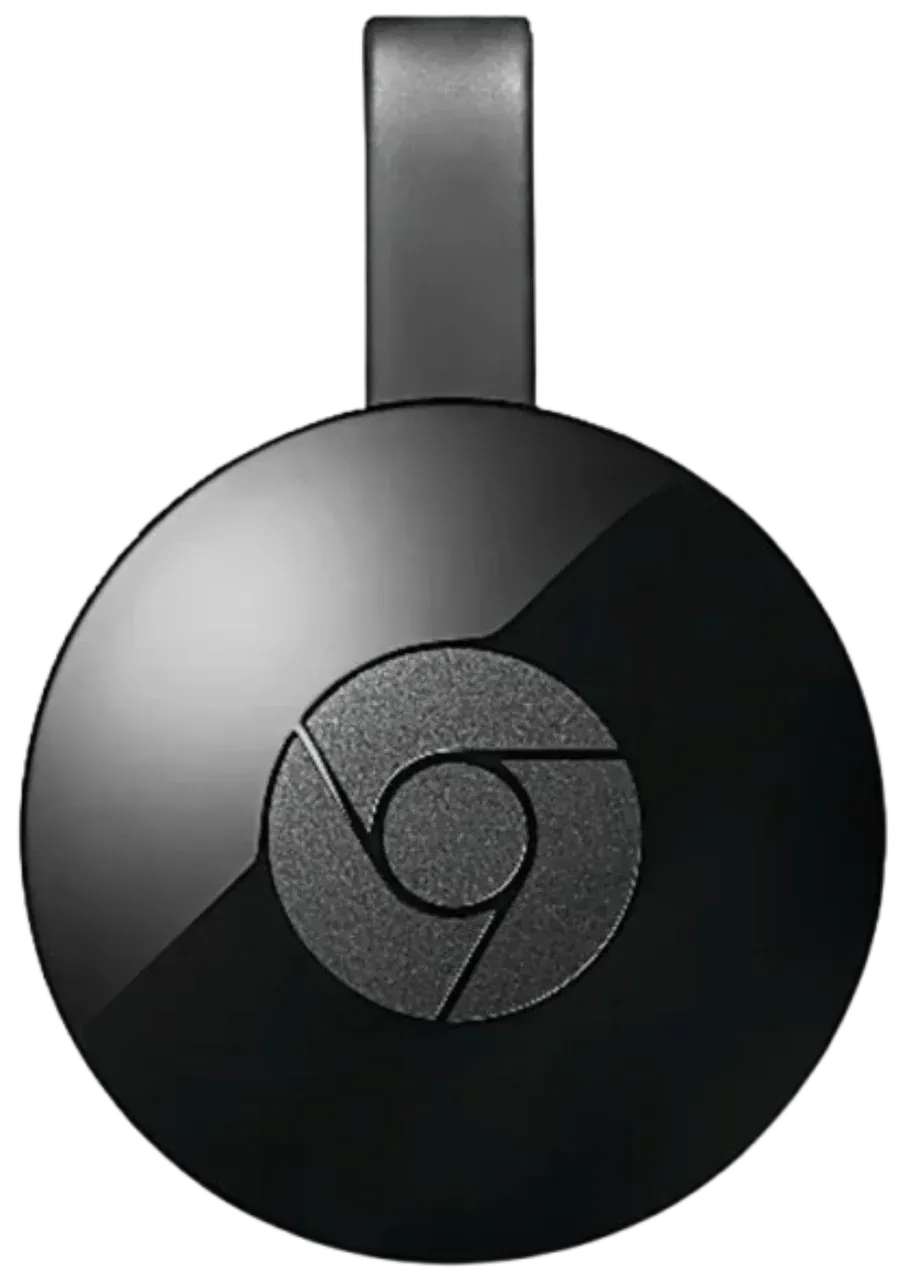
That original meaning is still the one many people have in mind. If someone says "I have a Chromecast," they may mean the old cast-only dongle that depends on a second device to start playback.
The name became more confusing in 2020 with Chromecast with Google TV. That product still carried the Chromecast brand, but it was no longer a cast-only dongle in the old sense. It added a remote, a full Google TV interface, and native apps on the device itself. In other words, it combined two layers: Google TV on the front end and Google Cast underneath.
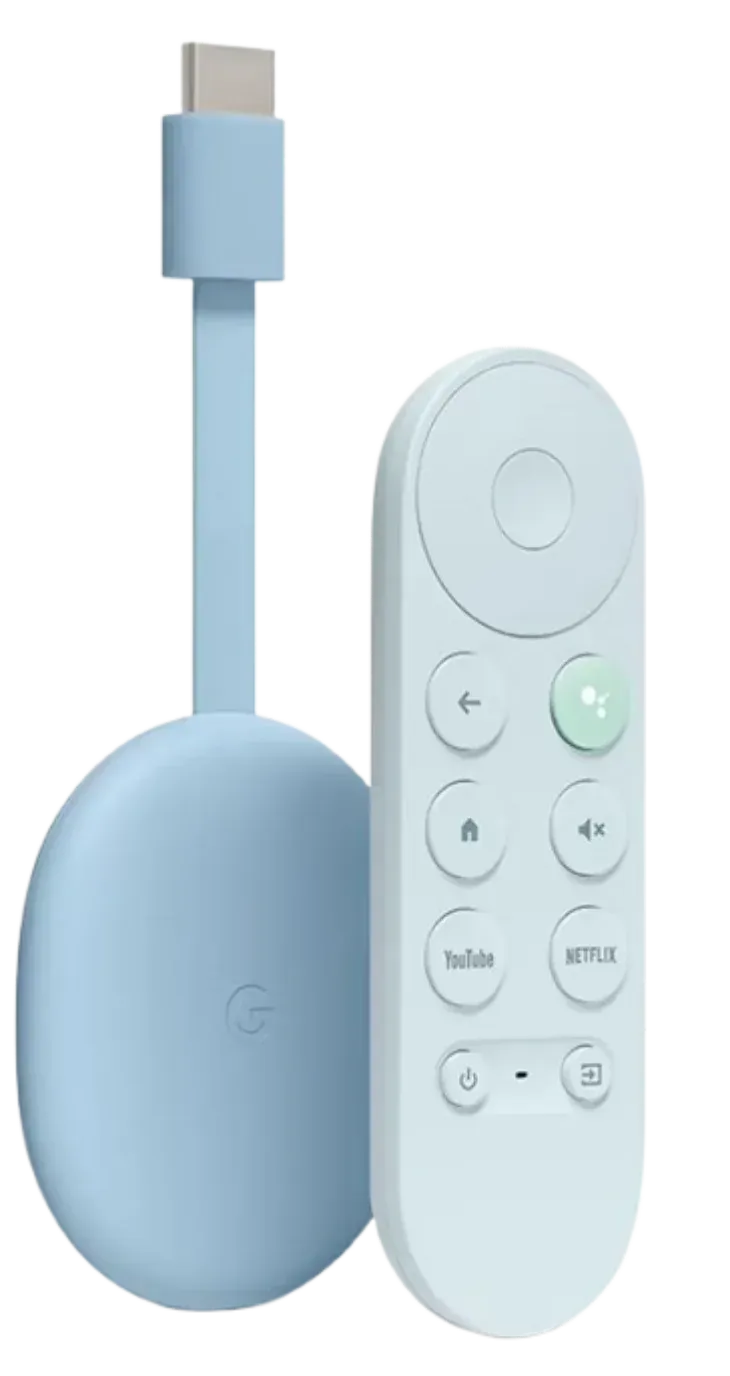
That is also where Google Cast needs to be separated from Chromecast hardware. Google Cast is the protocol that lets compatible apps and Chrome send media to a TV receiver. A standalone Chromecast device can receive Google Cast sessions, but so can many Google TV devices and TVs with Cast built in.
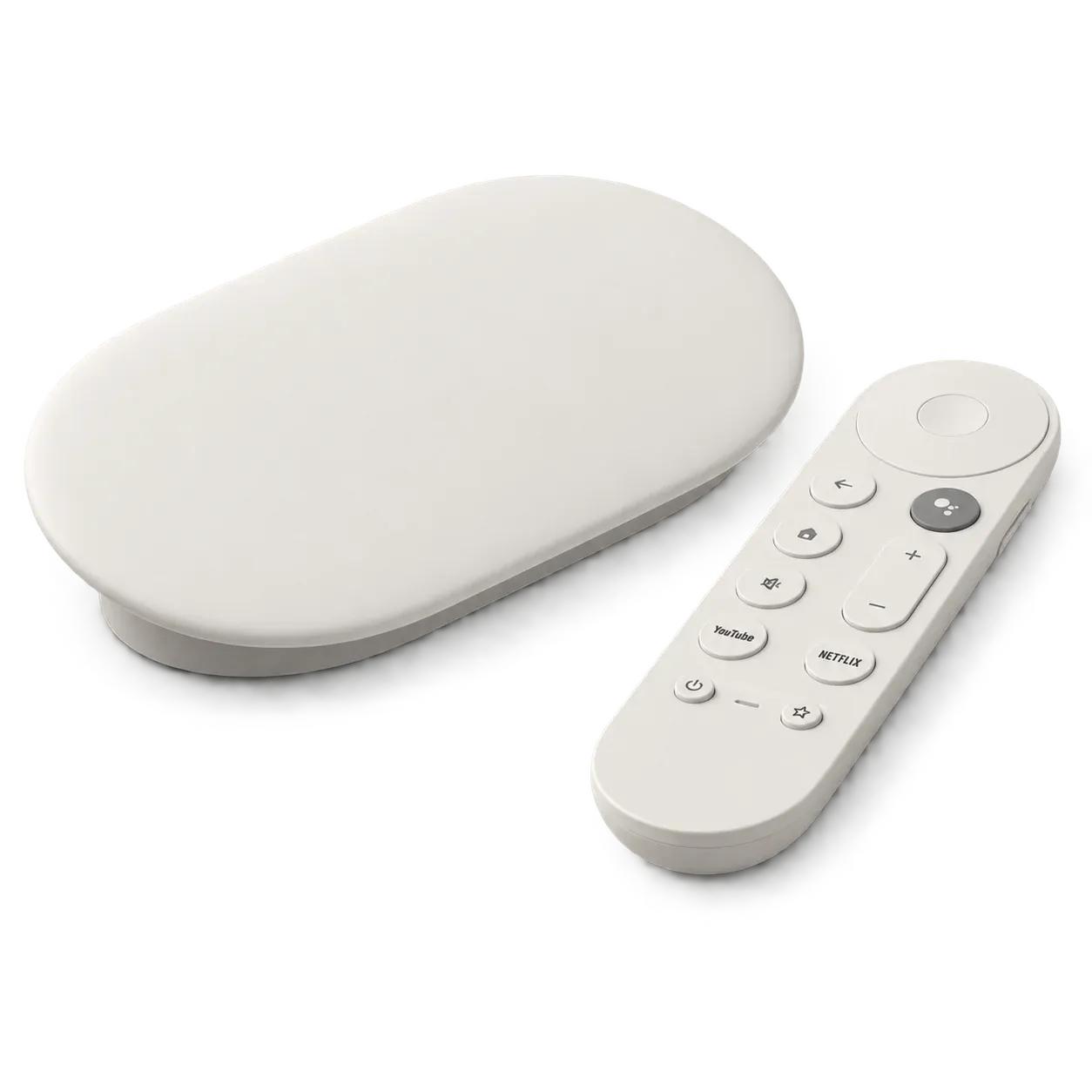
Then came the 2024 hardware shift. Google announced Google TV Streamer in August 2024 and positioned it as the replacement for Chromecast hardware. That means "Chromecast" in 2026 usually refers to one of four things:
- an older original Chromecast dongle
- Chromecast with Google TV, which is older but still widely recognized
- Google Cast support built into a TV or streaming device
- legacy naming that people still use even after Google moved to Google TV Streamer
So the safest 2026 definition is this: Chromecast is no longer the name of Google's current first-party streaming hardware, but it is still the name many users use for older devices and for Cast behavior in general.
Google TV vs Chromecast: Key Differences
Once the naming is clear, the more useful question is how the experience changes in real use. The biggest differences show up in how you control the TV, how apps run, how casting behaves, and whether you are dealing with older Chromecast hardware or Google's current Google TV devices.
Interface and Remote
Google TV is built around an on-screen interface. You can sit down, pick up the remote, open apps, browse recommendations, switch inputs, and control playback without touching your phone.
The original Chromecast worked differently. There was no browsing interface to live inside. Your phone, tablet, or computer was the control center, and the TV mostly waited for a Cast session to begin.
Chromecast with Google TV blurred that difference by adding the same remote-driven experience people now associate with Google TV. That is why modern comparisons should not treat every Chromecast device as if it worked like the original dongle.
Apps and Streaming
Google TV supports native streaming apps installed directly on the device or TV. That makes it closer to Roku, Fire TV, or Apple TV in everyday use.
Original Chromecast hardware did not work that way. It depended on whether the sending app supported Google Cast. If an app had no Cast button, the experience was limited or required a workaround like Chrome tab casting.
Chromecast with Google TV again sits in the middle historically, because it supports both native apps and Google Cast. That hybrid design is one reason the old names still confuse buyers.
Casting and Screen Mirroring
Casting and screen mirroring are related, but they are not the same thing. Google Cast is mainly designed for compatible app playback and some Chrome-based casting flows. It is not a universal receive layer for every device and every screen-sharing scenario.
That matters because many users hear "Chromecast" and assume it means any phone or computer can fully mirror to any Google TV screen. In reality, support still depends on the sender, the receiver, and the protocol path being used.
Google TV devices usually support Google Cast, so app-to-TV sending works well when the app is compatible. But Google Cast still does not equal universal cross-platform mirroring for iPhone, Mac, Windows, and Android in every case.
Hardware and Performance
Google TV is not one fixed hardware spec. A Google TV smart TV, an older Chromecast with Google TV, and a newer Google TV Streamer can all run Google TV while offering very different speed, storage, and memory.
That is why a 2026 comparison should focus on actual device generation rather than branding alone. Older Chromecast hardware was built around simpler or cheaper streaming use. Google's newer hardware is positioned as a more premium box with more headroom for apps and multitasking.
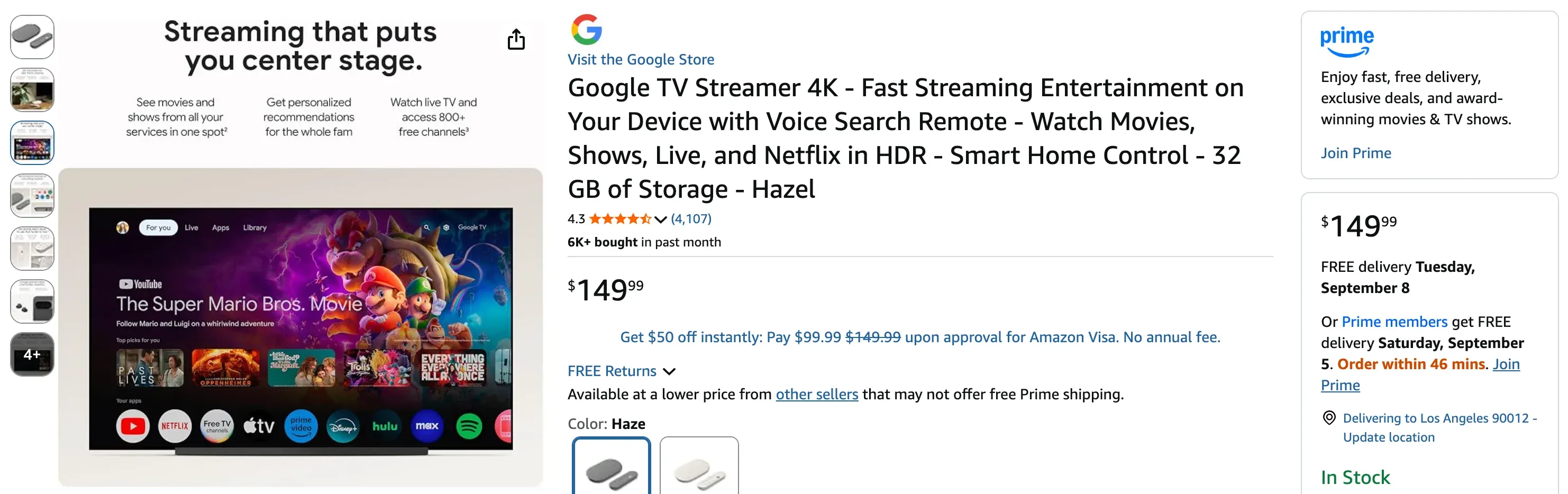
The biggest jump is between Chromecast with Google TV and Google TV Streamer. Google lists Google TV Streamer with 32 GB of storage and 4 GB of memory, compared with 8 GB and 2 GB on Chromecast with Google TV. That is a meaningful upgrade, not just a naming refresh.
Price and Availability
Availability is where the comparison changed most after August 2024. Google TV is still an active platform, because it ships on current TVs and on Google TV Streamer.
Chromecast hardware is different. Google discontinued the Chromecast hardware line, so you are generally looking at remaining inventory, second-hand listings, or older devices already in your home.
Now, Google's U.S. store lists Google TV Streamer at $149.99. Chromecast pricing is less stable because the product line is discontinued, and remaining stock can vary by seller, region, and condition.
Screen Mirror More Devices to Google TV With PigeonCast
Google Cast works well when the app and receiving device both support casting, but it does not provide the same full-screen mirroring experience across every platform. This is especially noticeable when you want to mirror an iPhone, Windows PC, Mac, or Android device directly to a Google TV screen.
PigeonCast provides a more flexible cross-platform option by letting different devices connect to Google TV without depending only on built-in Google Cast support. It can be especially useful for households where phones, tablets, and computers run different operating systems.
To mirror your screen with PigeonCast:
Step 1. Install and open PigeonCast on your Google TV or Android TV.
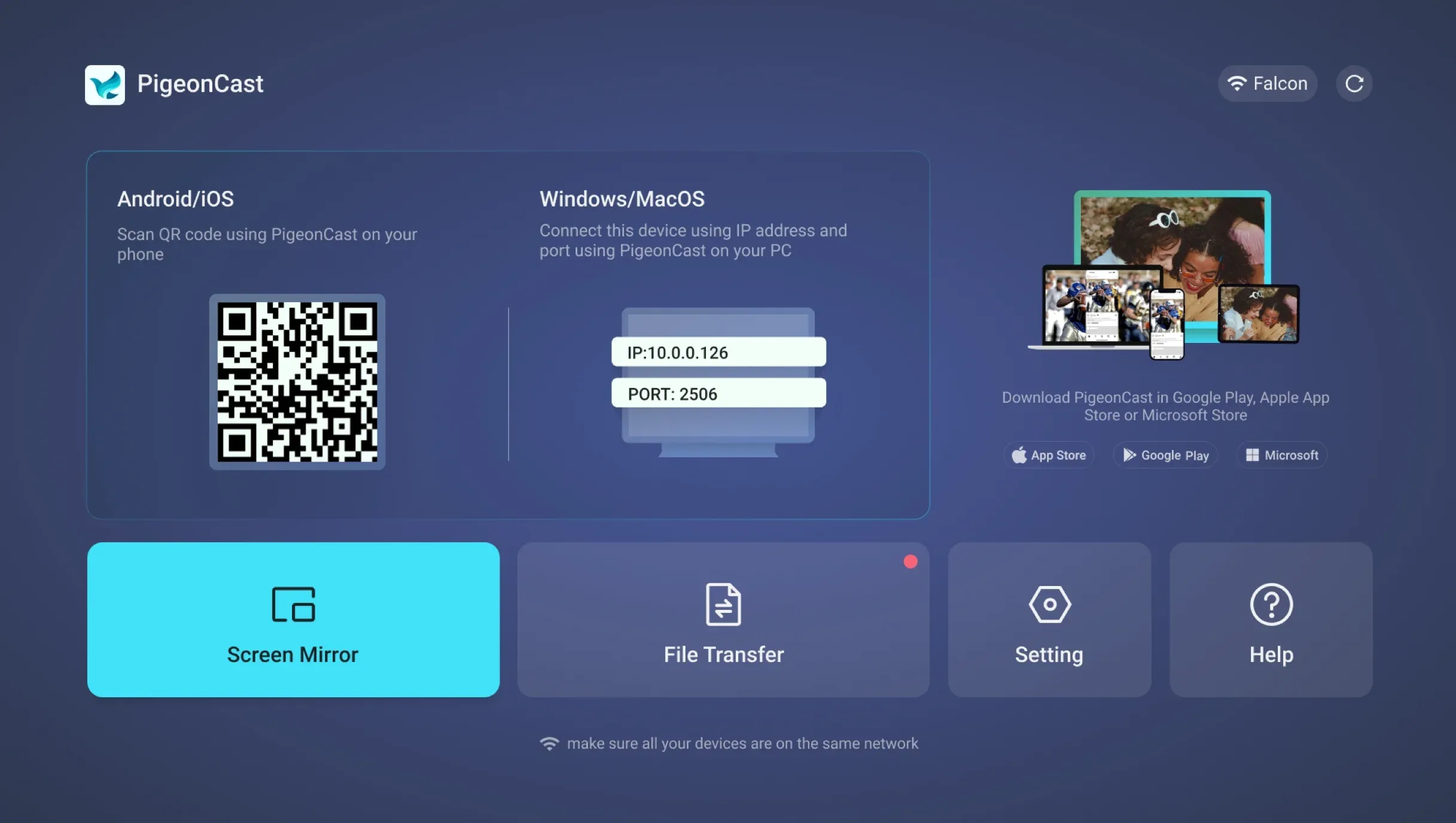
Step 2. Open PigeonCast on the phone, tablet, or computer you want to mirror.


Overall Rating:



Step 3. Scan the QR code displayed on your TV or choose the TV from the list.
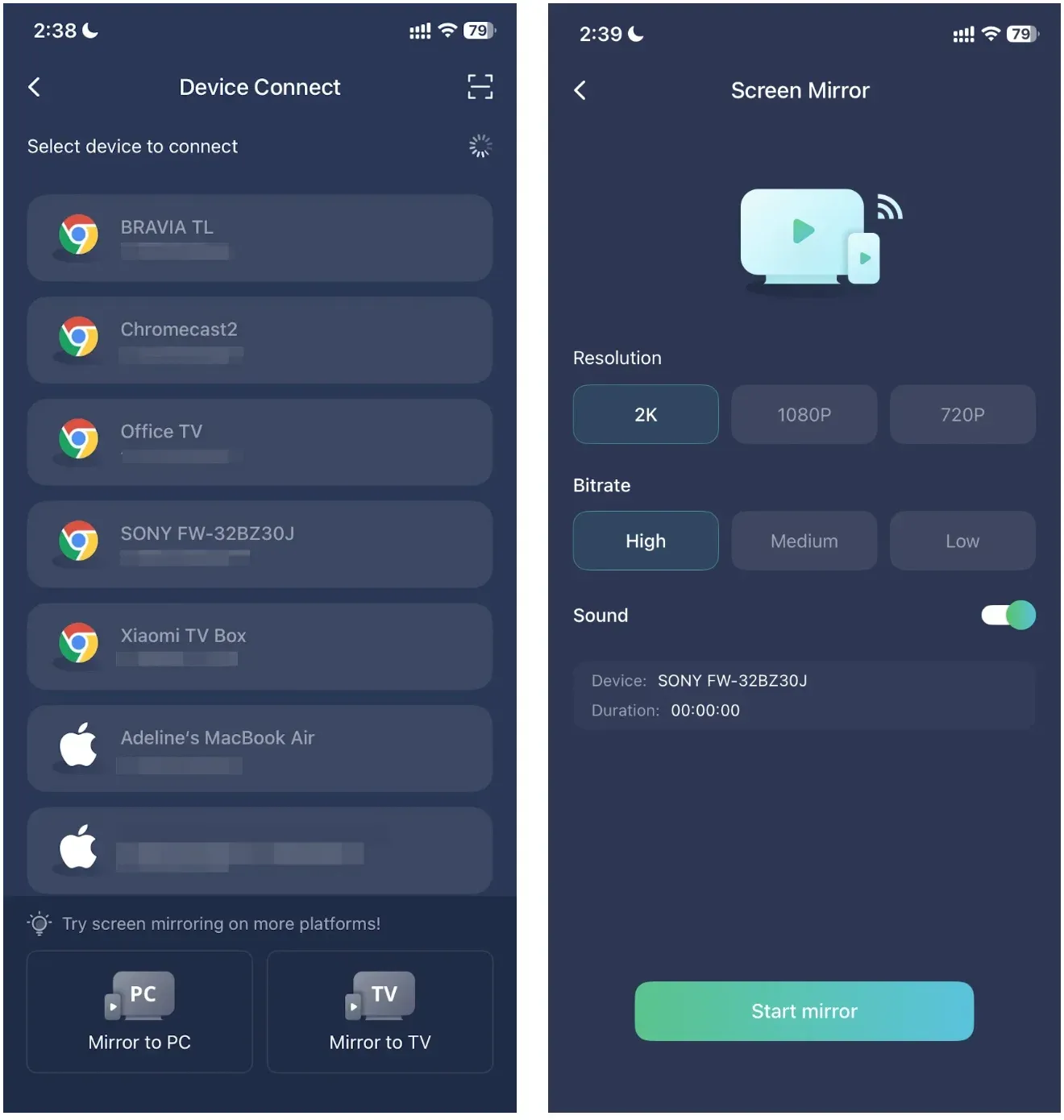
Step 4. Start screen mirroring and display your phone or computer screen on the TV.
For example, if you want to screen mirror an iPhone to Google TV, PigeonCast provides a direct way to connect the two without relying on whether the current app includes a Google Cast button.
The main advantage is that you are not limited to one sender platform or one casting protocol. Instead of treating Google TV as something that only works smoothly with Cast-enabled apps, you can use it as a receiving screen for a wider mix of devices.
Google TV vs Chromecast: Which Is Better for You?
The better choice depends less on definitions and more on your actual setup.
- If you already own an old Chromecast and it still does what you need, keep using it.
- If you want to buy Google's current streaming hardware, buy Google TV Streamer.
- If your TV already runs Google TV, you probably do not need a separate Chromecast.
- If you mainly cast from supported apps, built-in Google Cast is often enough.
- If you need full-screen mirroring across iPhone, Windows, Mac, and Android, PigeonCast is the more flexible answer.
The short version is that Google TV is the active platform, while Chromecast is now mostly a legacy hardware label and a still-common shorthand for Cast behavior. In 2026, the worst buying mistake is usually not choosing the "wrong brand." It is buying extra hardware when your TV already has Google TV or Google Cast built in.
Conclusion
Google TV and Chromecast are no longer two cleanly separate products you compare the way you might compare Roku and Fire TV. Google TV is the active platform. Chromecast is an older hardware brand and a naming shortcut many people still use for Cast support.
In 2026, the clearest decision path is simple: keep an old Chromecast if it still works, buy Google TV Streamer if you want Google's current hardware, skip extra hardware if your TV already runs Google TV, and use a broader mirroring tool when Google Cast is not enough for mixed-device screen sharing.
Google TV vs Chromecast FAQ
Can I use Google TV without Chromecast?
Yes. Google TV works independently and does not require a separate Chromecast device. A TV with Google TV built in, or a Google TV Streamer, can run streaming apps, browse content, and play media directly through its own interface, while Google Cast support is typically built in for compatible apps.
Can I use Chromecast without Google TV?
Yes. Older Chromecast devices were designed to work without Google TV and mainly acted as receivers for content sent from a phone, tablet, or computer. Some smart TVs also support Google Cast without using the Google TV interface, so Google TV is not required for Chromecast-style casting.
Does Google TV work without a phone?
Yes. Google TV can be used without a phone for normal streaming because you can open apps, search for content, and control playback with the remote. A phone can still be useful for initial setup, casting content, or using mobile controls, but it is not required for everyday viewing.
Can you cast to Google TV without a Chromecast device?
Yes. Most Google TV devices already include Google Cast support, so you can cast from compatible apps without plugging in a separate Chromecast. As long as the sending app supports Google Cast and both devices can connect properly, the Google TV itself can act as the Cast receiver.
Can I screen mirror my iPhone to Google TV without Chromecast?
Yes, but the method depends on your TV because iPhone's built-in Screen Mirroring feature uses AirPlay rather than Google Cast. If your Google TV does not support the mirroring method you need, a third-party tool such as PigeonCast can help you screen mirror iPhone or iPad to Google TV without adding a separate Chromecast device.
Can I use Google TV or Chromecast without Wi-Fi?
It depends on what you are trying to do. Streaming services on Google TV normally need an internet connection, and standard Google Cast setups usually work best when the sending device and receiver are on the same Wi-Fi network. Some local screen-sharing methods may work differently depending on the device and protocol, but neither Google TV nor Chromecast should generally be treated as a fully Wi-Fi-free streaming solution.
Mia Clarke is a technology editor specializing in screen mirroring and casting solutions across multiple platforms. Mia provides clear, practical guides and in-depth insights to help users seamlessly connect their devices. Passionate about enhancing digital experiences, Mia is dedicated to keeping readers updated on the latest trends and tools in cross-platform screen sharing. Whether you’re looking to mirror your smartphone, laptop, or smart TV, Mia’s content delivers reliable, user-friendly advice to simplify your tech setup.